
What is HelpBar.ai?
HelpBar
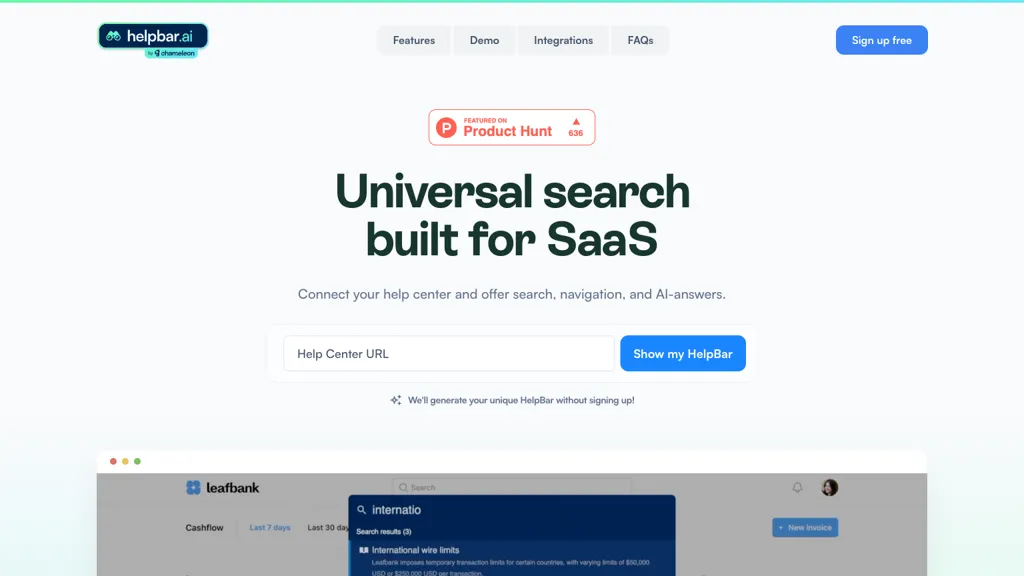
Connects your help center to deliver AI‑powered search, navigation, and answers directly inside your SaaS application.
Provides a single‑click trigger widget or keyboard shortcut (Command + K) so users can find help without leaving the app.
Allows brand‑specific styling, pinned “always there” items, and the creation of custom trigger widgets for tailored support experiences.
Draws responses from all content you import, speeding up discovery and reducing the need for external support tickets.
Enables integration of tools such as Loom, Figma, and interactive demos, keeping users within the application ecosystem.
Reduces support costs by giving customer‑service teams more time for proactive assistance while empowering users to self‑serve.
HelpBar.ai details
- Company
- Chameleon Intelligent Tech Inc.
- Jurisdiction
- Delaware
- Stated compliance
- GDPR
Compliance as stated in HelpBar.ai's own published documentation.
HelpBar.ai tech specs
- Integrations
- Figma
HelpBar.ai pricing
FreeThis tool is free to use, with no credit card required.
- Auto-renewal
- Yes
Verify on the official pricing page.
Get started freeHelpBar.ai's key features
-
CMD+K search navigation
-
Keyboard-enabled help search
-
Cross-page navigation
-
Action shortcuts
-
Custom font and color
-
URL-based content addition
-
CSV or API navigation
HelpBar.ai use cases
-
Seamlessly embed a branded in‑app help widget that launches Loom recordings for step‑by‑step tutorials, enabling users to troubleshoot issues without opening a browser
-
Use HelpBar's command+K search to provide instant, context‑aware answers from your knowledge base, cutting support tickets by 30% and keeping users engaged inside the app
-
Integrate Figma mockups into the HelpBar AI help center so designers and developers can reference interactive demos directly, accelerating onboarding for new customers
HelpBar.ai user reviews
Would you recommend HelpBar.ai?
Who is HelpBar.ai for?
-
Software developers
-
Enterprise clients
-
Support technicians
-
System administrators
-
Saas solution providers
HelpBar.ai FAQ
Is HelpBar.ai free?
Yes. HelpBar.ai is free to use and does not require a credit card.
Is HelpBar.ai safe to use?
HelpBar.ai states GDPR compliance in its own published documentation. HelpBar.ai is operated by Chameleon Intelligent Tech Inc., registered in Delaware.
What are the best alternatives to HelpBar.ai?
The closest alternatives to HelpBar.ai are Inline Help, Intercom, Helploom, DocsBot AI and Zendesk Advanced AI. You can compare them side by side in the alternatives section further down this page.
What does HelpBar.ai do with my data?
Its privacy policy states that personal data is not sold or shared for marketing purposes. Data may be shared with third-party service providers that help run the product.
Does HelpBar.ai auto-renew or offer refunds?
HelpBar.ai subscriptions renew automatically until you cancel.
Does HelpBar.ai have an API?
Yes. HelpBar.ai offers an API, so you can call it from your own applications instead of using the interface directly.
Who made HelpBar.ai?
HelpBar.ai is built and operated by Chameleon Intelligent Tech Inc., a company registered in Delaware.
What does HelpBar.ai integrate with?
HelpBar.ai connects with Figma.
Compliance, privacy and billing terms are as stated in each product's own published documentation and have not been independently verified by TopAI.tools.


