
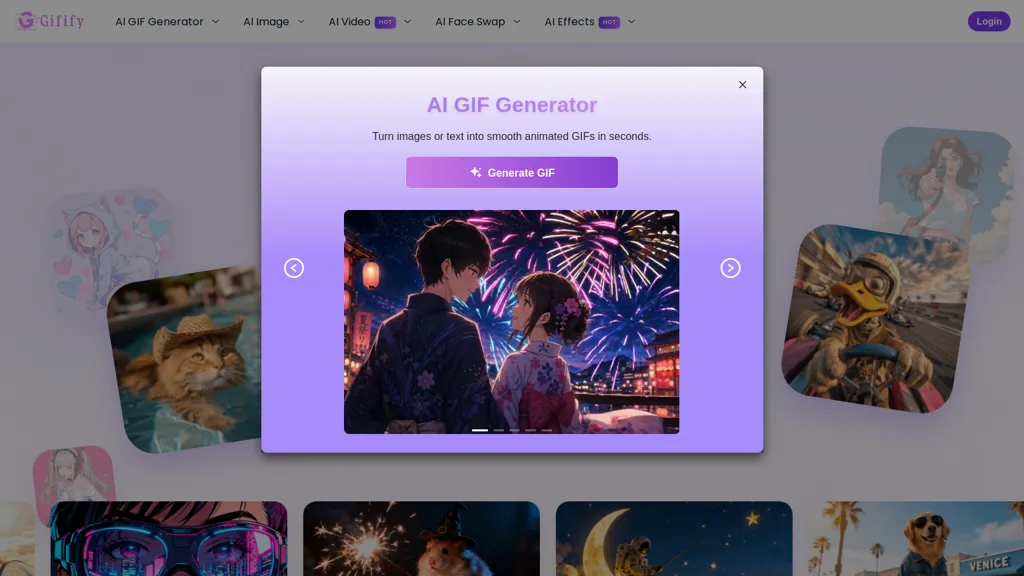
What is Gifify?
Gifify AI GIF Generator converts text prompts and uploaded images into looping GIFs, short videos, and AI-generated images using selectable models.It supports text-to-video, image-to-video, image-to-image, and reference-to-video workflows to apply specific animation styles and mimic visual references.
Editing tools include single and multiple face swap, background removal, object removal/replacement, watermark removal, and pose or clothing adjustments for portraits.Enhancement features include image upscaling, image extension, noise reduction, and video enhancement with lip-sync, motion mimicry, and transition effects.
Outputs include smooth, looping GIFs, shareable short videos, and high-resolution images with direct download and social sharing options.Target users include social media creators, marketers, e-commerce sellers, photographers, and animators producing reaction GIFs, promotional clips, product visuals, and stylized content.
Typical workflow.enter text or upload images, choose a model and effects, generate and preview, then download GIFs or videos for publishing.
Gifify details
- Jurisdiction
- United States
- Data residency
- United States
Gifify tech specs
- Works with
- OpenAI / Sora Google / Veo xAI / Grok Kling ByteDance / Seedance
Gifify pricing
FreemiumGifify offers a free plan with paid upgrades available.
Verify on the official pricing page.
View plansGifify's key features
-
Generates looping GIFs, short videos, and AI images from text prompts and uploaded images using selectable models
-
Supports workflows: text-to-video, image-to-video, image-to-image, and reference-to-video with animation-style and reference mimicry
-
Editing tools: single/multiple face swap, background removal, object removal/replacement, watermark removal, and pose/clothing adjustments
-
Enhancement tools: image upscaling, image extension, noise reduction, and video enhancement with lip-sync, motion mimicry, and transition effects
-
Exports: smooth looping GIFs, high-resolution images, and shareable short videos with direct download and social sharing options
Gifify use cases
-
Create eye-catching looping GIFs and short videos from simple text prompts or uploaded images using Gifify AI without any complex editing software, leveraging motion effects, lip-sync, upscaling and noise reduction to produce high-resolution social media-ready content for Instagram, TikTok and Twitter
-
Turn product photos into dynamic product demo videos or animated ads by removing or replacing backgrounds, adding motion effects and object emphasis, and upscaling outputs for crisp e-commerce listings and paid creatives that perform across platforms
-
Produce personalized video greetings, localized marketing clips, or influencer content by using portrait face swaps, lip-sync enhancement and image-to-video workflows to animate stills into realistic short videos—perfect for targeted campaigns, customer engagement, and shareable messages
Gifify user reviews
Based on 1 review, 100% of users recommend Gifify, rated highly for ease of use.
Liked for
Would you recommend Gifify?
Who is Gifify for?
-
Content creators
-
Marketers
-
E-commerce sellers
-
Photographers
-
Animators
Gifify FAQ
Is Gifify free?
Partly. Gifify has a free plan with usage limits, and paid plans unlock the full feature set.
What are the best alternatives to Gifify?
The closest alternatives to Gifify are Video Generator - A2E.ai , AIAI, Canva AI, GoEnhance and VideoAI. You can compare them side by side in the alternatives section further down this page.
What does Gifify do with my data?
Its privacy policy states that personal data is not sold or shared for marketing purposes. Data may be shared with third-party service providers that help run the product. Customer data is held in United States.
Which AI models does Gifify use?
Gifify is built on OpenAI / Sora, Google / Veo, xAI / Grok, Kling and ByteDance / Seedance. Which models you can reach may depend on your plan.
Compliance, privacy and billing terms are as stated in each product's own published documentation and have not been independently verified by TopAI.tools.


