
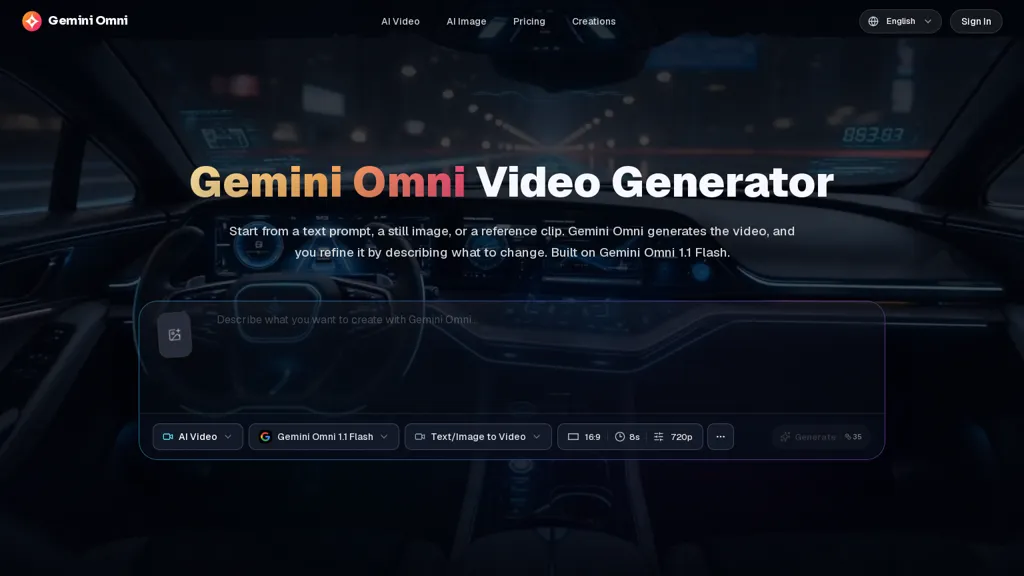
What is GeminiOmni.video?
GeminiOmni.video (built on Gemini Omni 1.1 Flash) generates and edits video from text, images, reference clips, or audio inputs.It supports text-to-video, image-to-video, and reference-to-video workflows with multimodal input to guide visual direction and motion.
Prompt-based editing creates new generations that apply described changes to camera movement, subject motion, lighting, background, and effects.Reference-guided creation carries subject identity, product details, and style into new shots while allowing targeted adjustments.
Video style transfer and scene reconstruction reshape materials, lighting, and environments to match a specified visual direction.An iterative, multi-pass workflow preserves scene coherence, maintains spatial relationships and motion logic across versions, and produces watermark-free exports.
GeminiOmni.video details
- Built for
- Individuals
GeminiOmni.video tech specs
- Works with
- OpenAI / Sora Google / Gemini Google / Veo
GeminiOmni.video pricing
Freemium- Refund window
- 7 days
- Auto-renewal
- Yes
Verify on the official pricing page.
View plansGeminiOmni.video's key features
-
Multimodal video generation and editing from text, images, reference clips, or audio inputs
-
Prompt-based editing to modify camera movement, subject motion, lighting, background, and effects
-
Reference-guided creation that transfers subject identity, product details, and style into new shots with targeted adjustments
-
Video style transfer and scene reconstruction to reshape materials, lighting, and environments to match a specified visual direction
-
Iterative multi-pass workflow preserving scene coherence, spatial relationships, and motion logic across versions and producing watermark-free exports
GeminiOmni.video use cases
-
Create high-converting product and social ads using Gemini Omni (1.1 Flash) from simple text prompts, product images, and brand references—automatically generating camera moves, lighting, and background variations while preserving brand identity for multi-platform distribution
-
Convert static images, illustrations, or audio scripts into short animated explainers and social reels with Gemini Omni (1.1 Flash), using prompt-based image-to-video conversion and style transfer to produce eye-catching motion, consistent visual style, and platform-ready aspect ratios without manual animation
-
Perform reference-guided post-production edits on existing footage with Gemini Omni (1.1 Flash) to retime camera motion, relight scenes, swap backgrounds, or apply cinematic style transfer while keeping actors' facial identity intact—ideal for rapid iteration in marketing, e-learning, and filmmaking
GeminiOmni.video user reviews
Would you recommend GeminiOmni.video?
Who is GeminiOmni.video for?
-
Filmmakers
-
Video editors and post-production professionals
-
Content creators and social media influencers
-
Advertisers and marketing teams
-
Product designers and e-commerce teams
-
Vfx artists and motion designers
-
Animators and storyboard artists
-
Creative agencies and studios
-
Game developers and cinematics teams
-
Educators and researchers in visual media
GeminiOmni.video FAQ
Is GeminiOmni.video free?
Partly. GeminiOmni.video has a free plan with usage limits, and paid plans unlock the full feature set. Plans include Basic at $20.99/mo, Pro at $34.99/mo and Premium at $69.99/mo.
What are the best alternatives to GeminiOmni.video?
The closest alternatives to GeminiOmni.video are VideoAI, Video Generator - A2E.ai , Textideo, Veo3 and AIReel. You can compare them side by side in the alternatives section further down this page.
What does GeminiOmni.video do with my data?
GeminiOmni.video states that customer content is not used to train its models. Its privacy policy states that personal data is not sold or shared for marketing purposes. Data may be shared with third-party service providers that help run the product.
Does GeminiOmni.video auto-renew or offer refunds?
GeminiOmni.video subscriptions renew automatically until you cancel. It states a 7-day refund window.
Does GeminiOmni.video have an API?
Yes. GeminiOmni.video offers an API, so you can call it from your own applications instead of using the interface directly.
Which AI models does GeminiOmni.video use?
GeminiOmni.video is built on OpenAI / Sora, Google / Gemini and Google / Veo. Which models you can reach may depend on your plan.
Compliance, privacy and billing terms are as stated in each product's own published documentation and have not been independently verified by TopAI.tools.


