
What is Floutwork?
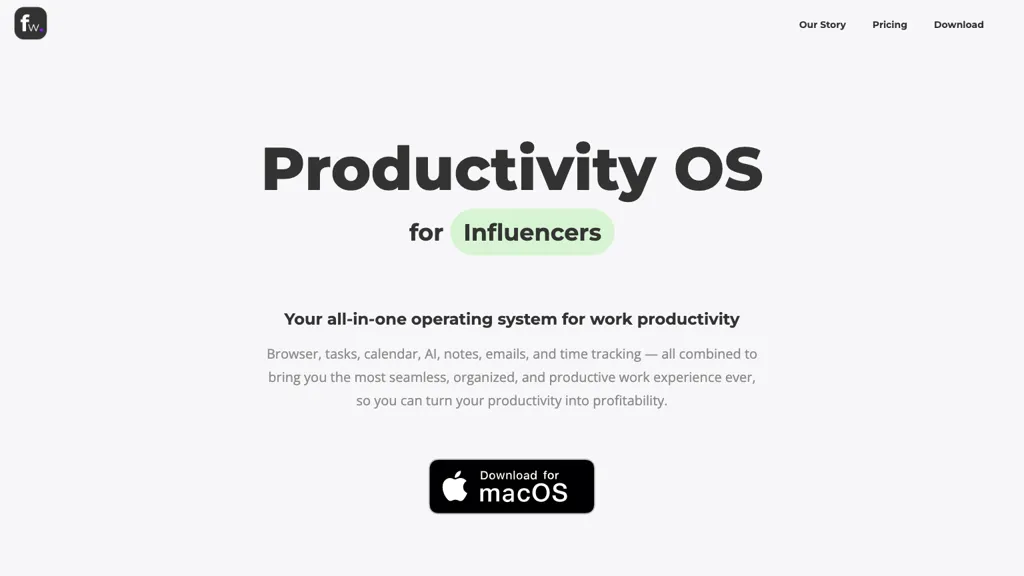
Floutwork is a desktop application that consolidates web apps, AI, tasks, notes, and calendar data into a single focused workspace. It features a built‑in browser designed for productivity, with tabs grouped by task or app and a launchpad for quick access to essential tools.
Users can capture tasks and notes directly from any web page, maintaining context and reducing context switching. The integrated AI chat hub lets users query, summarize, and generate content across all open tabs, supporting multiple leading models within one interface.
A personal memory engine tracks work patterns to deliver relevant context and productivity metrics. The platform also offers split‑view layouts, a pomodoro timer, an inbox cleaner, and workspace organization to help teams and individuals streamline their workflow and stay on task.
Floutwork details
- Jurisdiction
- United States (Florida)
- Built for
- Businesses and teams
Floutwork tech specs
- Works with
- OpenAI / GPT Anthropic / Claude Google / Gemini xAI / Grok Perplexity
Floutwork pricing
Subscription- Free trial
- 7 days
- Auto-renewal
- Yes
Verify on the official pricing page.
View plansFloutwork's key features
-
Built-in productivity browser
-
Tab grouping by task or app
-
Side-by-side tasks and notes capture
-
AI chat across all tabs
-
Personal memory engine for context
-
Automatic tab and workspace organization
-
Built-in ad blocker
Floutwork use cases
-
Consolidate all web research sources, AI‑powered summaries, and note capture in one workspace, using split‑view to compare articles side‑by‑side while a pomodoro timer keeps focus on reading and writing
-
Coordinate a remote team sprint by integrating calendar invites, task boards, and communication apps in Floutwork; AI chat suggests next actions, the inbox cleaner removes clutter, and split‑view enables simultaneous task management and meeting notes
-
Draft a whitepaper or proposal by bringing together drafting tools, reference databases, and AI editing assistance; the personal memory engine stores recurring terminology, split‑view allows drafting and source verification at once, and the pomodoro timer enforces focused writing sessions
Floutwork user reviews
Based on 1 review, 0% of users recommend Floutwork.
Disliked for
Would you recommend Floutwork?
Who is Floutwork for?
-
Product designers
-
E-commerce sellers
-
Content creators
-
Strategic managers
-
Administrative assistants
Floutwork FAQ
How much does Floutwork cost?
Floutwork is a paid product with no free plan. Plans include Superplan at $12/mo.
What are the best alternatives to Floutwork?
The closest alternatives to Floutwork are MyMind, Sider, Google Workspace, Genspark.ai and TabCrunch. You can compare them side by side in the alternatives section further down this page.
What does Floutwork do with my data?
Floutwork states that customer content is not used to train its models. Its privacy policy states that personal data is not sold or shared for marketing purposes. Data may be shared with third-party service providers that help run the product.
Does Floutwork auto-renew or offer refunds?
Floutwork subscriptions renew automatically until you cancel.
Which AI models does Floutwork use?
Floutwork is built on OpenAI / GPT, Anthropic / Claude, Google / Gemini, xAI / Grok and Perplexity. Which models you can reach may depend on your plan.
Compliance, privacy and billing terms are as stated in each product's own published documentation and have not been independently verified by TopAI.tools.


