
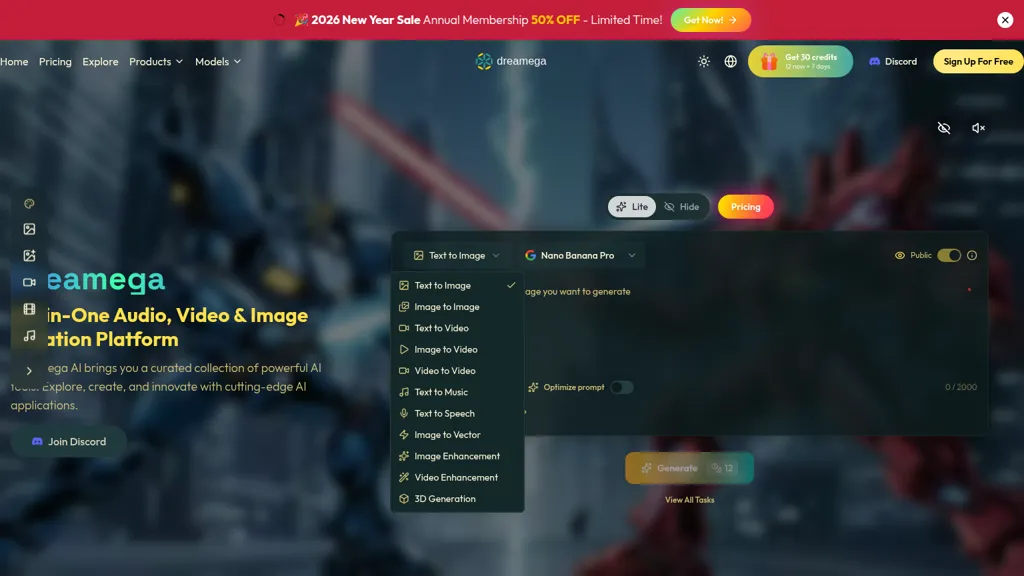
What is Dreamega AI?
Dreamega.AI is an all-in-one AI image generator, text-to-video generator, and audio creation platform. It supports text-to-image, image-to-image, text-to-video, image-to-video, video-to-video, and text-to-music workflows across 50+ models, allowing selection between photorealistic and stylized outputs.
Built-in tools include image restoration, upscaling, background removal, watermark removal, format conversion, templates, and video effects for content creators and marketers. Batch generation, parallel tasks, and multi-model support help teams and developers scale production and iterate on assets.
Dreamega AI tech specs
- Works with
- OpenAI / GPT OpenAI / Sora Google / Gemini Google / Veo Google / Nano Banana xAI / Grok Qwen Kling ByteDance / Seedance ByteDance / Seedream MiniMax / Hailuo Tencent / Hunyuan Ideogram MiniMax
- Integrations
- Discord Shopify
Dreamega AI pricing
FreemiumDreamega AI offers a free plan with paid upgrades available.
- Auto-renewal
- Yes
Verify on the official pricing page.
View plansDreamega AI's key features
-
Text-to-Image generation (convert text descriptions into images)
-
Image-to-Image transformation and editing (reference-based generation, style transfer, photo effects, restoration, upscaling, background/watermark removal)
-
Text-to-Video generation with advanced semantic understanding and optional synchronized audio
-
Image-to-Video and Motion Control (animate still images and transfer motion from reference videos)
-
Audio generation and processing (Text-to-Music, Lyric-to-Music, rap/instrumental generators, audio format conversion)
Dreamega AI use cases
-
Create polished product videos and image ads for e-commerce using Dreamega.AI's text-to-video and image-to-video generators—remove backgrounds and watermarks, restore and upscale product photos, batch-process hundreds of SKUs, and export platform-ready formats without any external tools
-
Restore and repurpose legacy photos and footage using Dreamega.AI's image restoration and upscaling tools—clean artifacts, convert image sequences into high-resolution videos, add AI-generated music or voiceovers, and export print- or streaming-ready assets
-
Rapidly produce multi-platform social media content and marketing assets with Dreamega.AI by generating on-brand images and short videos from prompts across 50+ models, create variants via batch processing, automate background/watermark removal, and export optimized files with custom audio tracks
Dreamega AI user reviews
Would you recommend Dreamega AI?
Who is Dreamega AI for?
-
Creators
Dreamega AI FAQ
Is Dreamega AI free?
Partly. Dreamega AI has a free plan with usage limits, and paid plans unlock the full feature set.
What are the best alternatives to Dreamega AI?
The closest alternatives to Dreamega AI are DeepAI, VideoAI, AIAI, AIReel and AIimagine.io. You can compare them side by side in the alternatives section further down this page.
Does Dreamega AI auto-renew or offer refunds?
Dreamega AI subscriptions renew automatically until you cancel.
Which AI models does Dreamega AI use?
Dreamega AI is built on OpenAI / GPT, OpenAI / Sora, Google / Gemini, Google / Veo, Google / Nano Banana, xAI / Grok, Qwen, Kling, ByteDance / Seedance, ByteDance / Seedream, MiniMax / Hailuo, Tencent / Hunyuan, Ideogram and MiniMax. Which models you can reach may depend on your plan.
What does Dreamega AI integrate with?
Dreamega AI connects with Discord and Shopify.
Compliance, privacy and billing terms are as stated in each product's own published documentation and have not been independently verified by TopAI.tools.


