
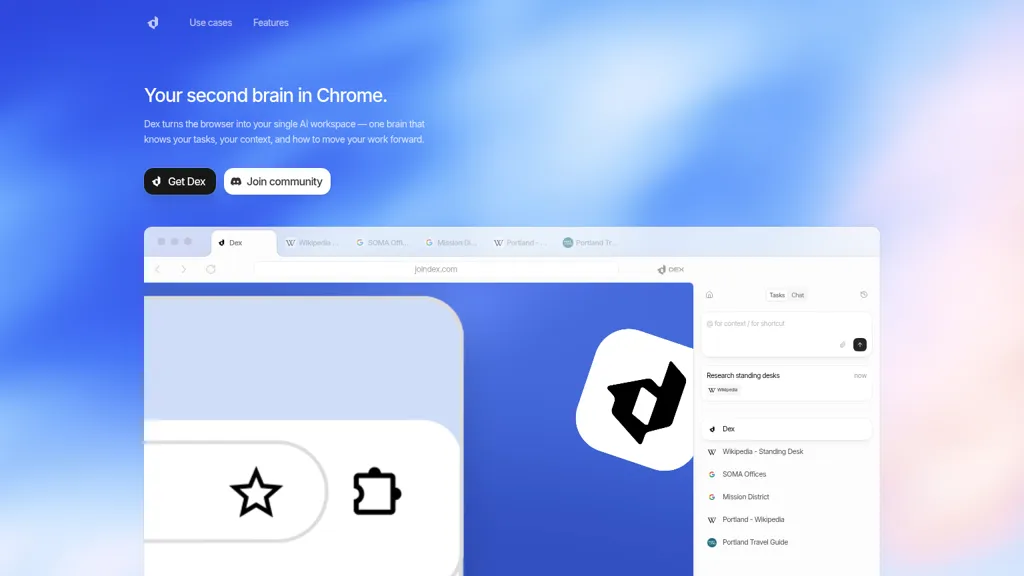
What is Dex by Thirdlayer?
Dex is a Chrome extension that converts the browser into an AI workspace, centralizing tasks, notes, and context across tabs and apps. It integrates with Google Calendar, Gmail, Google Sheets, and LinkedIn to schedule meetings, prepare meeting briefs, and extract contact data.
Dex saves and organizes quick notes into searchable, context-aware memory for reliable retrieval and next-step suggestions. Users can scrape LinkedIn profiles, export lead lists to Google Sheets, and send personalized mass emails via Gmail using sheet data.
The extension operates across open tabs to reduce context switching for research, CRM, operations, and GTM workflows. Targeted at knowledge workers, hiring managers, sales and operations teams, it supports lead generation, meeting prep, data analysis, and email personalization.
Dex by Thirdlayer details
- Company
- ThirdLayer, Inc.
- Built for
- Businesses and teams
Dex by Thirdlayer tech specs
- Works with
- OpenAI / GPT
- Integrations
- n8n Slack Salesforce Google Workspace
Dex by Thirdlayer pricing
FreemiumDex by Thirdlayer offers a free plan with paid upgrades available.
- Auto-renewal
- Yes
Verify on the official pricing page.
View plansDex by Thirdlayer's key features
-
Integrates with 14+ apps and acts across browser tabs to operate within your web workflow
-
Predicts and executes next steps by surfacing tasks proactively
-
Persistent memory that learns from interactions and stores preferences and context
-
Extracts and exports data (e.g., scrape LinkedIn) to Google Sheets for list building and analysis
-
Automates communications and scheduling (personalized Gmail sends, schedule meetings using calendar availability)
Dex by Thirdlayer use cases
-
Prepare concise, automated meeting briefs using Dex by pulling attendee info from Calendar and Gmail, extracting LinkedIn profiles and relevant open-tab context to surface bios, past emails and action items so you can enter meetings fully prepared
-
Extract and enrich leads at scale with Dex's profile data extractor and cross-tab context manager, auto-populate Sheets with contact details and notes, then generate spreadsheet-driven, personalized outreach sequences to increase response rates
-
Centralize notes, tasks and contextual memory across tabs and apps in Dex's browser AI workspace, create context-aware summaries and follow-ups tied to specific clients or projects, and sync tasks and draft emails with Gmail and Calendar for seamless execution
Dex by Thirdlayer user reviews
Would you recommend Dex by Thirdlayer?
Who is Dex by Thirdlayer for?
-
Sales professionals
-
Recruiters
-
Project managers
-
Researchers
-
Knowledge workers
-
Business analysts
-
Marketers
-
Busy professionals who manage meetings and outreach
Dex by Thirdlayer FAQ
Is Dex by Thirdlayer free?
Partly. Dex by Thirdlayer has a free plan with usage limits, and paid plans unlock the full feature set.
Is Dex by Thirdlayer safe to use?
Dex by Thirdlayer is operated by ThirdLayer, Inc..
What are the best alternatives to Dex by Thirdlayer?
The closest alternatives to Dex by Thirdlayer are Sider, Genspark.ai, Google Workspace, AIPex and Tabchat AI. You can compare them side by side in the alternatives section further down this page.
What does Dex by Thirdlayer do with my data?
Dex by Thirdlayer states that customer content may be used to train its models. Its privacy policy states that personal data is not sold or shared for marketing purposes. Data may be shared with third-party service providers that help run the product.
Does Dex by Thirdlayer auto-renew or offer refunds?
Dex by Thirdlayer subscriptions renew automatically until you cancel.
Who made Dex by Thirdlayer?
Dex by Thirdlayer is built and operated by ThirdLayer, Inc..
Which AI models does Dex by Thirdlayer use?
Dex by Thirdlayer is built on OpenAI / GPT. Which models you can reach may depend on your plan.
What does Dex by Thirdlayer integrate with?
Dex by Thirdlayer connects with n8n, Slack, Salesforce and Google Workspace.
Compliance, privacy and billing terms are as stated in each product's own published documentation and have not been independently verified by TopAI.tools.


