
What is DesignMail Pro?
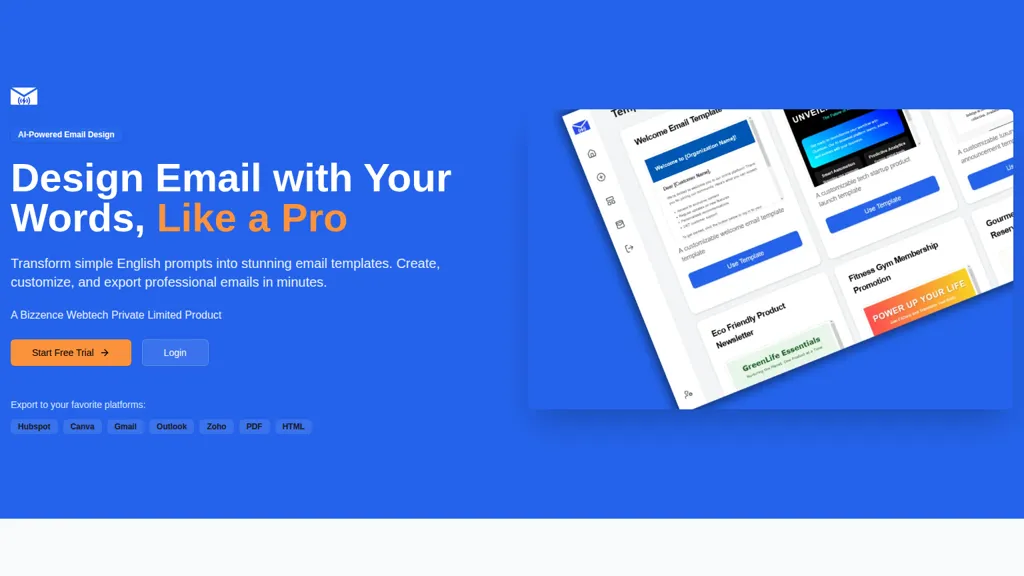
DesignMail Pro transforms natural-language prompts into AI-generated email templates for marketers, agencies, and sales teams. Create and customize responsive email templates using a drag-and-drop editor and a library of 100+ industry-specific templates.
Export templates as HTML or PDF or send directly to HubSpot, Gmail, Outlook, Zoho, and Canva for deployment and editing. Support workflow integration with export-ready formats and platform connectors for email marketing and CRM systems. Reduce template production time through automated design generation and fast manual adjustments.
DesignMail Pro pricing
Verify on the official pricing page.
View plansDesignMail Pro's key features
-
Natural-language AI generation of email templates
-
Drag-and-drop editor for manual template customization
-
Library of 100+ professional email templates
-
Export integrations to HubSpot, Canva, Gmail, Outlook, and Zoho
-
Export to PDF and HTML formats
DesignMail Pro use cases
-
Create personalized, responsive sales outreach sequences from plain-language prompts using DesignMail Pro's 100+ industry templates and drag-and-drop editor, sync them to HubSpot, Gmail or Outlook for automated campaigns, and export clean HTML/PDF for ESPs or developer handoff
-
Design branded newsletter campaigns by converting a content brief into mobile-optimized AI-generated email templates, collaborate in real-time with teammates using versioning, fine-tune layouts in the drag-and-drop editor, then export to PDF for approvals or push assets to Canva for creative polishing
-
Build onboarding and transactional email libraries for product and support teams by prompting DesignMail Pro for tone and sequence, generate responsive templates and automated workflows, integrate directly with Zoho or HubSpot to trigger sends, and maintain iterations with template versioning
DesignMail Pro user reviews
Would you recommend DesignMail Pro?
Who is DesignMail Pro for?
-
Marketing professionals
-
Business owners
-
E-commerce sellers
-
Content creators
-
Designers
DesignMail Pro FAQ
What are the best alternatives to DesignMail Pro?
The closest alternatives to DesignMail Pro are EmailCanvasAi, Instantly, AI Email Generator, Snov Email Writer and IncredEmail AI. You can compare them side by side in the alternatives section further down this page.


