
What is Tempo?
Tempo AI
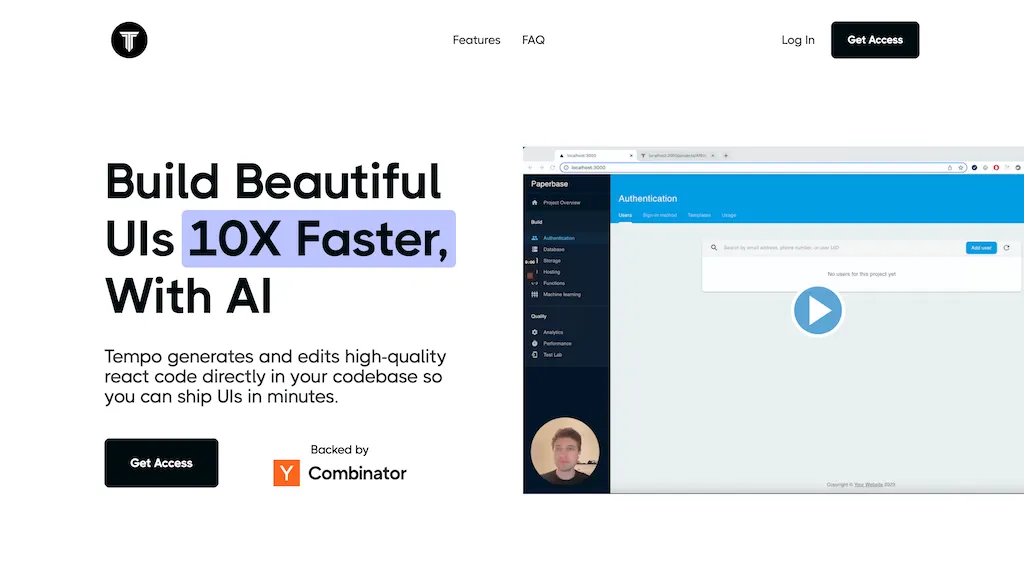
Tempo AI integrates a drag‑and‑drop visual editor with a code‑centric workflow, enabling designers to edit React components, layouts, and styles directly in the browser while developers can modify the underlying code locally in VSCode. The platform supports importing existing codebases or Storybook libraries, and can generate custom design‑system libraries in minutes.
AI agents assist in generating architecture diagrams, code snippets, and brand styles from images, streamlining the entire product development cycle. All code changes can be pushed to GitHub, giving users full control over hosting and deployment options.
Tempo pricing
FreemiumVerify on the official pricing page.
View plansTempo's key features
-
Drag-and-drop React editor
-
Visual design editor for components
-
Import or generate design system library
-
Local VSCode code editing integration
-
GitHub push and custom hosting
-
AI-generated React components & templates
-
AI chat for product development
Tempo use cases
-
Create a drag‑and‑drop layout for a marketing landing page in Tempo AI, allowing designers to instantly prototype while developers sync the resulting React components to GitHub
-
Build and maintain a company‑wide design system by importing existing code, generating reusable component libraries, and auto‑creating architecture diagrams that keep the front‑end team aligned
-
Generate code‑centric UI snippets and brand‑style guidelines on the fly, then push the updated snippets to GitHub and Storybook for instant collaboration
Tempo user reviews
Based on 1 review, 100% of users recommend Tempo, rated highly for ease of use.
Liked for
Would you recommend Tempo?
Who is Tempo for?
-
Digital designers
-
Software developers
-
Code architects
-
Design managers
-
Frontend engineers
Tempo FAQ
Is Tempo free?
Partly. Tempo has a free plan with usage limits, and paid plans unlock the full feature set. Plans include Pro at $30/mo, $50/mo at $50/mo and Agent+ at $4500/mo.
What are the best alternatives to Tempo?
The closest alternatives to Tempo are Tempo new, components.ai, AIUI.me, Bind AI and AI-Flow. You can compare them side by side in the alternatives section further down this page.


