
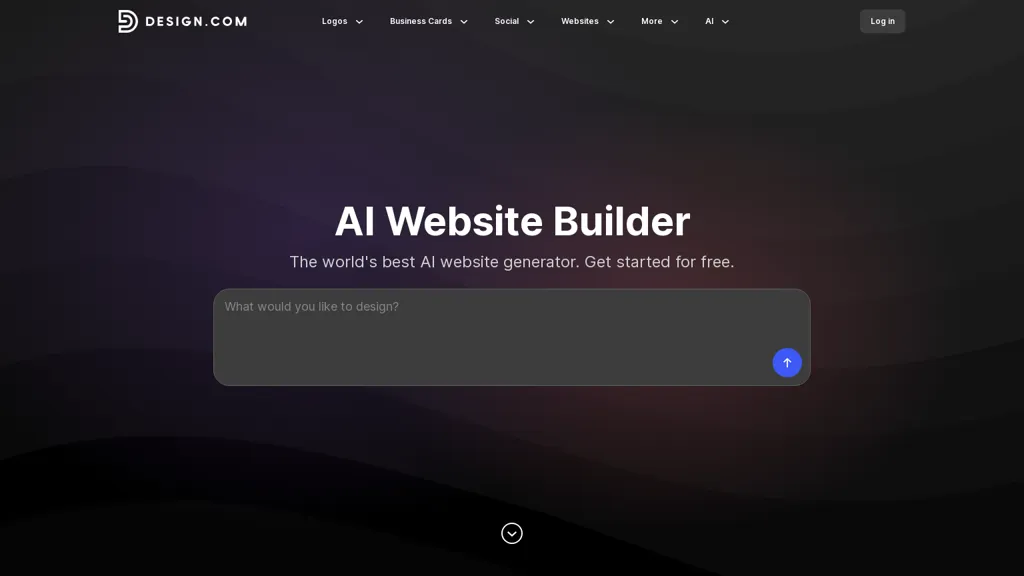
What is design.com?
Design.com QR Code Maker is an online QR code generator for creating customizable QR codes for businesses, marketers, event planners, restaurants, real estate professionals and designers. It provides thousands of QR code templates and editable options for fonts, colors, layouts and logo placement to produce branded QR codes. Output formats include high-resolution PNG/JPG and vector files (SVG, EPS, PDF) for print and digital use. Users can generate, preview, edit and download multiple QR code variations and export matching social media and print assets. Keyword-driven template search and batch editing speed up workflows for agencies, small teams and solo creators. The tool supports color palettes, layout variations and file exports tailored to marketing materials, business cards, posters, menus and websites.
design.com details
- Company
- DesignCrowd Pty Ltd
- Jurisdiction
- New South Wales, Australia
- Data residency
- United States and Australia
- Stated compliance
- GDPR, CCPA
Compliance as stated in design.com's own published documentation.
design.com pricing
Free trialdesign.com offers a free trial before requiring payment.
Verify on the official pricing page.
Start free trialdesign.com's key features
-
Customizable QR code templates with editable fonts, colors, layouts, and logo placement
-
Export to high-resolution PNG/JPG and vector formats (SVG, EPS, PDF)
-
Generate, preview, edit, and download multiple QR code variations
-
Keyword-driven template search and batch editing
-
Support for color palettes and layout variations tailored to business cards, posters, menus, and websites
design.com use cases
-
Create branded, print-ready QR codes for product packaging, labels and marketing collateral using Design.com QR Code Maker's template library, editable fonts/colors and vector (SVG, EPS, PDF) exports to guarantee high-resolution results for manufacturers and printers
-
Generate bulk QR codes for large-scale marketing campaigns and events with Design.com QR Code Maker's batch editing and bulk QR code generator, automatically matching social and print assets while maintaining consistent logo placement and brand colors
-
Design cohesive social media and print assets by creating customized QR codes with Design.com QR Code Maker, exporting optimized PNG/JPG for web and vector files for signage and print, ensuring on-brand layouts for ads, menus and business cards
design.com user reviews
Would you recommend design.com?
Who is design.com for?
-
Content creators
-
Graphic designers
-
Marketing managers
-
Event planners
-
Restaurant managers
design.com FAQ
Is design.com free?
Not permanently. design.com gives you a free trial, after which a paid plan is required.
Is design.com safe to use?
design.com states GDPR and CCPA compliance in its own published documentation. design.com is operated by DesignCrowd Pty Ltd, registered in New South Wales, Australia.
What are the best alternatives to design.com?
The closest alternatives to design.com are QR Code Generator, QRCode1s, DesignEvo, QuickQR Art and VisualQR. You can compare them side by side in the alternatives section further down this page.
What does design.com do with my data?
design.com states that customer content is not used to train its models. Its privacy policy states that personal data is not sold or shared for marketing purposes. Customer data is held in United States and Australia.
Who made design.com?
design.com is built and operated by DesignCrowd Pty Ltd, a company registered in New South Wales, Australia.
Compliance, privacy and billing terms are as stated in each product's own published documentation and have not been independently verified by TopAI.tools.


