
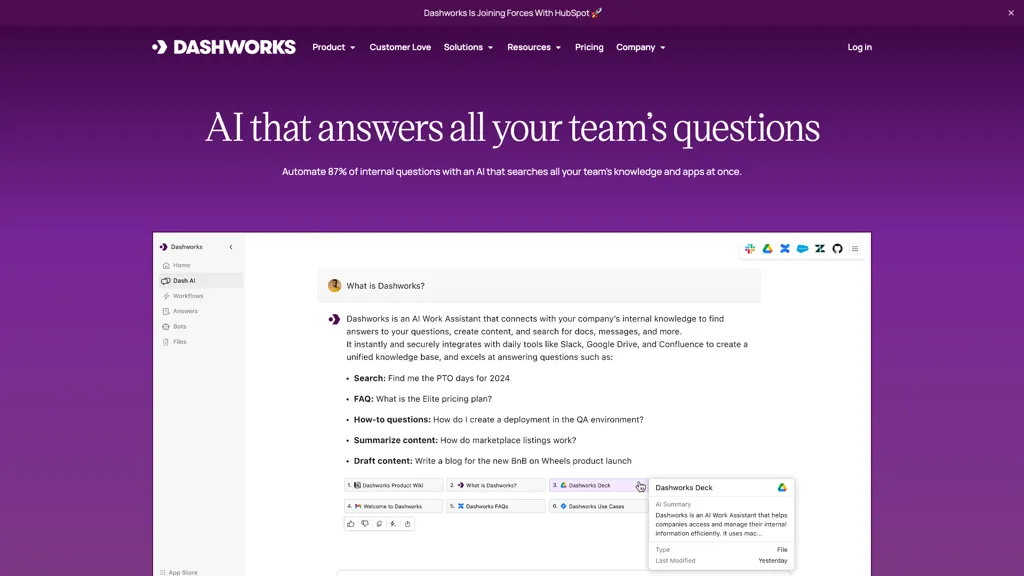
What is Dashworks?
Dashworks delivers an AI assistant that answers workplace questions by searching connected apps, knowledge bases, and communication tools in real time. It integrates natively with Slack, a web browser homepage, and a wide range of third‑party applications to provide instant, citation‑backed answers without the need for data indexing.
Custom bots can be created to automate specific use cases such as onboarding, support, sales, engineering, or product management. The platform supports multiple AI models—including GPT‑4o, Claude, Gemini Pro, and Llama 3—allowing teams to choose the model that best fits their workflow.
Dashworks enforces strict security controls with SOC‑2 Type 2, GDPR, and HIPAA Type 2 compliance, zero‑data‑retention policies, and real‑time permission updates. By delivering up‑to‑date information instantly, the tool helps reduce response times, improve team efficiency, and streamline knowledge discovery across an organization.
Dashworks details
- Company
- Dashworks Technologies, Inc.
- Jurisdiction
- Delaware
- Built for
- Businesses and teams
- Data residency
- United States
- Stated compliance
- GDPR, HIPAA, PCI DSS
Compliance as stated in Dashworks's own published documentation.
Dashworks tech specs
- Works with
- Anthropic / Claude Google / Gemini Meta
- Cloud
- Azure
- Integrations
- Slack Salesforce HubSpot Google Workspace Microsoft Teams Zendesk Trello Jira
Dashworks pricing
Subscription- Free trial
- 14 days
Verify on the official pricing page.
View plansDashworks's key features
-
Answers with source links
-
Real-time search APIs
-
Multilingual support for queries
-
Permissioned search access
-
Customizable AI workflows
-
Integration with many apps
-
Chrome extension quick search
Dashworks use cases
-
Instantly retrieve the latest sales metrics from Salesforce via Slack, providing real‑time insights during daily standups without manual data pulls
-
Use Dashworks to onboard new hires by connecting to your internal knowledge base, automatically answering questions about company policies and tools directly in Slack
-
Enable secure cross‑application reporting by pulling data from Jira, Confluence, and Google Drive, and delivering citation‑backed summaries to project teams through Slack channels
Dashworks user reviews
Based on 3 reviews, 67% of users recommend Dashworks, rated highly for quality results.
Liked for
Disliked for
Would you recommend Dashworks?
Who is Dashworks for?
-
Knowledge workers
-
Data analysts
-
Enterprise leaders
-
Information architects
-
Digital marketers
Dashworks FAQ
How much does Dashworks cost?
Dashworks is a paid product with no free plan. Plans include Team plan at $10 per seat/mo, Team plan at $12 per seat/mo, Business plan at $12 per seat/mo and Business plan at $15 per seat/mo.
Is Dashworks safe to use?
Dashworks states GDPR, HIPAA and PCI DSS compliance in its own published documentation. Dashworks is operated by Dashworks Technologies, Inc., registered in Delaware.
What are the best alternatives to Dashworks?
The closest alternatives to Dashworks are Glean, Quickchat, Question Base, GoSearch AI Enterprise Search and Genspark.ai. You can compare them side by side in the alternatives section further down this page.
What does Dashworks do with my data?
Its privacy policy states that personal data is not sold or shared for marketing purposes. Data may be shared with third-party service providers that help run the product. Customer data is held in United States.
Does Dashworks have an API?
Yes. Dashworks offers an API, so you can call it from your own applications instead of using the interface directly.
Who made Dashworks?
Dashworks is built and operated by Dashworks Technologies, Inc., a company registered in Delaware.
Which AI models does Dashworks use?
Dashworks is built on Anthropic / Claude, Google / Gemini and Meta. Which models you can reach may depend on your plan.
What does Dashworks integrate with?
Dashworks connects with Slack, Salesforce, HubSpot, Google Workspace, Microsoft Teams, Zendesk, Trello and Jira.
Compliance, privacy and billing terms are as stated in each product's own published documentation and have not been independently verified by TopAI.tools.


