
What is Clonecut?
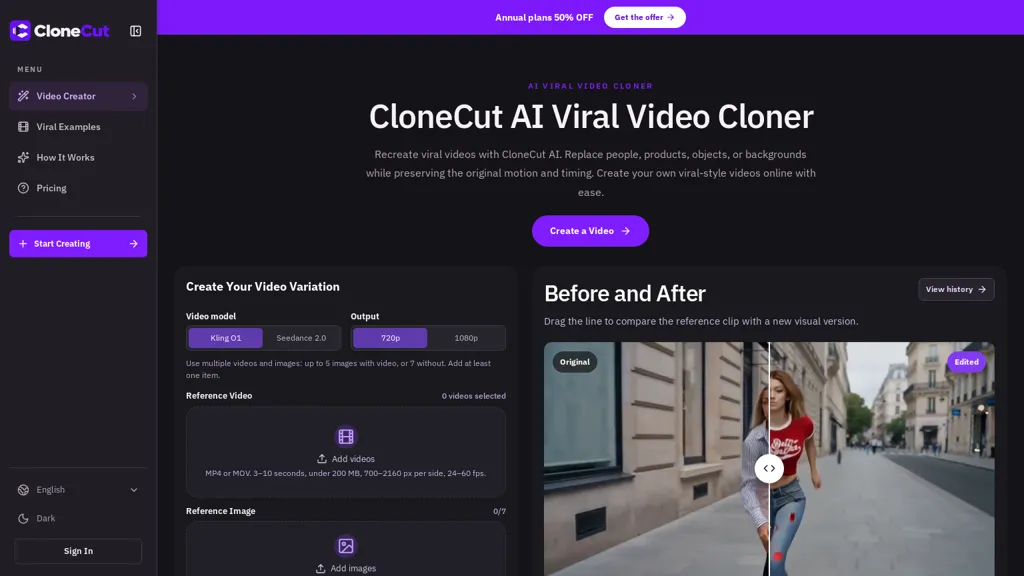
CloneCut AI recreates viral videos by replacing people, products, objects, or backgrounds while preserving the original motion and timing. It combines a short reference clip with one or more reference images and a text brief to define the intended change.
Users select a generation model and output quality, submit the task, and review the generated variation. The editor offers a before/after comparison and history to inspect visual differences. The workflow emphasizes changing a single visible element and specifying which details to retain.
Results follow the reference clip’s motion and pacing but are not frame-perfect; fast cuts, occlusion, or complex motion can affect accuracy. The tool also provides guidance on choosing suitable reference footage and images to improve replacement consistency.
Clonecut pricing
FreemiumVerify on the official pricing page.
View plansClonecut's key features
-
Replaces people, products, objects, or backgrounds while preserving the reference clip's motion and timing
-
Uses a short reference clip combined with one or more reference images and a text brief to define the change
-
Selectable generation model and output quality settings to render variations
-
Editor with before/after comparison and history to inspect generated variations
-
Workflow controls and guidance to target a single visible element and specify which details to retain
Clonecut use cases
-
Recreate high-performing short-form ads by swapping in different products, logos or models using CloneCut AI while preserving the original motion and pacing, previewing before/after results and exporting multiple quality versions for A/B testing
-
Localize and scale influencer or brand campaigns by replacing people, outfits or backgrounds with region-specific talent and scenes, using reference-guided editing and version history to iterate quickly without reshooting
-
Produce eye-catching e-commerce and product demo videos by inserting photographed or 3D product assets into trending motion-preserving clips, instantly comparing edits, fine-tuning quality settings, and exporting platform-ready formats
Clonecut user reviews
Would you recommend Clonecut?
Who is Clonecut for?
-
Social media content creators
-
Influencers and tiktok/instagram creators
-
Marketing and advertising teams
-
Brand managers
-
Creative agencies
-
Video editors and vfx artists
-
E‑commerce/product teams
-
Memers and remix artists
-
Independent filmmakers and short‑form producers
Clonecut FAQ
Is Clonecut free?
Partly. Clonecut has a free plan with usage limits, and paid plans unlock the full feature set. Plans include Lite at $29/mo, Pro at $59/mo and Ultra at $119/mo.
What are the best alternatives to Clonecut?
The closest alternatives to Clonecut are VideoAI, Opus Clip, Clipfly AI Video Generator, TopView.ai and Videofaceswap.ai. You can compare them side by side in the alternatives section further down this page.


