
What is CleanerPro Image Editor?
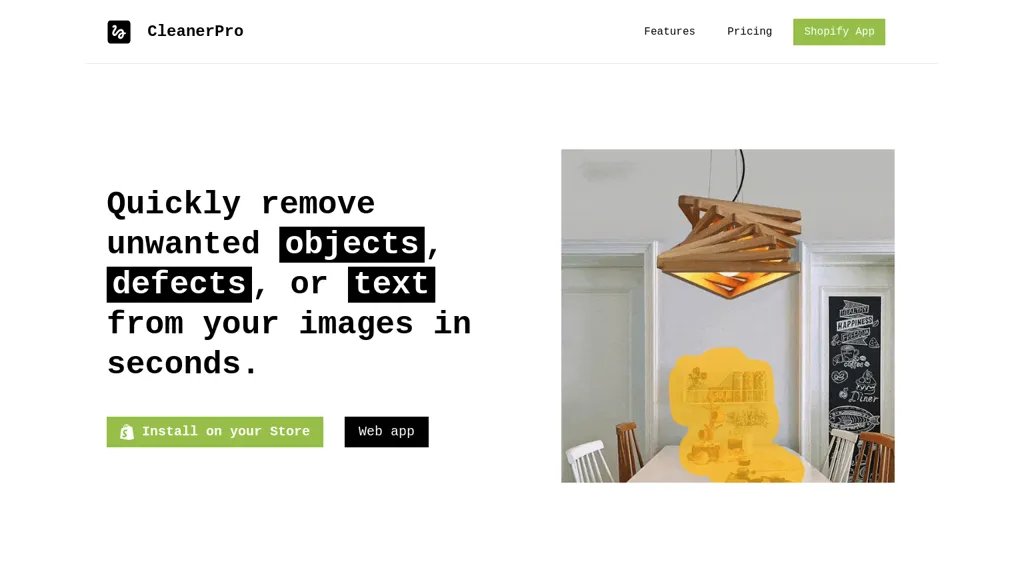
CleanerPro is an AI‑driven image editor for Shopify that allows store owners to quickly remove unwanted objects, logos, text, and defects from product photos. The tool provides a simple draw‑to‑erase interface that cleans images with a single click, saving time for merchants and designers.
It also offers background removal, enabling clean, professional‑looking visuals for catalogs and marketing materials. Users can upscale image resolution to increase clarity and detail, improving visual appeal on e‑commerce sites. The compression feature reduces file sizes without sacrificing quality, enhancing page load speed and overall user experience.
CleanerPro Image Editor details
- Company
- Cleaner App, Inc.
- Built for
- Individuals
CleanerPro Image Editor tech specs
- Integrations
- Shopify
CleanerPro Image Editor pricing
SubscriptionVerify on the official pricing page.
View plansCleanerPro Image Editor's key features
-
Draw to remove objects
-
Remove image background
-
Upscale image resolution
-
Compress image weight
-
AI-driven image editing
CleanerPro Image Editor use cases
-
Effortlessly erase watermarks and unwanted logos from product photos using CleanerPro’s draw‑to‑erase tool before publishing on Shopify
-
Instantly upsample blurry images for crisp product detail displays while auto‑compressing files to boost site speed and reduce bandwidth
-
Quickly remove background clutter and isolate the product with a single click, creating clean, focus‑driven visuals for marketing banners and social media
CleanerPro Image Editor user reviews
Would you recommend CleanerPro Image Editor?
Who is CleanerPro Image Editor for?
-
E-commerce sellers
-
Product designers
-
Digital marketers
-
Online retailers
-
Content creators
CleanerPro Image Editor FAQ
How much does CleanerPro Image Editor cost?
CleanerPro Image Editor is a paid product with no free plan. Plans include Starter plan at $5/mo, Pro plan at $10/mo and Company plan at $15/mo.
Is CleanerPro Image Editor safe to use?
CleanerPro Image Editor is operated by Cleaner App, Inc..
What are the best alternatives to CleanerPro Image Editor?
The closest alternatives to CleanerPro Image Editor are Remove.bg, Removal.ai, Background Remover, ProductAI and Remover AI. You can compare them side by side in the alternatives section further down this page.
Who made CleanerPro Image Editor?
CleanerPro Image Editor is built and operated by Cleaner App, Inc..
What does CleanerPro Image Editor integrate with?
CleanerPro Image Editor connects with Shopify.


