
What is Checklistgenerator?
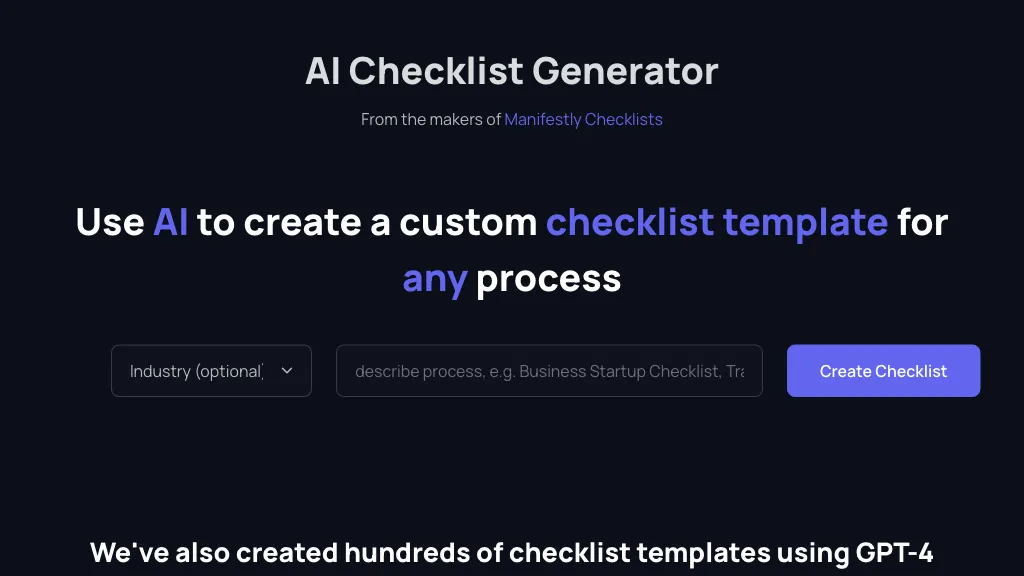
AI Checklist Generator produces tailored checklist and process templates powered by GPT‑4 for over 20 industries—including accounting, advertising, agriculture, construction, consulting, e‑commerce, education, engineering, finance, hospitality, HR, IT, insurance, law, manufacturing, marketing, property management, real estate, restaurant, retail, software development, and transportation.
Users can select an industry, enter up to 100 characters of context, and the tool auto‑generates a structured, compliance‑ready checklist that covers tasks such as tax filing, media buying, subcontractor performance, employee onboarding, data security, and fleet maintenance.
The templates support audit readiness, risk mitigation, and operational efficiency. The system is designed for quick deployment, enabling teams to standardize procedures, track progress, and reduce manual errors without requiring coding or design expertise.
Checklistgenerator pricing
FreeThis tool is free to use, with no credit card required.
Verify on the official pricing page.
Get started freeChecklistgenerator's key features
-
AI-powered checklist generation
-
Industry-specific template selection
-
GPT-4 powered content
-
Magic link email login
-
Custom checklist fields
-
Pre-built template library
Checklistgenerator use cases
-
Generate a HIPAA compliance checklist for a health clinic, allowing staff to track each requirement and receive reminders for expiration dates, all without writing code.
-
Create a GDPR data protection audit template for a SaaS startup, enabling the compliance team to log findings and assign corrective actions in a single, ready‑to‑use spreadsheet.
-
Produce a safety regulation checklist for a construction firm, automatically integrating OSHA standards and providing a progress tracker for site inspections.
Checklistgenerator user reviews
Based on 1 review, 100% of users recommend Checklistgenerator, rated highly for quality results.
Liked for
Would you recommend Checklistgenerator?
Who is Checklistgenerator for?
-
Workflow designers
-
Process designers
-
Template developers
-
Business owners
-
Quality assurance teams
Checklistgenerator FAQ
Is Checklistgenerator free?
Yes. Checklistgenerator is free to use and does not require a credit card.
What are the best alternatives to Checklistgenerator?
The closest alternatives to Checklistgenerator are Ai for Work, GlobalGPT, AI Detector Writer, Innerai.com and checklist.gg. You can compare them side by side in the alternatives section further down this page.


