
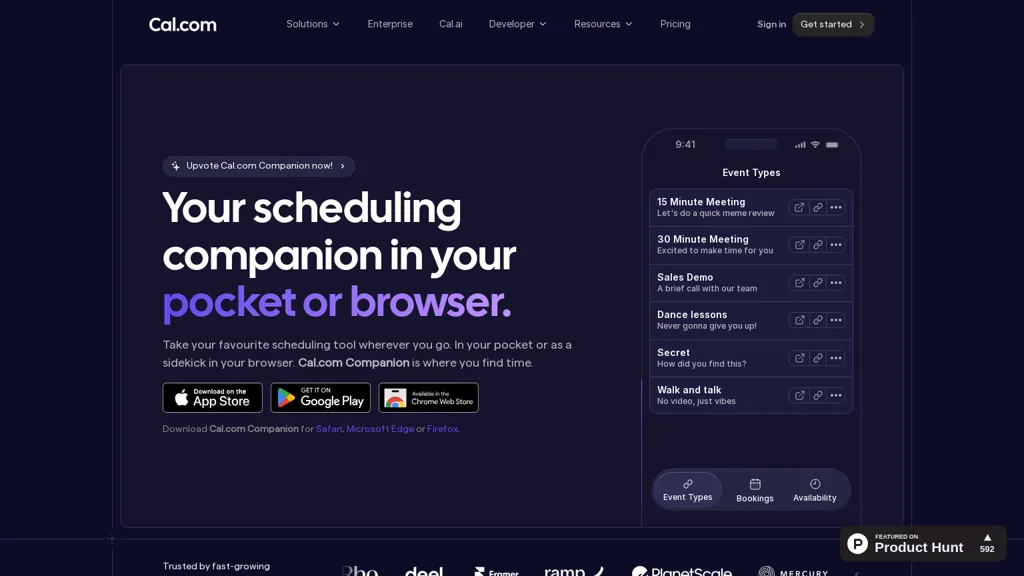
What is Cal.com- Companion app?
cal.com Companion is a cross-platform scheduling companion offering mobile apps (iOS, Android), browser extensions (Chrome, Safari, Edge, Firefox), and desktop apps (macOS, Windows, Linux). It syncs Google Calendar, Outlook, and cal.com accounts in real time to prevent double-booking and centralize availability. Users can create custom scheduling links, define event types, and adjust time zones and meeting settings to match personal or team workflows. Automated reminders, follow-ups, and routing rules reduce manual coordination and streamline booking for sales, recruiting, telehealth, education, and professional services. Team scheduling supports shared availability, round-robin routing, and group bookings from a single interface. Browser extensions enable scheduling without leaving web pages while mobile and desktop apps provide on‑the‑go access and instant updates. API-first design and open-source development support integrations and custom workflows for developers and enterprises. The tool is suited for freelancers, small teams, and organizations that need consistent, cross-device calendar management and automated meeting coordination.
Cal.com- Companion app details
- Company
- Cal.com, Inc.
- Jurisdiction
- United Kingdom
- Built for
- Businesses and teams
- Data residency
- United States
- Stated compliance
- SOC 2, HIPAA, ISO 27001
Compliance as stated in Cal.com- Companion app's own published documentation.
Cal.com- Companion app tech specs
- Payment Processors
- Stripe PayPal
- Integrations
- Slack Salesforce HubSpot GitHub Calendly
Cal.com- Companion app pricing
Freemium- Auto-renewal
- Yes
Verify on the official pricing page.
View plansCal.com- Companion app's key features
-
Cross-platform clients: mobile (iOS, Android), browser extensions (Chrome, Safari, Edge, Firefox), and desktop apps (macOS, Windows, Linux)
-
Real-time calendar synchronization with Google Calendar, Outlook, and cal.com
-
Custom scheduling: create custom scheduling links, define event types, adjust time zones and meeting settings
-
Automated workflows: reminders, follow-ups, and routing rules
-
Team scheduling: shared availability, round-robin routing, and group bookings
Cal.com- Companion app use cases
-
Set up a client-facing booking system with custom booking links and event types that sync Google and Outlook calendars in real time, handle time zones automatically, send automated reminders to reduce no-shows and prevent double-booking
-
Implement team round-robin scheduling for sales and support to auto-route leads to available reps, use the browser extension for one-click scheduling during outreach, and sync availability across calendars while adding buffers and confirmations
-
Embed API-driven scheduling into your product or website to display real-time availability, create personalized meeting flows with webhooks and CRM integrations, and rely on timezone-aware bookings plus automated reminders for global customers
Cal.com- Companion app user reviews
Would you recommend Cal.com- Companion app?
Who is Cal.com- Companion app for?
-
Developers
-
Business owners
-
Sales teams
-
Educators
-
Freelancers
Cal.com- Companion app FAQ
Is Cal.com- Companion app free?
Partly. Cal.com- Companion app has a free plan with usage limits, and paid plans unlock the full feature set. Plans include Cal video teams at $15/mo/user and Organizations at $37/mo/user.
Is Cal.com- Companion app safe to use?
Cal.com- Companion app states SOC 2, HIPAA and ISO 27001 compliance in its own published documentation. Cal.com- Companion app is operated by Cal.com, Inc., registered in United Kingdom.
What are the best alternatives to Cal.com- Companion app?
The closest alternatives to Cal.com- Companion app are CalendarApp, SkedPal, Retime, Free blocks and Text to calendar. You can compare them side by side in the alternatives section further down this page.
What does Cal.com- Companion app do with my data?
Cal.com- Companion app states that customer content is not used to train its models. Its privacy policy states that personal data is not sold or shared for marketing purposes. Data may be shared with third-party service providers that help run the product. Customer data is held in United States.
Does Cal.com- Companion app auto-renew or offer refunds?
Cal.com- Companion app subscriptions renew automatically until you cancel.
Does Cal.com- Companion app have an API?
Yes. Cal.com- Companion app offers an API, so you can call it from your own applications instead of using the interface directly.
Who made Cal.com- Companion app?
Cal.com- Companion app is built and operated by Cal.com, Inc., a company registered in United Kingdom.
What does Cal.com- Companion app integrate with?
Cal.com- Companion app connects with Slack, Salesforce, HubSpot, GitHub and Calendly.
Compliance, privacy and billing terms are as stated in each product's own published documentation and have not been independently verified by TopAI.tools.


