
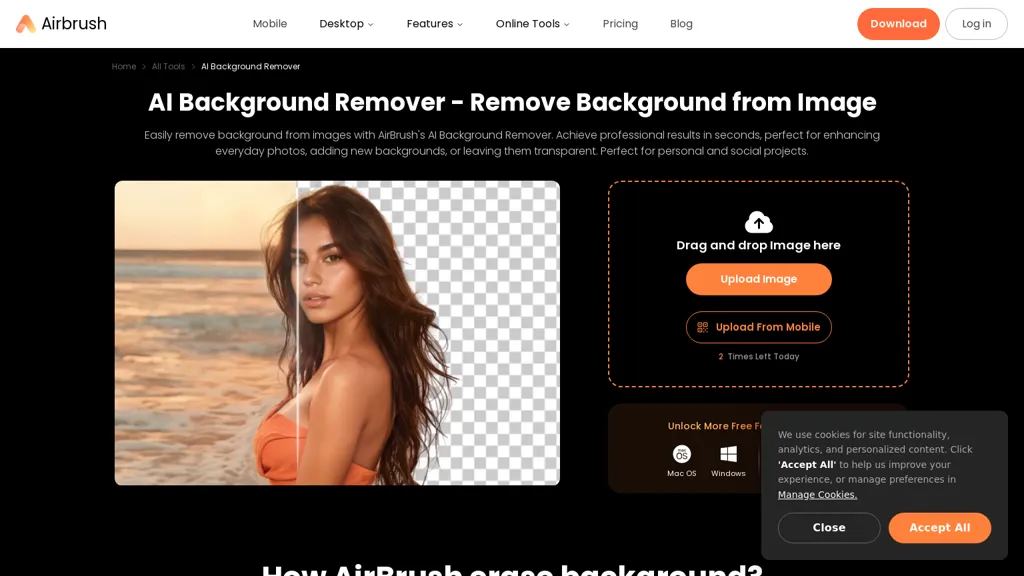
What is Background Remover - airbrush?
Airbrush AI background remover, removes background images and generating transparent PNGs for social media, e-commerce, and design workflows.
Remove bg instantly by uploading images on web or mobile; the background eraser produces clean, transparent backgrounds ready for download.
Replace or recolor backgrounds with preset colors or custom AI-generated scenes to adapt product photos, profile pictures, and marketing visuals.
Video background remover supports background removal for clips and creates seamless footage for presentations, ads, and content repurposing.
AI image enhancer and video enhancer adjust brightness, contrast, saturation, and sharpness to improve visual quality across platforms.
Magic Eraser and object removal tools clear unwanted elements; VideoMark Remover removes watermarks and logos from videos.
Additional tools include an anime generator, image extender, and batch processing options for creators, photographers, and online sellers.
Background Remover - airbrush details
- Company
- Pixocial Technology (Singapore) Pte. Ltd.
- Jurisdiction
- Singapore
- Built for
- Individuals
- Stated compliance
- GDPR, CCPA
Compliance as stated in Background Remover - airbrush's own published documentation.
Background Remover - airbrush pricing
Free trial- Free trial
- 7 days
- Auto-renewal
- Yes
Verify on the official pricing page.
Start free trialBackground Remover - airbrush's key features
-
AI background remover for images producing transparent PNGs
-
Background replacement and recoloring with preset colors or AI-generated scenes
-
Video background remover for clips
-
AI image and video enhancer (brightness, contrast, saturation, sharpness)
-
Magic Eraser/object removal and VideoMark watermark/logo removal
Background Remover - airbrush use cases
-
Create e-commerce-ready product photos using AirBrush by removing backgrounds in batch to produce transparent PNGs or place items on custom scenes, applying AI enhancers for consistent brightness, contrast and sharpness and using the magic eraser to remove blemishes
-
Produce eye-catching social media and marketing videos by removing or replacing video backgrounds and stripping watermarks, then enhancing visual quality with AI sharpening and color correction and adding creative scenes without advanced editing skills
-
Develop polished marketing assets and design mockups by quickly removing unwanted objects with the magic eraser, batch-processing large image libraries, exporting high-resolution transparent PNGs and using creative tools to rebuild scenes for ads, presentations and web use
Background Remover - airbrush user reviews
Based on 5 reviews, 40% of users recommend Background Remover - airbrush, rated highly for quality results.
Liked for
Disliked for
Would you recommend Background Remover - airbrush?
Who is Background Remover - airbrush for?
-
Content creators
-
Social media managers
-
E-commerce sellers
-
Graphic designers
-
Video editors
Background Remover - airbrush FAQ
Is Background Remover - airbrush free?
Not permanently. Background Remover - airbrush gives you a free trial of 7 days, after which a paid plan is required. Plans include Studio pro - monthly at $9.95/mo and Studio pro - annual at $99.95/year.
Is Background Remover - airbrush safe to use?
Background Remover - airbrush states GDPR and CCPA compliance in its own published documentation. Background Remover - airbrush is operated by Pixocial Technology (Singapore) Pte. Ltd., registered in Singapore.
What are the best alternatives to Background Remover - airbrush?
The closest alternatives to Background Remover - airbrush are Remover AI, EzRemove.ai, Removebackgroundai, Removal.ai and Remove.bg. You can compare them side by side in the alternatives section further down this page.
What does Background Remover - airbrush do with my data?
Its privacy policy states that personal data is not sold or shared for marketing purposes. Data may be shared with third-party service providers that help run the product.
Does Background Remover - airbrush auto-renew or offer refunds?
Background Remover - airbrush subscriptions renew automatically until you cancel.
Is there a mobile app for Background Remover - airbrush?
Yes. Background Remover - airbrush has a mobile app alongside its web version.
Who made Background Remover - airbrush?
Background Remover - airbrush is built and operated by Pixocial Technology (Singapore) Pte. Ltd., a company registered in Singapore.
Compliance, privacy and billing terms are as stated in each product's own published documentation and have not been independently verified by TopAI.tools.


