
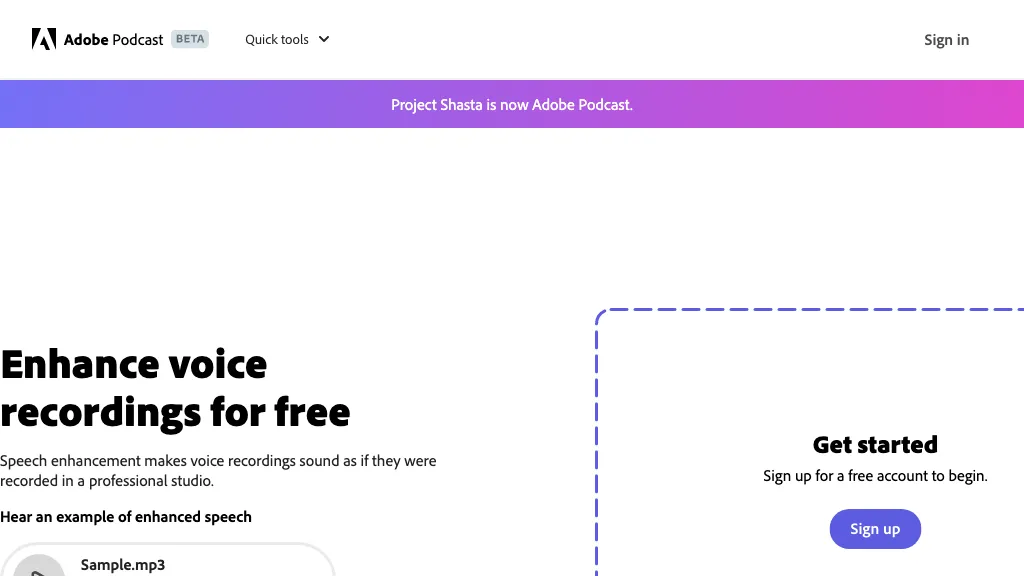
What is Adobe Speech Enhancer?
Enhance Speech from Adobe removes background noise and echo from voice recordings, delivering clearer audio for podcasts, interviews, and presentations. It accepts audio or video files in formats such as MP4 and MOV and automatically cleans the track while maintaining natural sound levels.
Users can submit multiple files in a single queue, enabling efficient batch processing. Adjustable controls let users set the desired balance between studio‑quality and ambient audio. The tool supports up to 4 hours of audio per day and file sizes up to 1 GB, with no download limits on project files.
Adobe Speech Enhancer pricing
Free trialVerify on the official pricing page.
Start free trialAdobe Speech Enhancer's key features
-
Remove noise and echo
-
Supports MP4, MOV video
-
Bulk upload multiple files
-
Adjust speech and ambience
-
Download speaker-separated audio
-
Mic Check fixes microphone issues
Adobe Speech Enhancer use cases
-
Enhance a podcast series by batch‑processing raw recordings, removing background hiss and room echo, then separating host and guest voices for clearer playback and easier subtitle creation.
-
Create high‑quality audiograms for social media by integrating with Adobe Express: clean audio files, auto‑generate captions, and overlay waveforms onto eye‑catching graphics.
-
Improve live‑stream audio for webinars: use real‑time noise reduction to maintain natural sound levels, then export cleaned clips for post‑production editing and archival.
Adobe Speech Enhancer user reviews
Based on 18 reviews, 83% of users recommend Adobe Speech Enhancer, rated highly for value for money.
Liked for
Disliked for
Would you recommend Adobe Speech Enhancer?
Adobe Speech Enhancer playbooks
1Step-by-step guides to get the most out of Adobe Speech Enhancer
Who is Adobe Speech Enhancer for?
-
Audio technicians
-
Podcasting podcasters
-
Music composers
-
Media producers
-
Content creators
Adobe Speech Enhancer FAQ
Is Adobe Speech Enhancer free?
Not permanently. Adobe Speech Enhancer gives you a free trial, after which a paid plan is required. Plans include Premium at $9.99/mo.
Is Adobe Speech Enhancer safe to use?
Adobe Speech Enhancer carries the TopAI.tools verified mark, which we award after a manual review of pricing transparency, published terms, public following and working functionality.
Is Adobe Speech Enhancer good?
Adobe Speech Enhancer has an 83% recommendation rate from 18 reviewers on TopAI.tools. Reviewers rate it highest on value for money and quality of results.
What are the best alternatives to Adobe Speech Enhancer?
The closest alternatives to Adobe Speech Enhancer are AI Voice Cleaner, SimpleClean, Audo AI, Cleanvoice AI and Cleanaudio.io. You can compare them side by side in the alternatives section further down this page.


