
Top 8 UXsniff Alternatives in 2026
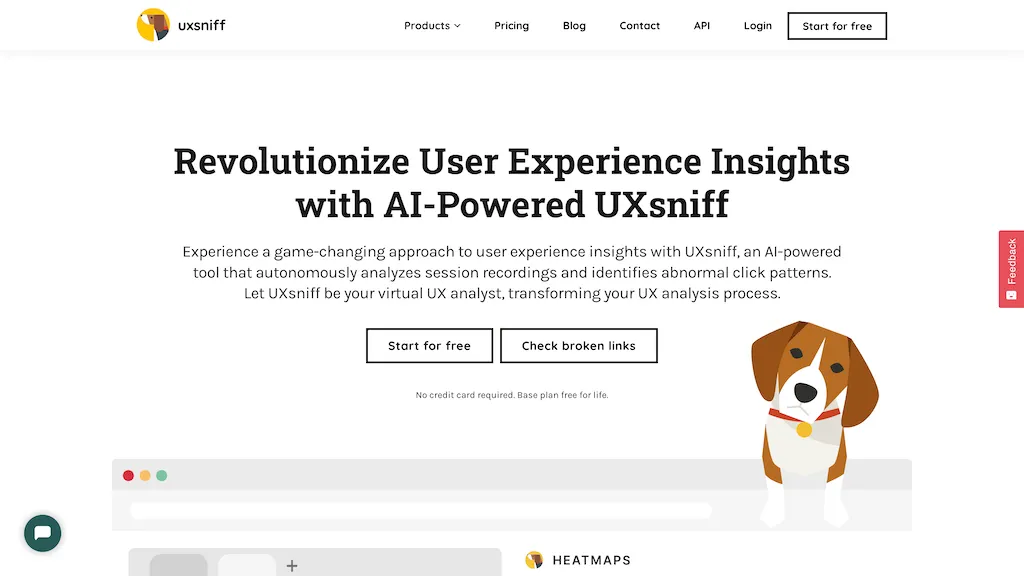
50% positive · 6 user reviews PaidUXsniff automatically tracks UX changes by analyzing heatmaps and session recordings, comparing pre‑ and post‑release behavior. It flags layout, copy, and component updates linked to key metrics, offers impact reports, rage‑click detection, and historical A/B comparison using real user data.
We've ranked 8 UXsniff alternatives, including 5 with a free plan. Rankings are based on feature coverage and user feedbacks.
Top-rated alternatives include UserWatch, WebsiteAuditAI, and Plerdy.
8 UXsniff Alternatives & Competitors, Ranked by User Reviews
Click Compare on any tool to compare it side-by-side with UXsniff.
 #1
UserWatch
#1
UserWatch
UserWatch uses AI to auto‑generate A/B tests, feature flags, funnels, cohorts, and dashboards from defined metrics. It scans session replays to spot drop‑off points, delivers actionable insights, and can create Jira tickets, enabling rapid, data‑driven UX and revenue improvements.
 #2
WebsiteAuditAI
#2
WebsiteAuditAI
AI-Powered Website Audit analyzes user experience and conversion rates across desktop and mobile platforms, offering actionable insights and tailored recommendations. It generates comprehensive reports to identify areas for improvement, enhancing overall site performance.
 #3
Plerdy
#3
Plerdy
Plerdy visualizes visitor behavior with heatmaps, scrolls, and session replay, spotlights usability problems, and offers pop‑up building, funnel analysis, A/B testing, and SEO checks. AI flags “rage clicks” and links with GA4, Search Console, and Chrome extensions.
 #4
UI Auditor AI Tool
#4
UI Auditor AI Tool
Upload a website or app screenshot, and the AI evaluates layout, button placement, UX, and aesthetics, then supplies actionable suggestions. Developers, designers, and marketers can track changes, export findings, and refine navigation and responsive design.
 #5
Riyo
#5
Riyo
Riyo.ai unifies behavior analytics, capturing events, signals, errors, visitor journeys, session replays, and heatmaps in one dashboard. Teams use this data to improve features, reduce friction, and refine UX, while real‑time error monitoring ensures swift responses.
 #6
AksToWeb
#6
AksToWeb
AskToWeb tracks interaction in real time, alerting on usability issues. Its analytics reveal behavior patterns and conversion opportunities, while AI predicts actions and suggests optimizations. SOC 2 compliant, it integrates with Slack, Teams, Zapier and displays key metrics on a dashboard.
- Catch deals before they expire
- Unlock tools matched to you
- Show off your AI stacks
Already a member? Sign in
 #7
Heatbot.io
#7
Heatbot.io
Heatbot.io is a generative UI builder that analyzes heatmap data from website screenshots to enhance user interface design. It generates optimized HTML, CSS, and JavaScript, streamlining improvements for UX designers and developers. Supports frameworks like Bootstrap and TailwindCSS.
 #8
Userbird
#8
Userbird
Userbird Analytics offers real-time insights into website visitor behavior with features like heatmaps, session replays, and revenue tracking. Its customizable dashboard aids in optimizing conversion funnels and improving user experience through data-driven decisions.
Frequently Asked Questions
Why look for UXsniff alternatives?
Common reasons users switch from UXsniff:
- Cost: UXsniff is a Paid tool starting from $19 — users often look for more affordable or free options.
- User satisfaction: UXsniff holds a 50% positive rating — some users report unmet expectations.
- Feature gaps: teams needing specific capabilities like Analyze Websites may find a more focused alternative better suited to their workflow.
- Flexibility: exploring alternatives helps find tools that better match your team size, integrations, and budget.
What is the best alternative to UXsniff?
UserWatch ranks as the top UXsniff alternative. UserWatch uses AI to auto‑generate A/B tests, feature flags, funnels, cohorts, and dashboards from defined metrics. It scans session replays to spot d It is available on a Freemium plan.
How do the top UXsniff alternatives compare?
| Tool | Pricing | Starting Price | User Rating |
|---|---|---|---|
| UXsniff this tool | Paid | $19 | 50% (6) |
| UserWatch | Freemium | — | — |
| WebsiteAuditAI | Freemium | — | — |
| Plerdy | Freemium | $32 | — |
| UI Auditor AI Tool | Free | — | — |
| Riyo | Paid | — | — |
Are there free UXsniff alternatives?
Yes, 5 free alternatives found in our list: UserWatch, WebsiteAuditAI, Plerdy. and 2 more — use the pricing filter above to see them all.
What should I look for in a UXsniff alternative?
- Core capabilities: confirm the tool supports Analyze Websites, Analyze Changes, Generate Impact Reports.
- Pricing transparency: look for clear free plan, trial period, or tiered pricing — avoid tools that hide costs.
- User reviews: check both the satisfaction percentage and the number of reviews; a high score from few users is less reliable.
- Integrations: verify it connects with your existing stack before committing.
- Support and updates: active development and responsive support are strong signals of a maintained product.
What are UXsniff alternatives used for?
- Analyze Websites
- Analyze Changes
- Generate Impact Reports
- Analyze Sessions
- Automate Trackings