Top 29 StockCake Alternatives in 2026
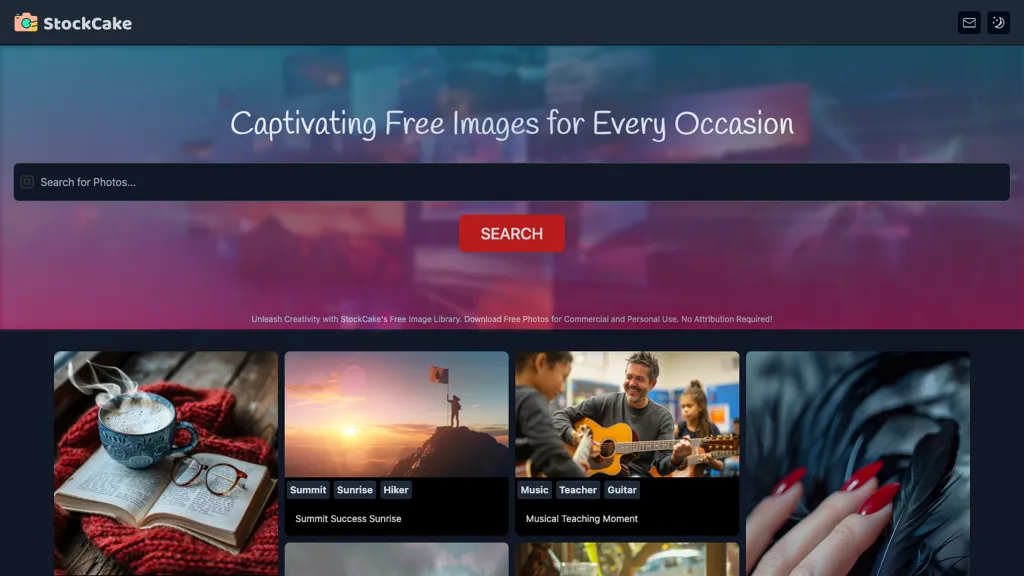
64.5% positive · 31 user reviews FreeStockCake delivers millions of AI‑generated stock photos with free commercial licensing. Search, instant download, on‑the‑fly editing, and variation creation streamline designers’ workflows. Prompt‑based generation and curated collections support tailored visual content.
We've ranked 29 StockCake alternatives, including 17 with a free plan. Rankings are based on feature coverage and user feedbacks.
Top-rated alternatives include Designer Clone AI, StockImg AI, and There is a logo for that.
29 StockCake Alternatives & Competitors, Ranked by User Reviews
Click Compare on any tool to compare it side-by-side with StockCake.
#1
Designer Clone AI
Stockimg AI generates logos, illustrations, and social‑media assets from text prompts, offering background removal, bulk scheduling, and cross‑platform publishing via an integrated calendar. A mobile app allows on‑the‑go daily editing.
#2
StockImg AI
Stockimg AI generates logos, illustrations, stock photos, and social media graphics, letting users create, edit, and schedule posts for over ten platforms from a single interface. Its API integration and on‑demand engine streamline visual content production.
#3
There is a logo for that
Stockimg AI produces logos, illustrations, photos, and social‑media assets from text prompts and builds short video clips with audio and subtitles. Users edit, schedule, and publish across multiple platforms, streamlining content creation for agencies, marketers, and creators.
#4
StockPhotoAI
StockPhoto AI uses cutting-edge AI technology to create unique and high-quality stock photos tailored to your needs. Say goodbye to generic stock photo libraries and elevate your designs effortlessly with minimal input required.
#5
AI Image Generator/Search
Generates millions of AI‑generated images from prompts, offering stylized, realistic, vintage, cartoon, and sci‑fi options. Users can fine‑tune style, color, and composition for concept art, storyboarding, teaching, or marketing, with workflow integration and export tools.
#6
Stock Photo AI
StockPhotoAI is an AI tool using OpenAI DALL-E models to create high-quality, personalized stock photos for websites, slideshows, and print media. Say goodbye to generic images with full royalty licensing rights for exclusive use.
- Catch deals before they expire
- Unlock tools matched to you
- Show off your AI stacks
Already a member? Sign in
#7
AI Photo Editor
AI Photo Editor lets users upload up to ten images or generate new ones from text prompts, instantly editing or converting images into short videos. All processing runs client‑side, supporting face completion and consistent character edits for design and work.
#8
Canva AI
Canva's AI Image Generators turns text into visuals with customizable art styles and features like Magic Media, Create an Image, and automated reviews.
#9
123RF
123rf Image Editor is a comprehensive AI tool for effortless photo editing, offering features like image scaling, background removal, object removal, and seamless background remixing. It also includes an AI writer for content creation and an image enlarger for ratio adjustments. Efficiently enhance and edit your visuals with this user-friendly tool.
#10
StockPhoto
StockPhoto.app uses AI to create varied versions of uploaded images while preserving key elements. Designers and marketers can generate fresh visuals on demand; images are processed in base64, never stored, and are accessible via an API with webhook callbacks.
#11
AI Product Shot
AI Product Shot creates photorealistic product images and ads without a studio. Users control background, lighting, and composition, referencing brand styles via the Inspire Engine. Each image is unique, enabling rapid testing and eliminating location scouting.
DeepAI offers browser‑based AI tools for text‑to‑image, photo editing, background removal, super‑resolution, and video/musical generation, plus APIs for integration. It prioritizes user ownership, privacy, fast processing, and supports conservation research via object detection and habitat mapping.
#13
A1.art
a1.art is an online AI image and video generator offering 250,000 collections and millions of filters for rapid editing. It supports style transfer, batch processing, category search, API integration, asset logging, and high‑resolution output.
#14
Text To Book Cover
Stockimg AI generates logos, illustrations, wallpapers, posters, avatars, stock photos, and short‑form video from text prompts. It auto‑adds audio, subtitles, and offers a social‑media dashboard to edit, schedule, and publish across multiple accounts.
#15
Photo AI Studio
AI Photo Studio delivers AI‑powered image and video creation, including generation, background removal, virtual try‑on, style libraries, advanced editing (skin, age, expression, eye color), outpainting, thumbnails, and direct social publishing via a web interface.
#16
PhotoAI
Photo AI transforms uploaded portrait photos into over 100 unique AI‑styled images per selected pack (Tinder, LinkedIn, Polaroid, Avatar, Royal). Users receive downloadable files within hours, suitable for professional headshots or dating‑app profiles.
Image Prompt converts uploaded photos into detailed, AI‑optimized text prompts, supports non‑English input, offers object‑recognition analysis, and can generate high‑resolution images directly. Its batch processing, video prompt, and format‑translation features streamline design workflows.
#18
Imagine.art
ImagineArt unifies AI‑driven image, video, and audio creation and editing, enabling prompt‑based generation, upscale tools, drag‑and‑drop video workflows, 4K cinematic rendering, and real‑time team collaboration for streamlined media production for artists, designers, and creators.
Upload a stock photo and use AI to generate multiple variations that match desired style, composition, and color. The tool automatically enhances quality while preserving the original content, enabling designers, creators, and marketing teams to produce variants quickly.
#20
PixaryAI
PixaryAI is an AI image generator that transforms text prompts into high-quality photos, digital art, and illustrations. It offers customizable styles and aspect ratios to rapidly create visuals for content, social media, and marketing materials.
#21
AI Canvas
Kive automatically creates on‑brand product images from a URL or upload, applying preset styles like studio clean or editorial. It integrates product data, preserves lighting and color consistency, and lets teams edit and manage assets in a single workflow.
ImageGeneratorAI.io is a browser-based AI image generator that transforms text prompts into high-resolution visuals using models like SDXL and Flux. It offers extensive customization for style, aspect ratio, and composition, enabling rapid creation of marketing assets, concept art, and social media content.
#23
PhotogenicAI
Photogenic AI is a personal AI photostudio that generates hundreds of images from a single prompt, allows style transfer from uploaded photos, offers fine‑tuned lighting and composition controls, and supports branded portraits and business headshots.
#24
Every AI Image
Every AI Image Gallery, your go-to tool for unlimited searches and downloads of AI-generated images. With the largest AI image gallery on the internet, finding high-quality visuals is just a click away.
#25
Pictorial
The AI tool generates professional and diverse graphics for blogs and other messaging needs using AI.
#26
Phot.ai
Phot.AI automates visual content creation—ads, video, product listings—using signal‑based creative angles and AI agents for parallel testing. It optimizes titles, bullets, images on Amazon and Shopify, delivers real‑time winner identification, and scales production with human review.
#27
AIImageGenerator
Free AI Image Generator converts text prompts into diverse visuals, including landscapes and logos. With customizable styles, prompt guidance, and an intuitive interface, it serves marketers and creators by facilitating quick, high-quality image generation for various projects.
#28
PhotoPacks.Ai
PhotoPacks.AI turns a set of ten clear, well‑lit photos into over 100 high‑resolution headshots with varied backgrounds, outfits, and expressions for LinkedIn, resumes, listings, bios, and social‑media profiles. Upload JPEG/PNG, download in less than an hour.
#29
Ai Art Generator
Mobile AI photo editor that instantly applies style transfer, background replacement, and color adjustments. Fast processing enables designers, photographers, and marketers to create professional images in seconds, with automated updates and seamless export to e‑commerce and social‑media platforms.
Frequently Asked Questions
Why look for StockCake alternatives?
Common reasons users switch from StockCake:
- User satisfaction: StockCake holds a 64.5% positive rating — some users report unmet expectations.
- Feature gaps: teams needing specific capabilities like Generate Images may find a more focused alternative better suited to their workflow.
- Flexibility: exploring alternatives helps find tools that better match your team size, integrations, and budget.
What is the best alternative to StockCake?
Based on 14 user reviews, Designer Clone AI (92.9% positive) ranks as the top StockCake alternative. Stockimg AI generates logos, illustrations, and social‑media assets from text prompts, offering background removal, bulk scheduling, and cross‑platfor It is available on a Subscription plan starting from $12/mo.
How do the top StockCake alternatives compare?
| Tool | Pricing | Starting Price | User Rating |
|---|---|---|---|
| StockCake this tool | Free | — | 64.5% (31) |
| Designer Clone AI | Subscription | $12/mo | 92.9% (14) |
| StockImg AI | Subscription | $12/mo | 61.9% (21) |
| There is a logo for that | Paid | — | 84.2% (19) |
| StockPhotoAI | Free trial | — | — |
| AI Image Generator/Search | Freemium | — | — |
Are there free StockCake alternatives?
Yes, 17 free alternatives found in our list: StockPhotoAI, AI Image Generator/Search, Stock Photo AI. and 14 more — use the pricing filter above to see them all.
What should I look for in a StockCake alternative?
- Core capabilities: confirm the tool supports Generate Images, Edit Images, Search Images.
- Pricing transparency: look for clear free plan, trial period, or tiered pricing — avoid tools that hide costs.
- User reviews: check both the satisfaction percentage and the number of reviews; a high score from few users is less reliable.
- Integrations: verify it connects with your existing stack before committing.
- Support and updates: active development and responsive support are strong signals of a maintained product.
Which StockCake alternative has the highest user rating?
PhotogenicAI has the highest satisfaction score among StockCake alternatives, with 100% positive from 1 user review. It is available on a Paid plan.
What are StockCake alternatives used for?
- Generate Images
- Edit Images
- Search Images
- Download Images