
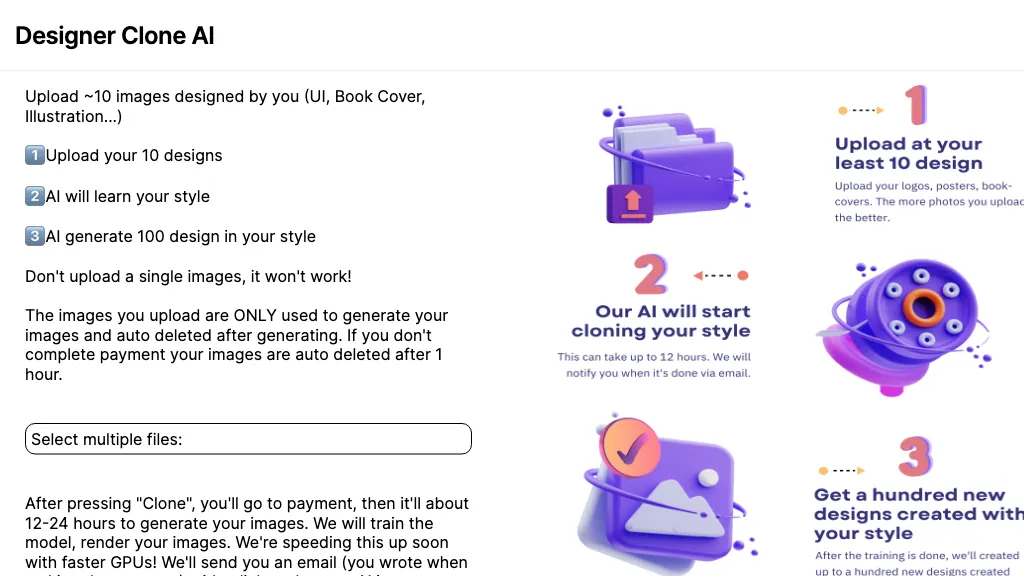
What is Designer Clone AI?
Stockimg AI is an AI‑driven design platform that creates logos, illustrations, wallpapers, posters, avatars, and stock photos from text prompts. It generates social‑media assets—Instagram posts, stories, Reels, TikTok videos, Facebook and LinkedIn updates—and lets users edit, schedule, and publish them across more than ten connected platforms via an integrated calendar.
The tool offers background removal, bulk scheduling, and an API for automated workflow integration. Designers, marketers, e‑commerce merchants, agencies, and influencers can streamline visual content production and publish consistent branding with a single interface.
Designer Clone AI pricing
SubscriptionVerify on the official pricing page.
View plansDesigner Clone AI's key features
-
Upload photo for AI enhancement
-
Prompt-based style customization
-
Unlimited batch photo generation
-
Automated social media scheduling
-
No manual adjustment required
-
4K resolution upscaling
Designer Clone AI use cases
-
Generate brand‑ready logos on demand with Stockimg AI, then schedule their rollout across Instagram, LinkedIn, and Facebook through the built‑in calendar without manual uploads.
-
Produce custom illustrations for marketing campaigns, remove backgrounds effortlessly, and batch‑edit the images for consistent branding before publishing them across all channels from the mobile app.
-
Use Stockimg AI’s text‑prompt logo creator to quickly iterate design concepts, then schedule and cross‑publish the final assets to Pinterest, Twitter, and your website, all while editing on‑the‑go via the mobile design app.
Designer Clone AI user reviews
Based on 14 reviews, 93% of users recommend Designer Clone AI, rated highly for value for money.
Liked for
Disliked for
Would you recommend Designer Clone AI?
Who is Designer Clone AI for?
-
Design creators
-
Digital marketers
-
E-commerce sellers
-
Strategic planners
-
Product developers
Designer Clone AI FAQ
How much does Designer Clone AI cost?
Designer Clone AI is a paid product with no free plan. Plans include Starter plan at $12/mo, Premium plan at $24/mo and Ultra plan at $48/mo.
Is Designer Clone AI safe to use?
Designer Clone AI carries the TopAI.tools verified mark, which we award after a manual review of pricing transparency, published terms, public following and working functionality. Designer Clone AI is also one of the most visited AI tools in the TopAI.tools index.
Is Designer Clone AI good?
Designer Clone AI has a 93% recommendation rate from 14 reviewers on TopAI.tools. Reviewers rate it highest on value for money and quality of results.
What are the best alternatives to Designer Clone AI?
The closest alternatives to Designer Clone AI are StockImg AI, Text To Book Cover, Canva AI, Meta Image Generator and StockCake. You can compare them side by side in the alternatives section further down this page.
Does Designer Clone AI have an API?
Yes. Designer Clone AI offers an API, so you can call it from your own applications instead of using the interface directly.
Is there a mobile app for Designer Clone AI?
Yes. Designer Clone AI has a mobile app alongside its web version.


