Best PenPot.app Alternatives in 2026
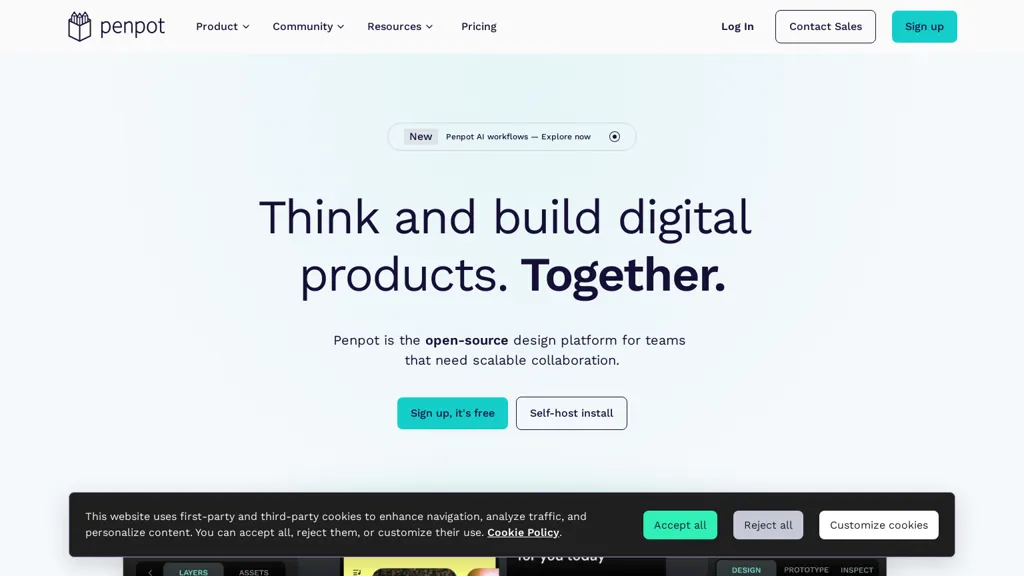
No user reviews yet FreemiumPenPot.app is an open-source design platform for creating UI, wireframes, and interactive prototypes with CSS Grid and Flexbox layouts. It features AI-driven workflows for design-to-code automation, design systems management, and self-hosted deployment for enterprise control.
We've ranked 20 PenPot.app alternatives, including 15 with a free plan. Rankings are based on feature coverage and user feedbacks.
Top-rated alternatives include Sketchflow AI, Paraflow, and UX Magic.
20 PenPot.app Alternatives & Competitors, Ranked by User Reviews
Click Compare on any tool to compare it side-by-side with PenPot.app.
#1
Sketchflow AI
Generates AI-driven UI designs, editable interface pages and interactive prototypes from text or images, producing responsive web and native iOS/Android layouts plus one-click front-end code (React, Android Java, iOS Swift) for rapid prototyping and handoff.
#2
Paraflow
Paraflow is a canvas-based AI design agent that generates PRDs, user flows, editable high-fidelity screen layouts, style guides and interactive prototypes, with on-canvas editing and production-ready exports to streamline design, testing and handoff to developers.
#3
UX Magic
UX Magic.ai is an AI-powered design platform that generates high-fidelity wireframes, UI components, and production-ready code from prompts, sketches, or URLs. It enables collaborative workflows with intelligent editing and exports directly to tools like Figma, React, and Webflow.
#4
Sleek.design
Sleek generates mobile app mockups from text prompts or images, offering templates, style presets, in-app editing, and modular responsive components. Export clean layouts to Figma or production-ready code for rapid prototyping and developer handoff.
#5
Baked Design Studio
An AI‑first design studio partners with founder‑led startups, turning Figma prototypes into MVPs in minutes and boosting developer productivity up to 70%. It delivers web, mobile, and marketing sprints, UI standardization, design system implementation, and Slack updates.
#6
Flowstep.ai
Flowstep is an AI design assistant for UI/UX teams that accelerates prototyping and layout generation, manages design systems and component libraries, supports collaborative editing, version control, role-based access, responsive templates, and developer-ready exports.
- Personalized recommendations
- Custom collections
- Save favorites
Already a member? Sign in
#7
CodeDesign
CodeDesign.ai is an AI‑powered website builder that creates complete pages, copy, and layouts from prompts, allowing visual fine‑tuning. It offers cloud publishing, WordPress sync, clean code export, SSL, analytics, backups, and responsive design.
#8
TeleportHQ
TeleportHQ AI Website Builder turns text prompts into responsive HTML, CSS, and JavaScript. A style guide enforces consistent branding across pages. Modular sections and conversational commands let users edit or regenerate parts without rewriting code. One‑click publish deploys instantly.
#9
components.ai
Components AI is an open‑source, no‑code platform that lets designers build responsive components and sites with visual generative modules. It provides theme‑based design tokens, 1000+ fonts, variable‑font control, export to React, SVG, CSS, and one‑click publishing with built‑in accessibility checks.
#10
Supernova.io
Supernova.io is an AI collaborative workspace enabling product teams to prototype, manage design systems, sync tokens, convert Figma prototypes into production-ready components and code, and maintain searchable documentation, governance, and integrations for cross-team alignment.
#11
Frame0
Frame0 is a wireframing app for hand-drawn, low-fidelity wireframes and interactive prototypes, with 1,500+ sketch-style icons, cross-platform UI components, AI-generated wireframes and code export, diagramming tools, offline support and clickable exports.
#12
CSS Picker
CSSPicker is an AI tool that transforms design screenshots into responsive HTML, CSS, or Tailwind code. With a real-time code editor and integration for frameworks like React, it aids both novice and experienced developers in UI coding tasks.
#13
Alloy.app
Alloy.app is an AI prototyping tool that enables product teams to create on-brand, production-like prototypes. It captures web components via a browser extension and integrates with design tools like Figma for rapid, seamless workflow.
#14
GPT Mate
Refire Design rapidly turns briefs into live products using no‑code tools and AI, delivering each feature within 24–72 hours. Clients collaborate via Slack, receiving real‑time updates for websites, apps, landing pages, pitch decks, and style guides.
#15
CraftUI
CraftUI turns text and image prompts into ready‑to‑use UI layouts with preset styles like Material and Neumorphism. Designers can customize themes, adjust component scale, create responsive prototypes, and export design files or code for development.
#16
AIUI.me
AIUI.me transforms UI screenshots into clean React.js components styled with TailwindCSS. Upload a design, get ready‑to‑use code that developers can copy or download, and designers can adjust colors, sizes, and layouts for rapid prototyping.
#17
Design System
kickstartDS is an open‑source starter kit offering a low‑code framework, UI toolkit, and component library with design tokens for consistent design systems. It supports multiple JavaScript frameworks, CMS integrations, Storybook testing, accessibility, and lightweight, high‑performance UIs.
#18
OpenPencil.dev
OpenPencil.dev is a lightweight, open-source desktop design editor that runs locally with full Figma file support. It offers scriptable workflows and an optional AI chat tool, prioritizing developer control and extensibility under the MIT license.
#19
Claude design
Claude Design empowers users to collaborate with Claude to rapidly generate visual designs, interactive prototypes, and presentations, leveraging a design system and conversational refinement.
#20
OpenUI
OpenUI simplifies UI component creation by allowing instant visualization of changes. It supports HTML to React, Svelte, and Web Components conversion, aiding in rapid prototyping and testing. Developed by W&B, it's part of their next-gen tooling for LLM-based applications.
Frequently Asked Questions
Why look for PenPot.app alternatives?
Common reasons users switch from PenPot.app:
- Feature gaps: teams needing specific capabilities like Design Ui Designs may find a more focused alternative better suited to their workflow.
- Flexibility: exploring alternatives helps find tools that better match your team size, integrations, and budget.
What is the best alternative to PenPot.app?
Based on 5 user reviews, Sketchflow AI (40% positive) ranks as the top PenPot.app alternative. Generates AI-driven UI designs, editable interface pages and interactive prototypes from text or images, producing responsive web and native iOS/Andro It is available on a Freemium plan.
How do the top PenPot.app alternatives compare?
| Tool | Pricing | Starting Price | User Rating |
|---|---|---|---|
| PenPot.app this tool | Freemium | — | — |
| Sketchflow AI | Freemium | — | 40% (5) |
| Paraflow | — | — | — |
| UX Magic | Free trial | — | 57.1% (7) |
| Sleek.design | Free | $20/mo | — |
| Baked Design Studio | Subscription | $5417/mo | — |
Are there free PenPot.app alternatives?
Yes, 15 free alternatives found in our list: Sketchflow AI, UX Magic, Sleek.design. and 12 more — use the pricing filter above to see them all.
What should I look for in a PenPot.app alternative?
- Core capabilities: confirm the tool supports Design Ui Designs, Create Wireframes, Compose Interactive Prototypes.
- Pricing transparency: look for clear free plan, trial period, or tiered pricing — avoid tools that hide costs.
- User reviews: check both the satisfaction percentage and the number of reviews; a high score from few users is less reliable.
- Integrations: verify it connects with your existing stack before committing.
- Support and updates: active development and responsive support are strong signals of a maintained product.
Which PenPot.app alternative has the highest user rating?
components.ai has the highest satisfaction score among PenPot.app alternatives, with 100% positive from 1 user review. It is available on a Free plan.
What are PenPot.app alternatives used for?
- Design Ui Designs
- Create Wireframes
- Compose Interactive Prototypes
- Automate Design Tasks
- Integrate Ai Workflows