
Top 27 Code Screenshot Alternatives in 2026
No user reviews yet FreemiumCode Screenshot allows developers to convert code snippets into visually appealing images with syntax highlighting for various languages. It features customizable themes, keyboard shortcuts for efficiency, and local storage for enhanced privacy in sensitive projects.
We've ranked 27 Code Screenshot alternatives, including 22 with a free plan. Rankings are based on feature coverage and user feedbacks.
Top-rated alternatives include Blackbox AI, Screenshot Coder, and Pixelcode.
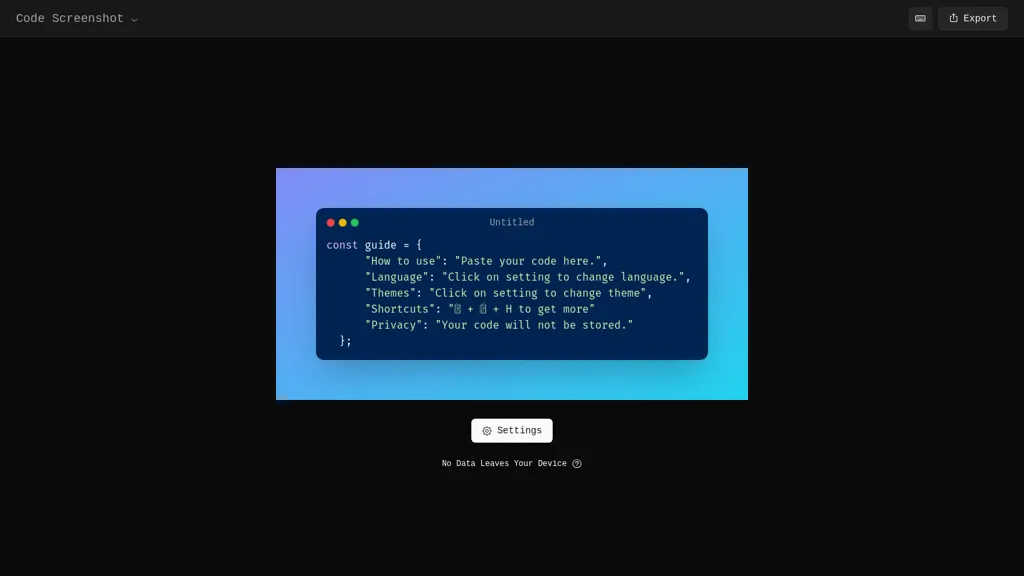
27 Code Screenshot Alternatives & Competitors, Ranked by User Reviews
Click Compare on any tool to compare it side-by-side with Code Screenshot.
 #1
Blackbox AI
#1
Blackbox AI
Blackbox AI is an AI-powered tool for developers that searches and autocompletes code snippets across multiple programming languages and repositories, extracts code from videos and PDFs, and converts queries into code.
 #2
Screenshot Coder
#2
Screenshot Coder
Screenshot Coder transforms visual mockups into production‑ready frontend code in seconds, supporting Tailwind CSS, Bootstrap, and React. It delivers responsive, clean UI code directly from screenshots, accelerating prototyping for designers and developers.
 #3
Pixelcode
#3
Pixelcode
Pixelcode is a Chrome extension that extracts code from screenshots, images, PDFs, and video frames, recognizes over 30 programming languages, preserves formatting, and copies snippets directly to the clipboard for use in any editor.
 #4
Img2html
#4
Img2html
IMG2HTML converts images, screenshots or URLs into clean, responsive HTML/CSS for standard, Tailwind, React, Vue, or Angular frameworks. It extracts text via OCR, exports components, clones sites, and offers a Chrome extension and API for automated workflows.
 #5
Sketch2App
#5
Sketch2App
Sketch2App" is a Visual Studio Code extension AI tool that converts hand-drawn sketches into functional app components swiftly. Streamlining app development, it seamlessly translates sketches into code for efficient design realization.
 #6
AICodeConvert
#6
AICodeConvert
AI Code Converter translates code snippets and natural‑language instructions into 50+ programming languages, offers code generation, debugging, optimization, and detailed explanations, and provides web and CLI interfaces for seamless IDE or pipeline integration.
- Catch deals before they expire
- Unlock tools matched to you
- Show off your AI stacks
Already a member? Sign in
 #7
AutoCoder
#7
AutoCoder
Autocoder.cc is a full-stack coding tool that generates front-end, back-end, and database components through conversational interaction, offering streamlined development and single-click deployment.
 #8
CodeScope
#8
CodeScope
Codescope is a web app development tool that allows users to create, modify, and enhance applications and plugins efficiently. It offers code generation, inspection, optimization, and smart automation, catering to both novice and experienced developers.
 #9
Programming Helper
#9
Programming Helper
AI Studio converts natural‑language prompts into working code across C++, Python, JavaScript, SQL, CSS, HTML, and regex. It translates snippets, adds typing hints, estimates complexity, offers git/command lookup, and provides plain‑English explanations, supporting collaboration and quick prototyping.
 #10
CSS Picker
#10
CSS Picker
CSSPicker is an AI tool that transforms design screenshots into responsive HTML, CSS, or Tailwind code. With a real-time code editor and integration for frameworks like React, it aids both novice and experienced developers in UI coding tasks.
 #11
StableCode
#11
StableCode
StableCode is an innovative LLM-powered AI tool for coding assistance and learning. It enhances programmer productivity while serving as a resourceful teaching aid for beginners.
 #12
MyPaste
#12
MyPaste
mypaste is an AI-powered code pasting tool for Github users. Upload pastes seamlessly from your terminal with CLI convenience. Customize expiration policies and programming languages for flexible and efficient workflow.
 #13
Code Genius
#13
Code Genius
Code Genius is an AI‑powered assistant for React, Vue JS, and Tailwind CSS that generates reusable components, offers syntax analysis, optimization tips, automated unit tests, and a chat interface for code queries, while syncing with GitHub.
 #14
Codel
#14
Codel
CodeI is an AI code assistant that delivers ready‑to‑use snippets for multiple languages and frameworks, offers debugging support, explains error messages with examples, tracks query history for quick reference, and helps developers understand and improve code quality.
 #15
CodeWhizz
#15
CodeWhizz
CodeWhizz is an AI-powered code generator and debugger for Python and JavaScript. It features an integrated code editor, tutoring support, and a snippet manager, catering to users from beginners to professionals for efficient coding and learning.
 #16
CodeCompanion
#16
CodeCompanion
CodeCompanion scans entire codebases to locate relevant files, providing an integrated terminal, browser, and shell execution. It auto‑corrects console errors, supports semantic search and custom instructions, stores data locally, and runs on Mac and Windows.
 #17
Spellbox
#17
Spellbox
SpellBox is an AI coding assistant that generates, explains, and bookmarks code across languages like C++, Python, MATLAB, and JavaScript. It runs on Windows and macOS, available as a desktop app or VS Code extension, streamlining development workflows.
 #18
CodeSnaps
#18
CodeSnaps
Codesnaps is a web tool for developers that provides ready-to-use UI components for React and Tailwind CSS, along with an AI site generator for quick website creation, enhancing efficiency in web design and development.
 #19
Learnitive
#19
Learnitive
Learnitive integrates AI content generation, note‑taking, and project management into one workspace. It drafts, paraphrases, and summarizes text, auto‑citates from 250 million academic sources, generates executable code snippets, and offers Markdown, IDE, and Kanban tools for writers, researchers, and developers.
 #20
JetCode
#20
JetCode
JetCode is an AI-powered tool that converts system requirements into executable code instantly, streamlining software development. It enhances productivity, reduces debugging, and supports various platforms with step-by-step implementation guides for efficient project execution.
 #21
CodeNext AI
#21
CodeNext AI
Codenext.ai accelerates iOS and macOS app development with context-aware code completion, a natural language chat feature for code generation, and an image-to-code converter. It enhances workflow efficiency while supporting customizable themes for user comfort.
 #22
Codejet
#22
Codejet
Codejet converts Figma design systems into production‑ready websites with one click. It offers a library of 100+ templates, AI‑generated responsive code, an integrated visual editor, and built‑in unit‑testing scaffolding for a seamless design‑to‑deployment workflow.
 #23
Archittect
#23
Archittect
Architecht is an AI-powered code generation tool that simplifies repetitive tasks, enabling developers to concentrate on innovation. It offers language support, VSCode integration, and predefined templates, boosting productivity and teamwork.
 #24
Code Language Converter
#24
Code Language Converter
Code Converter is a web‑based tool that translates source code among 30+ programming languages. It offers an editor, instant conversion, preview, history with privacy controls, sample conversions, and quick links for popular language pairs.
 #25
Cypher Scribe
#25
Cypher Scribe
CypherScribe converts developer documents into interactive web applications in 18 seconds. It allows customization without coding, supports rich editing with multimedia, and delivers SEO-optimized, secure pages, making it ideal for developers and product managers.
 #26
Sketch
#26
Sketch
An AI-powered code-writing assistant that comprehends data content available on GitHub.
 #27
UNCODE IT
#27
UNCODE IT
UNCODE‑IT lets you paste code into a web form, then GPT‑3 generates a concise plain‑language summary. Ideal for debugging, learning, and reviewing unfamiliar functions quickly. A Clear button resets the input for iterative analysis.
Frequently Asked Questions
Why look for Code Screenshot alternatives?
Common reasons users switch from Code Screenshot:
- Feature gaps: teams needing specific capabilities like Generate images may find a more focused alternative better suited to their workflow.
- Flexibility: exploring alternatives helps find tools that better match your team size, integrations, and budget.
What is the best alternative to Code Screenshot?
Based on 22 user reviews, Blackbox AI (72.7% positive) ranks as the top Code Screenshot alternative. Blackbox AI is an AI-powered tool for developers that searches and autocompletes code snippets across multiple programming languages and repositories, It is available on a Free trial plan starting from $5/mo.
How do the top Code Screenshot alternatives compare?
| Tool | Pricing | Starting Price | User Rating |
|---|---|---|---|
| Code Screenshot this tool | Freemium | — | — |
| Blackbox AI | Free trial | $5/mo | 72.7% (22) |
| Screenshot Coder | Free | — | — |
| Pixelcode | Free | — | 50% (1) |
| Img2html | Freemium | $0.15 | 50% (1) |
| Sketch2App | Subscription | $29/mo | — |
Are there free Code Screenshot alternatives?
Yes, 22 free alternatives found in our list: Blackbox AI, Screenshot Coder, Pixelcode. and 19 more — use the pricing filter above to see them all.
What should I look for in a Code Screenshot alternative?
- Core capabilities: confirm the tool supports Generate images, Transform code, generate presentations.
- Pricing transparency: look for clear free plan, trial period, or tiered pricing — avoid tools that hide costs.
- User reviews: check both the satisfaction percentage and the number of reviews; a high score from few users is less reliable.
- Integrations: verify it connects with your existing stack before committing.
- Support and updates: active development and responsive support are strong signals of a maintained product.
Which Code Screenshot alternative has the highest user rating?
AICodeConvert has the highest satisfaction score among Code Screenshot alternatives, with 100% positive from 1 user review. It is available on a Freemium plan.
What are Code Screenshot alternatives used for?
- Generate images
- Transform code
- generate presentations
- Optimize workflow
- Analyze code