Top 29 AskDocs Alternatives in 2026
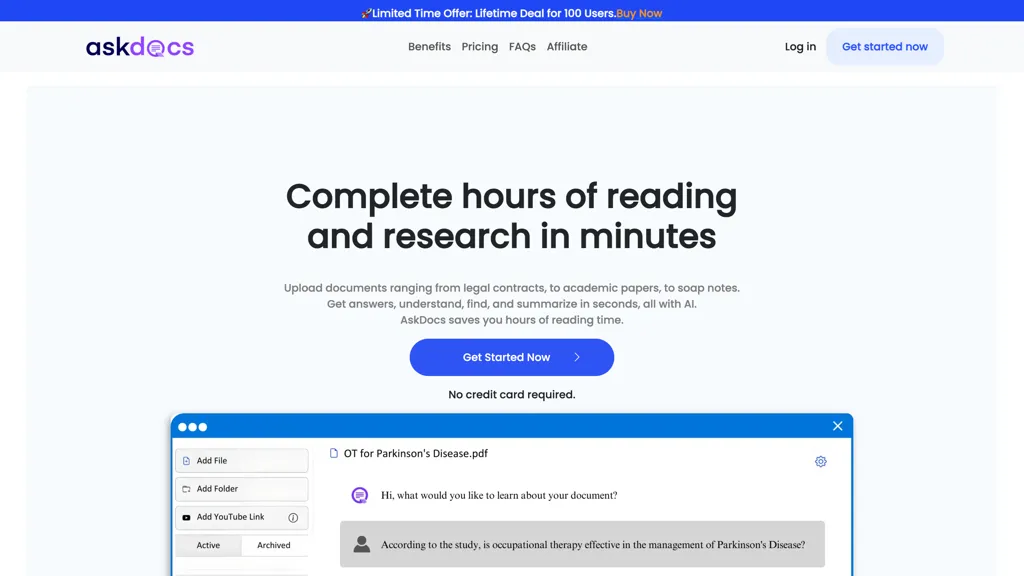
83.3% positive · 6 user reviewsAskDocs allows efficient document processing, enabling rapid research and summarization. It accepts various file types, ensuring data security. Users benefit from accurate answers with cited sources.
We've ranked 29 AskDocs alternatives, including 23 with a free plan. Rankings are based on feature coverage and user feedbacks.
Top-rated alternatives include Ask Your PDF, ChatPDF, and AI ChatDocs.
29 AskDocs Alternatives & Competitors, Ranked by User Reviews
Click Compare on any tool to compare it side-by-side with AskDocs.
#1
Ask Your PDF
AskYourPDF lets users upload PDF or text files to ask questions and retrieve instant answers. It instantly summarizes long documents, supports keyword search across multiple files, and offers a shared library with mobile, Chrome, and plugin access, all GDPR‑compliant.
#2
ChatPDF
ChatPDF lets users upload PDFs for conversational queries, mapping content and providing cited answers. It supports folders for combined documents, side‑by‑side chat and source viewing, and offers multilingual input and output.
#3
AI ChatDocs
ChatDocs lets users upload PDFs, DOCX, TXT, PPT, websites, and YouTube videos to chat with GPT‑4 for document summarization, extraction, and Q&A. It retains chat history, supports multi‑document workflows, aiding researchers, legal, project managers, and writers.
#4
Ask AI
Chat & Ask AI combines web search, image generation, link analysis, document chat, and YouTube summarization in one interface. It offers up‑to‑date answers, multilingual support, file uploads, and a prompt library, powered by GPT‑5.2, Gemini, Claude, and Stable Diffusion XL.
#5
PDF Summarizer
PDF Summarizer is a tool that quickly extracts key insights from multiple PDFs, Word, and PowerPoint files through multi-document chats. It offers summaries, translations, and secure side-by-side comparisons for efficient analysis.
#6
Chat PDF AI online
Chat PDF AI lets users upload PDFs up to 50 MB, then chat with GPT‑4o or Claude‑3 to ask questions, summarize, extract text or tables, translate, and generate mind maps. It keeps documents encrypted and private.
- Catch deals before they expire
- Unlock tools matched to you
- Show off your AI stacks
Already a member? Sign in
#7
PaperChat
PaperChat is an AI-powered tool boosting productivity via document chatting. It simplifies document handling, provides swift summary generation, and supports multiple file formats for streamlined project management and data extraction.
#8
Chatdoc
ChatDOC lets users ask questions about PDFs, DOCs, EPUBs, MD, and TXT while preserving layout, tables, formulas, and images. It returns answers with source citations, supports 25+ languages, and offers API/SDK integration.
#9
Filepower AI
FilePower AI lets users chat with PDFs, PPTs, Excel, and Word files, summarizing, translating, and organizing them into a searchable library. It uses a large‑language model with extended memory and encryption, speeding information extraction for researchers, educators, and analysts.
#10
Amigotor
Upload PDFs, Word, and scanned documents to create AI‑powered conversational agents that answer questions, summarize content, explain tables, and provide citations. Supports 100+ languages, collaborative workspaces, cross‑platform use, customizable tone, speech modules, and secure SOC 2/GDPR compliance.
#11
PDF.ai
PDF.ai lets users upload PDFs and chat for questions, summaries, and data extraction. It parses documents into structured JSON, detects sections, tables, and figures, and supplies source‑cited answers via a RESTful API for rapid, secure analysis.
#12
Documind
Documind is an AI platform that processes single or bulk PDFs, extracts key information, summarizes content, and answers natural‑language queries with citations. It supports multi‑language documents, article generation, chatbot training, and secure, account‑free sharing.
#13
AI PDF Summarizer
AI PDF Summarizer converts PDFs up to 10 MB into concise summaries within seconds. Upload by drag‑and‑drop, then request summaries, key‑point highlights, translations, search, rephrase, or citation extraction. Files are encrypted and not stored, ensuring privacy.
#14
summarizer.org
AI Summarizer quickly condenses essays, reports, and articles into short paragraphs or bullet lists. Paste text, upload DOCX/TXT/image, or give a URL; adjust summary length or set custom styles. Supports Spanish, French, German, Portuguese, and offers private, downloadable .docx outputs.
#15
Free AI PDF Reader
Free AI PDF Reader is a tool that analyzes, translates, and summarizes PDFs via drag-and-drop, delivering key insights. Its AI chat feature supports follow-up questions and multilingual interactions while ensuring data privacy.
#16
PortableDocs
PortableDocs is an AI tool that allows users to engage with PDF documents through conversation, enabling quick extraction of insights and summarization. Its intuitive interface and advanced algorithms enhance productivity, particularly for technical, legal, and academic documents.
#17
AnySummary
This tool quickly analyzes and summarizes documents, websites, long audio or video files by organizing the content into key points, highlights, and insights, making it easier to understand and find important information.
#18
iAsk.ai
iAsk.Ai delivers instant, factual answers to natural‑language questions from authoritative web sources, and offers essay drafting, advanced grammar checks, academic summarization, PDF analysis, image generation, URL bullet‑point briefs, and one‑click grammar correction. Accessible via browser extension or mobile app.
#19
AISummarizer.ai
aisummarizer.ai is a text and document summarization tool that creates concise summaries from plain text, Word, PDF, and PowerPoint files, using NLP and OCR for context-aware results. It also includes an AI translator, grammar checker, and Q&A features, with secure, temporary file processing that deletes uploads after summarization.
#20
PDFSummarizer.org
AI‑powered PDF Summarizer turns multi‑page documents into concise summaries in seconds, supporting 90+ languages. It generates study guides, outlines, and searchable citations, helping students, researchers, and professionals cut review time.
#21
iWeaver AI
iWeaver lets users upload documents, videos, audio, and images to extract key concepts, generate summaries, and build mind maps. It supports structured Q&A, data extraction, and visual mapping for research, analysis, and legal review. Modular agents enable API integrations for workflows.
#22
Talk PDF AI
TalkPDF.ai is an intelligent assistant for interacting with PDF documents, offering features like summarization, problem-solving, photo analysis, calorie tracking, emotion assessment, and audio text-to-speech for improved accessibility.
#23
Skimming.ai
Skimming AI lets users upload PDFs, videos, audio, images, and links, then extracts key points, summarizes content, and supports real‑time Q&A. Multilingual OCR and transcription turn non‑text into searchable text. It works in the browser or via a Chrome extension.
#24
DeepPDF
DeepPDF is an AI-powered tool for interacting with PDFs, enabling conversational queries, summaries, translations, and analysis of text, images, and formulas. It also supports OCR, annotations, and multi-format conversions for seamless document handling.
#25
ChatPdf.so
Chatpdf.so is an AI tool for efficiently extracting information from PDF documents. It uses GPT-4 for questions, summaries, and interactive learning. With multi-language support and robust data security features, it helps users generate reports and essays effortlessly.
#26
SearchPlus
Search+ AI enables users to interact with PDF documents through conversational queries, providing immediate answers and insights. It supports collaborative dialogue, ensures document privacy with encryption, and streamlines workflows for enhanced decision-making across multiple languages.
#27
Docsumo
Docsumo is a document AI platform that enhances document processing through automatic classification, smart table extraction, and human-in-the-loop review. It efficiently handles various formats, improving speed, accuracy, and operational efficiency in data extraction and analysis.
#28
Scisummary
SciSummary extracts abstracts, methods, results, and conclusions from scientific papers, supports bulk summarization and comparative overviews, provides AI‑generated figure statistics, and indexes up to 1,000 documents for semantic search to aid researchers in managing literature.
#29
Linnk.AI
Instant Insight Page by Linnk AI simplifies webpage summaries, eliminates clickbait, and delivers direct answers for efficient content consumption. Bridge language barriers, get concise information, and bid farewell to misleading headlines.
Frequently Asked Questions
Why look for AskDocs alternatives?
Common reasons users switch from AskDocs:
- Feature gaps: teams needing specific capabilities like Analyze documents may find a more focused alternative better suited to their workflow.
- Flexibility: exploring alternatives helps find tools that better match your team size, integrations, and budget.
What is the best alternative to AskDocs?
Based on 4 user reviews, Ask Your PDF (100% positive) ranks as the top AskDocs alternative. AskYourPDF lets users upload PDF or text files to ask questions and retrieve instant answers. It instantly summarizes long documents, supports keyword It is available on a Free plan.
How do the top AskDocs alternatives compare?
| Tool | Pricing | Starting Price | User Rating |
|---|---|---|---|
| AskDocs this tool | — | — | 83.3% (6) |
| Ask Your PDF | Free | — | 100% (4) |
| ChatPDF | Free | $5 | 50% (2) |
| AI ChatDocs | Subscription | $9.99/mo | 100% (1) |
| Ask AI | Free | — | 57.9% (19) |
| PDF Summarizer | Free | — | 33.3% (3) |
Are there free AskDocs alternatives?
Yes, 23 free alternatives found in our list: Ask Your PDF, ChatPDF, Ask AI. and 20 more — use the pricing filter above to see them all.
What should I look for in a AskDocs alternative?
- Core capabilities: confirm the tool supports Analyze documents, Summarize text, Extract data.
- Pricing transparency: look for clear free plan, trial period, or tiered pricing — avoid tools that hide costs.
- User reviews: check both the satisfaction percentage and the number of reviews; a high score from few users is less reliable.
- Integrations: verify it connects with your existing stack before committing.
- Support and updates: active development and responsive support are strong signals of a maintained product.
Which AskDocs alternative has the highest user rating?
Ask Your PDF has the highest satisfaction score among AskDocs alternatives, with 100% positive from 4 user reviews. It is available on a Free plan.
What are AskDocs alternatives used for?
- Analyze documents
- Summarize text
- Extract data
- Search documents
- Organize information