Top 29 AI Filter Alternatives in 2026
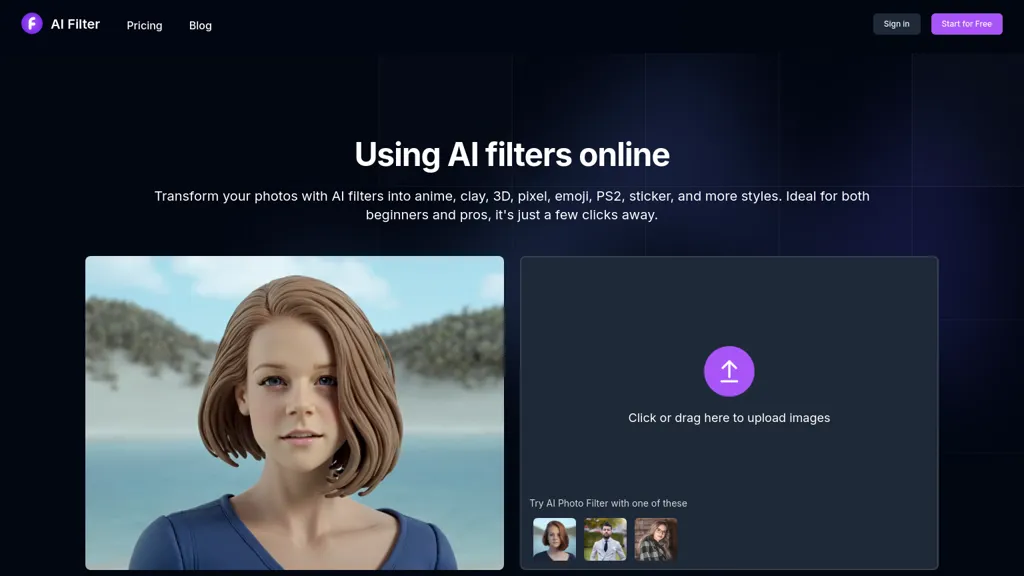
100% positive · 1 user review PaidAI Filter applies AI‑driven style transfer to create anime, clay, pixel, sticker, and other artistic renditions. Upload PNG, JPG, JPEG, or WebP, preview styles, add optional English prompts, and download high‑resolution images or share directly.
We've ranked 29 AI Filter alternatives, including 22 with a free plan. Rankings are based on feature coverage and user feedbacks.
Top-rated alternatives include ImageCartoon, AI Anime Image, and Anime AI.
29 AI Filter Alternatives & Competitors, Ranked by User Reviews
Click Compare on any tool to compare it side-by-side with AI Filter.
#1
ImageCartoon
ImageToCartoon turns JPEG, PNG, or WebP photos into high‑resolution cartoon images directly in the browser. Users pick from 80+ styles—Ghibli, Pixar, anime, comics—to create avatars, prints, or pet illustrations, with royalty‑free commercial rights.
#2
AI Anime Image
AI Anime Image is a tool that transforms photos into Studio Ghibli-inspired anime artwork using AI, applying vibrant colors and whimsical designs. It supports JPEG, PNG, and WEBP formats, offers three free trials, and prioritizes privacy while planning to expand styles.
#3
Anime AI
Anime AI transforms portrait photos into 512 × 512 anime-style images using a fine‑tuned Stable Diffusion model. Users upload JPEG/PNG up to 5 MB, select styles (e.g., Naruto, One Piece), and optional attributes, with results stored indefinitely while the original is deleted for privacy.
#4
Ghibli AI
Ghibli AI is a free online tool that instantly transforms photos into Studio Ghibli-inspired artwork using AI. Simply upload an image to generate and download high-resolution Ghibli-style art in seconds.
#5
ARTROBOT
ArtRobot transforms photos into paintings or illustrations using over 150 neural‑network styles. Upload an image, pick a style, and receive an HD or 4K output in minutes—ideal for photographers, designers, and social‑media creators.
#6
Restylar
Restyle Image to Image AI transforms photos via natural‑language prompts, offering style transfers (paintings, sketches, anime, Disney‑Pixar), scene changes, and object editing. Upload JPG/PNG/WebP, choose resolution ratios, and select Lite, Standard, or Professional quality modes.
- Catch deals before they expire
- Unlock tools matched to you
- Show off your AI stacks
Already a member? Sign in
#7
Face to Many
Transform face photos into artistic styles with Face Many AI. Choose from 3D, emoji, pixel art, video game, claymation, and toy styles instantly. User-friendly interface with privacy focus. Free and paid plans available.
#8
A1.art
a1.art is an online AI image and video generator offering 250,000 collections and millions of filters for rapid editing. It supports style transfer, batch processing, category search, API integration, asset logging, and high‑resolution output.
#9
Ai Art Generator
Mobile AI photo editor that instantly applies style transfer, background replacement, and color adjustments. Fast processing enables designers, photographers, and marketers to create professional images in seconds, with automated updates and seamless export to e‑commerce and social‑media platforms.
#10
Photify.AI
Photify AI transforms a single selfie into a stylized image in about two seconds, offering themed packs (cartoon, anime, retro, travel, etc.). Its quick processing, style transfer, and intuitive interface help creators, marketers, and hobbyists generate ready‑to‑use visuals.
#11
Ebank
AI Art Generator is a web platform that lets users upload images, apply style‑transfer brushes—Anime, Digital Art, Comic, Fantasy, Neon Punk—and choose resolutions from 1:1 to 16:9. It offers 2K upscaling, eye‑fix filtering, and project saving.
Pixai is an AI art generator tool that creates anime-style or realistic-style art, includes a character engine and chat bot features, supports NSFW content, and allows users to take control of their image results with advanced AI features.
#13
clayai
CLAY AI converts uploaded character photos into clay, 3D, emoji, video‑game, or pixel‑style images within 10–20 seconds. Users upload, select a preset style, and download a high‑resolution result. Data is encrypted and deleted after processing.
#14
FluxAI.art
FluxAI.art offers free AI image generation with models such as Nano Banana and ChatGPT‑4o image. It supports text‑to‑image, image‑to‑image, editing, multi‑image fusion, character consistency, and styles like Ghibli, Pixar, and realistic looks.
#15
cre8tiveAI
cre8tiveAI is an online AI platform that streamlines photo, illustration, and video editing with deep‑learning models. It upscales images, refines faces, generates icons and illustrations, converts photos to 3‑D video, creates line art, colorizes black‑and‑white photos, and compresses PNGs.
#16
ColorifyAI
Colorify AI turns text prompts or uploaded photos into black‑and‑white coloring pages in under three seconds, offering seven art styles and multiple sizes. Users download PNG or PDF, keep a temporary history, and use files commercially without login.
#17
Ghibli-art.io
ghibli-art.io is an AI tool that transforms photos into Ghibli-inspired, painterly anime art with cinematic lighting and soft palettes. It supports batch uploads, custom style prompts, and aspect ratios for fast, high-resolution social-media-ready outputs.
#18
PS2 AI Filter
The "PS2 AI Style Transfer Filter" is an AI image filter that gives photos a nostalgic PlayStation 2 video game vibe. It transforms images effortlessly, offering endless creative opportunities for social media and digital art projects.
#19
GhibliArt.ai
Ghibli Art AI Generator converts text prompts or uploaded photos into Ghibli-style artwork using AI. Users can easily create and download customized images inspired by the distinct visual style of Studio Ghibli films.
#20
FixArt
FixArtis a versatile AI image and video generation platform offering image-to-video, text-to-video, image-to-image and text-to-image workflows; supports JPG, PNG and WebP uploads up to 10 MB, template-based pipelines and preset animation modes (including Live2D-style). Exports at 512p/768p/1080p with public/private visibility, multiple generation models and speed presets to balance fidelity vs. render time, plus editing tools—style transfer, virtual hairstyle/clothing swaps, frame-based animation—for creators, designers, marketers and artists.
#21
Avatarify AI
Avatarify AI uses Google generated photos to create unique avatars in styles like anime, neon, and punk. Easily upload or take a photo and watch the AI transform it into a work of art with added surprises like syncing with a generated bolt.
#22
Starryai
StarryAI turns text or emojis into high‑resolution images across 1,000+ artistic styles. It supports portrait, illustration, technical drawing creation, photo editing, upscaling, style transfer, background removal, NFT, avatar, and video generation, with full ownership and watermark‑free outputs.
#23
Anime Diffusion
An online anim image-generation tool that creates images with prompts, offers uncensored AI models and community styles, and generates free images for commercial use.
#24
AI Cartoon Generator
AI Cartoon Generator converts detailed text prompts into high‑resolution cartoon or anime images in 10–30 seconds. Choose from 50 styles and aspect ratios, adjust lighting and composition, download single or batch outputs for personal or commercial use.
#25
picture to drawing
Picture Drawing AI transforms photos into artistic drawings in various styles, including sketches and watercolors. Users can easily upload images and generate high-resolution outputs quickly, making it useful for artists and content creators seeking unique visuals.
#26
AI Face Studio
AI Face Studio lets users swap faces, change clothing, edit expressions, and convert faces into anime, 3D, cartoon, emoji, or sticker formats. It supports multi‑face edits in photos and videos, delivering high‑definition outputs for print, web, or games.
#27
Airbrush
Airbrush lets users generate artwork, photorealistic photos, anime, 3D renders, logos, and social graphics from prompts, selecting models like Stable Diffusion, DALL‑E 2, and specialized variants. Outputs range 256‑4096 px with 4× upscaling, aiding designers, marketers, and game devs.
OpenArt is an AI art generator that provides powerful tools for you to generate and edit images, especially artist assets, that you can directly use and edit to improve.
#29
Deep Art Effects
Deep Art AI transforms photos into artworks using style‑transfer algorithms, offering on‑device, privacy‑respecting editing across Windows, macOS, Linux, Android, and iOS. Features include up to 4× upscale, background removal, colorization, preset filters, batch processing, and an API for developers.
Frequently Asked Questions
Why look for AI Filter alternatives?
Common reasons users switch from AI Filter:
- Cost: AI Filter is a Paid tool starting from $4.99 — users often look for more affordable or free options.
- Feature gaps: teams needing specific capabilities like Generate Images may find a more focused alternative better suited to their workflow.
- Flexibility: exploring alternatives helps find tools that better match your team size, integrations, and budget.
What is the best alternative to AI Filter?
ImageCartoon ranks as the top AI Filter alternative. ImageToCartoon turns JPEG, PNG, or WebP photos into high‑resolution cartoon images directly in the browser. Users pick from 80+ styles—Ghibli, Pixar, It is available on a Free plan.
How do the top AI Filter alternatives compare?
| Tool | Pricing | Starting Price | User Rating |
|---|---|---|---|
| AI Filter this tool | Paid | $4.99 | 100% (1) |
| ImageCartoon | Free | — | — |
| AI Anime Image | Free trial | — | 66.7% (6) |
| Anime AI | Freemium | $1.99 | 50% (1) |
| Ghibli AI | Free | — | 25% (4) |
| ARTROBOT | Free | — | — |
Are there free AI Filter alternatives?
Yes, 22 free alternatives found in our list: ImageCartoon, AI Anime Image, Anime AI. and 19 more — use the pricing filter above to see them all.
What should I look for in a AI Filter alternative?
- Core capabilities: confirm the tool supports Generate Images, Edit Images, Enhance Images.
- Pricing transparency: look for clear free plan, trial period, or tiered pricing — avoid tools that hide costs.
- User reviews: check both the satisfaction percentage and the number of reviews; a high score from few users is less reliable.
- Integrations: verify it connects with your existing stack before committing.
- Support and updates: active development and responsive support are strong signals of a maintained product.
Which AI Filter alternative has the highest user rating?
Photify.AI has the highest satisfaction score among AI Filter alternatives, with 100% positive from 2 user reviews. It is available on a Free plan.
What are AI Filter alternatives used for?
- Generate Images
- Edit Images
- Enhance Images