
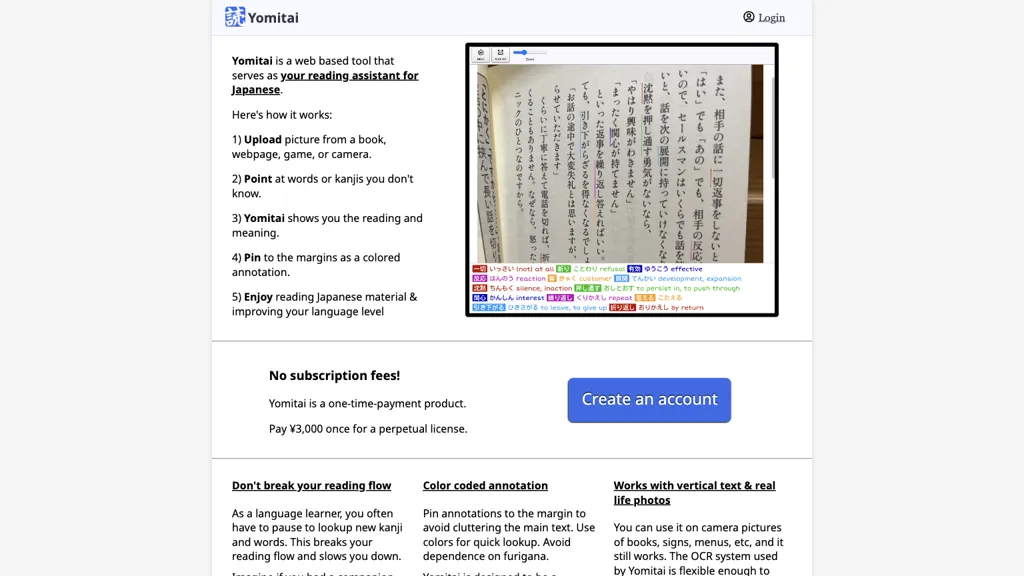
What is Yomitai?
Yomitai is a Japanese reading assistant that extracts text from images such as manga, e‑books, screenshots, and photographs using OCR. The tool allows users to point and click on any word, triggering a pop‑up dictionary that displays reading and meaning instantly.
Color coding and sticky‑note annotations highlight unfamiliar kanji and vocabulary, enabling quick reference on subsequent passes. By removing the need to pause for separate lookup tools, Yomitai streamlines the reading flow while preserving the natural learning experience.
It is designed for learners of Japanese who practice immersion through native‑language content, supporting kanji recognition and sentence‑structure comprehension. The interface operates locally; images remain on the device without external storage or data transmission.
Yomitai pricing
Free trialYomitai offers a free trial before requiring payment.
Verify on the official pricing page.
Start free trialYomitai's key features
-
Point-and-click popup dictionary
-
Color-coded sticky notes highlights
-
Versatile OCR for images and screenshots
-
Instant reading on images
-
Local image processing, no storage
-
One-time payment, lifetime license
-
No subscription, no recurring fees
Yomitai use cases
-
Read Japanese manga on a tablet and instantly click on kanji to see pop‑up readings and meanings, while color‑coding unfamiliar characters and adding sticky‑note notes for a seamless, offline immersion experience
-
Scan Japanese textbooks or study materials in real time, displaying an on‑screen dictionary for every word, with kanji highlighted and personal annotations saved locally to accelerate vocabulary retention
-
Annotate Japanese news articles or blog posts on a mobile device, marking new kanji with color tags and attaching personal notes, all stored securely offline for focused, immersive learning
Yomitai user reviews
Would you recommend Yomitai?
Who is Yomitai for?
-
Language learners
-
Japanese students
-
Cultural explorers
-
Kanji researchers
-
Reading facilitators
Yomitai FAQ
Is Yomitai free?
Not permanently. Yomitai gives you a free trial, after which a paid plan is required.
What are the best alternatives to Yomitai?
The closest alternatives to Yomitai are OLOCR, imagetotext.me, JPG to Text, Picture translate and ScantextAI. You can compare them side by side in the alternatives section further down this page.


