
What is Wondershare Dr.Fone?
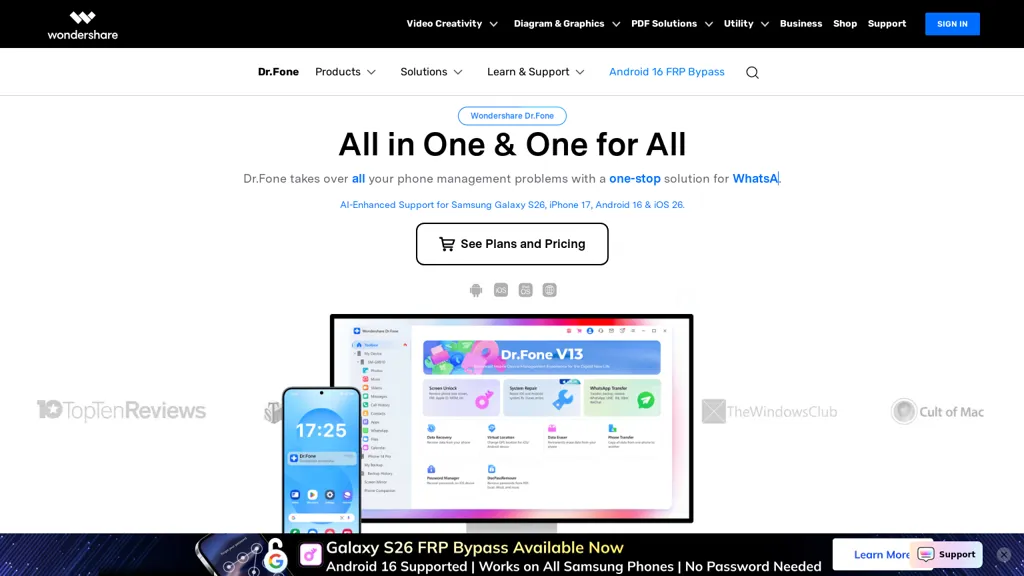
Dr.fone provides a mobile device management and troubleshooting toolkit for iOS and Android users.Core features include mobile data recovery, WhatsApp and app data transfer, full phone-to-phone transfer, and backup & restore for device migration and data protection.
Unlocking tools cover screen unlock, FRP bypass, iCloud activation removal, carrier unlock and IMEI checks for device access and resale preparation.System repair modules address iOS and Android crashes, boot loops, frozen screens and OS update issues with options to preserve user data.
Utilities include screen mirroring, virtual GPS location changer, HEIC-to-JPG conversion, online file transfer and cloud document management.Target users include consumers recovering lost files, IT technicians, mobile repair shops and businesses managing device fleets.
dr.fone combines desktop and online tools for on-device repair, data management, transfer workflows and diagnostics across a wide range of Android and iPhone models.
Wondershare Dr.Fone details
- Company
- Wondershare Technology Group Co., Ltd
- Jurisdiction
- People's Republic of China
- Built for
- Individuals
- Stated compliance
- GDPR
Compliance as stated in Wondershare Dr.Fone's own published documentation.
Wondershare Dr.Fone tech specs
- Integrations
Wondershare Dr.Fone pricing
Free trialVerify on the official pricing page.
Start free trialWondershare Dr.Fone's key features
-
Mobile data recovery
-
WhatsApp and app data transfer
-
Full phone-to-phone transfer and backup & restore
-
Device unlocking and IMEI checks (screen unlock, FRP bypass, iCloud activation removal, carrier unlock)
-
iOS and Android system repair (crashes, boot loops, frozen screens, OS update issues) with data-preservation options
Wondershare Dr.Fone use cases
-
Recover accidentally deleted photos, contacts and chat histories from iPhone or Android using dr.fone's mobile data recovery, exporting results to your computer or restoring directly to the device without technical expertise
-
Migrate everything from an old phone to a new one — including WhatsApp and other messaging app data, apps, contacts and settings — with dr.fone's phone-to-phone transfer tool that preserves message history across iOS and Android
-
Fix system issues, remove activation locks or unlock carrier restrictions using dr.fone's system repair and unlocking utilities to restore device functionality (boot loop, black screen) while minimizing data loss
Wondershare Dr.Fone user reviews
Based on 5 reviews, 60% of users recommend Wondershare Dr.Fone, rated highly for quality results.
Liked for
Disliked for
Would you recommend Wondershare Dr.Fone?
Who is Wondershare Dr.Fone for?
-
Device fleet managers
-
It technicians
-
Mobile repair shops
-
Phone resellers
-
Data recovery clients
Wondershare Dr.Fone FAQ
Is Wondershare Dr.Fone free?
Not permanently. Wondershare Dr.Fone gives you a free trial, after which a paid plan is required. Plans include Dr.fone online unlock at $0.99, Dr.fone - virtual location at $4.97, Dr.fone - data eraser at $12.95 and Docpassremover at $12.95.
Is Wondershare Dr.Fone safe to use?
Wondershare Dr.Fone states GDPR compliance in its own published documentation. Wondershare Dr.Fone is operated by Wondershare Technology Group Co., Ltd, registered in People's Republic of China. It has a substantial audience that is independently measured month to month.
What does Wondershare Dr.Fone do with my data?
Wondershare Dr.Fone states that customer content may be used to train its models. Its privacy policy states that personal data is sold or shared for marketing purposes. Data may be shared with third-party service providers that help run the product.
Is there a mobile app for Wondershare Dr.Fone?
Yes. Wondershare Dr.Fone has a mobile app alongside its web version.
Who made Wondershare Dr.Fone?
Wondershare Dr.Fone is built and operated by Wondershare Technology Group Co., Ltd, a company registered in People's Republic of China.
What does Wondershare Dr.Fone integrate with?
Wondershare Dr.Fone connects with WhatsApp.
Compliance, privacy and billing terms are as stated in each product's own published documentation and have not been independently verified by TopAI.tools.
How is AI used in this app?