
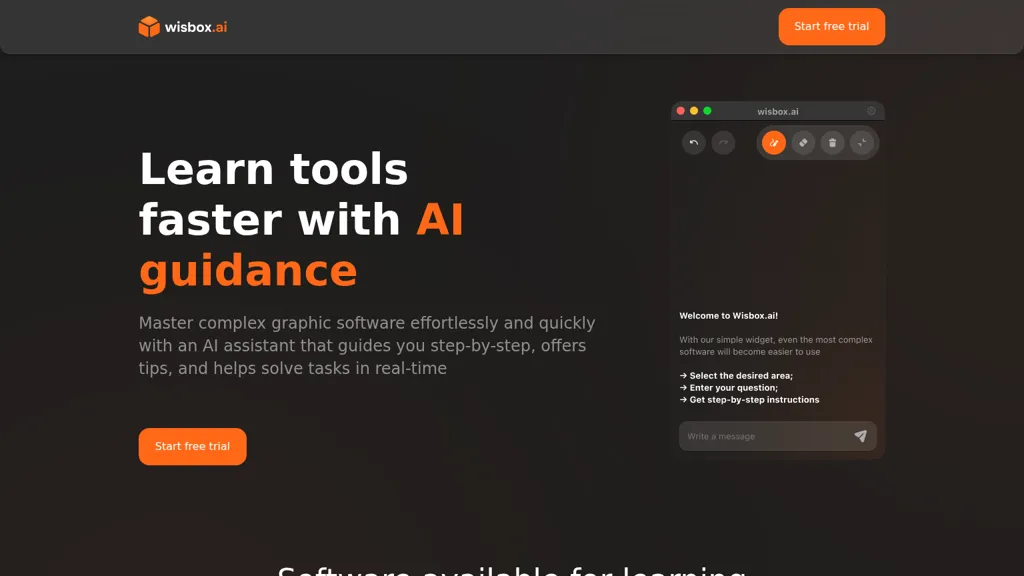
What is Wisbox.ai?
Wisbox.ai delivers AI-guided, step-by-step instructions for learning graphic and creative software. It provides real-time task assistance and contextual tips for Blender, Photoshop, Final Cut, Unity and other tools. Designers, 3D artists, video editors and game developers can reduce the learning curve, complete workflows, and resolve specific software problems.
Users enter a question and receive actionable steps, tool-specific commands, and sequence guidance tailored to the chosen application. The assistant supports task-based learning, workflow optimization, and on-the-job troubleshooting to improve efficiency and skill acquisition.
Wisbox.ai pricing Free trial
Wisbox.ai offers a free trial before requiring payment.
Verify on the official pricing page.
Start free trialWisbox.ai user reviews
Would you recommend Wisbox.ai?
Recommend this tool?
Wisbox.ai's key features
-
Step-by-step AI guidance
-
Real-time task solving
-
Contextual tips and suggestions
-
Supports multiple software (Blender, Numbers, Photoshop, Final Cut, Unity)
-
Interactive Q&A workflow: select area, enter question, receive step-by-step instructions
Wisbox.ai use cases
-
Create a photorealistic Blender scene using Wisbox.ai's AI-guided, step-by-step instructions that deliver exact hotkeys, node setups and render settings in real time inside Blender for faster lighting, material creation and troubleshooting without external documentation
-
Edit broadcast-quality videos in Final Cut Pro using Wisbox.ai's in-app editing assistance to suggest timeline edits, color-grading parameters and export presets while providing real-time troubleshooting for codec and playback issues to streamline delivery-ready workflows
-
Prototype and debug interactive gameplay in Unity with Wisbox.ai supplying actionable code snippets, component setup steps and performance-optimization guidance directly within the editor so teams can iterate rapidly, fix runtime errors and build production-ready mechanics
Who is it for?
-
Creative software users
-
Digital artists
-
Video editors
-
3d modelers
-
Designers


