
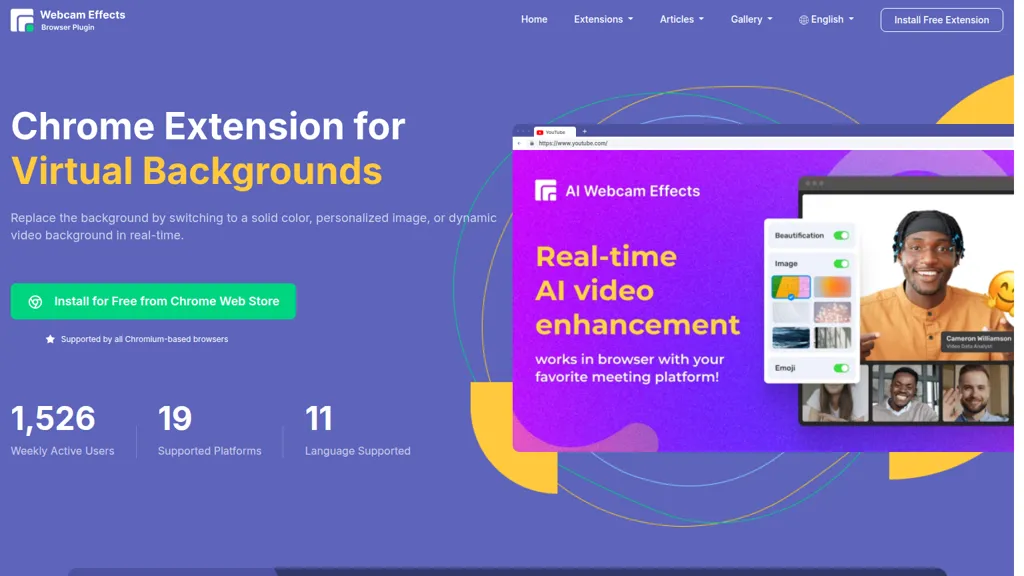
What is webcameffects.app?
Webcam Effects Chrome Plugin offers webcam background replacement and virtual backgrounds directly in Chromium-based browsers. Replace backgrounds with solid colors, custom images, or dynamic video backgrounds, or apply adjustable background blur to hide distractions.
Record a single source or an entire browser tab and capture meetings on Zoom, Microsoft Teams, Google Meet, and other web-based platforms. AI noise cancellation and smart zoom (auto-framing) improve audio clarity and keep the presenter centered during calls and streams.
Picture-in-picture overlay, emoji and Giphy integration, and custom layout controls support presentations, teaching, and live streaming workflows. Compatible with Windows, macOS, and Linux and installs from the Chrome Web Store for Chromium-based browsers.
webcameffects.app tech specs
- Integrations
- Microsoft Teams
webcameffects.app pricing
Freemiumwebcameffects.app offers a free plan with paid upgrades available.
Verify on the official pricing page.
View planswebcameffects.app's key features
-
Real-time virtual background replacement (solid color, image, or dynamic video)
-
AI-powered background blur with adjustable intensity
-
Real-time auto-framing (Smart Zoom) for automatic face centering
-
AI microphone noise cancellation for calls, streams, and recordings
-
In-browser recording of webcam, single source, whole tab, and meetings (Zoom/Teams/Meet)
webcameffects.app use cases
-
Produce polished remote presentations and webinars by replacing or blurring backgrounds, using smart auto-framing and picture-in-picture for slides and webcam, applying AI noise cancellation for clear audio, and recording browser tabs or single-source sessions for on-demand sharing
-
Run professional meetings, interviews, and remote hiring sessions with privacy-preserving virtual backgrounds or background blur, emoji/Giphy reactions and custom layouts for engagement, plus AI noise cancellation and session recording for accurate minutes and archives
-
Create engaging tutorials, product demos, and social clips by swapping background images or videos, layering webcam picture-in-picture with screen recordings, adding animated GIFs and custom layouts, then record browser sources for easy export and editing
webcameffects.app user reviews
Would you recommend webcameffects.app?
Who is webcameffects.app for?
-
Content creators
-
Live streamers
-
Online educators
-
Remote workers
-
Video conference participants
webcameffects.app FAQ
Is webcameffects.app free?
Partly. webcameffects.app has a free plan with usage limits, and paid plans unlock the full feature set.
What are the best alternatives to webcameffects.app?
The closest alternatives to webcameffects.app are Magicam, Unscreen.com, Backgroundremover.video and BlurBackground AI. You can compare them side by side in the alternatives section further down this page.
What does webcameffects.app do with my data?
Its privacy policy states that personal data is not sold or shared for marketing purposes. Data may be shared with third-party service providers that help run the product.
What does webcameffects.app integrate with?
webcameffects.app connects with Microsoft Teams.
Compliance, privacy and billing terms are as stated in each product's own published documentation and have not been independently verified by TopAI.tools.


