
What is Video2text?
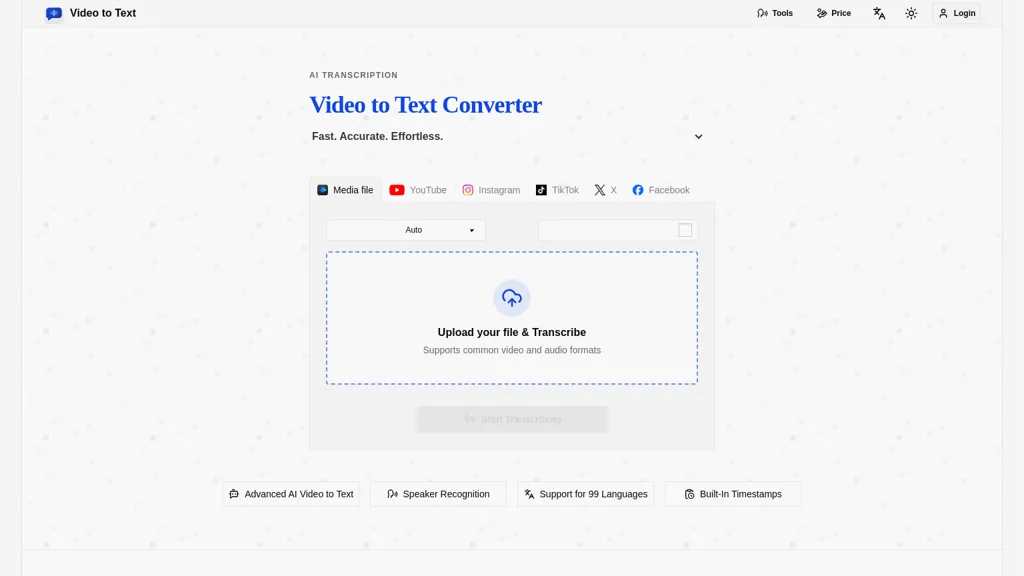
Video to Text converts video and audio into timestamped, searchable transcripts with speaker labels and automatic language detection.
Supports transcription in 99 languages and mixed-language recordings, enabling speaker diarization for multi-speaker files.
Provides built-in timestamps to streamline subtitle creation, editing, and media review.
Exports transcripts in subtitle and structured data formats for captioning, editing, and analysis workflows.
Accepts uploads and public social video links for direct transcription from platforms such as YouTube, TikTok, Instagram, X, and Facebook.
Processing typically completes within minutes depending on media length and network conditions, with a simple upload-to-export workflow.
Video2text tech specs
- Cloud
- Fly.io
- Integrations
- Google Workspace
Video2text pricing
FreemiumVideo2text offers a free plan with paid upgrades available.
- Refund window
- 14 days
Verify on the official pricing page.
View plansVideo2text's key features
-
Convert video and audio into timestamped, searchable transcripts with speaker labels and automatic language detection
-
Support multilingual and mixed-language transcription with speaker diarization for multi-speaker files
-
Provide built-in timestamps for subtitle creation, editing, and media review
-
Export transcripts in subtitle and structured-data formats for captioning, editing, and analysis workflows
-
Accept uploads and public social video links (YouTube, TikTok, Instagram, X, Facebook) with a simple upload-to-export workflow and quick processing dependent on media length and network conditions
Video2text use cases
-
Create searchable, timestamped transcripts of interviews, meetings and podcasts with automatic speaker labels and diarization, enabling quick quoting, content repurposing and export of subtitle-ready captions or structured data for publishing
-
Transcribe social media and public video links in 99 languages (including mixed-language audio) with automatic language detection and subtitle timestamps, so marketing teams can quickly produce localized captions and boost accessibility across platforms
-
Generate accurate, timestamped records for legal, research, or compliance workflows using speaker diarization and exportable structured transcripts to streamline review, redaction, and searchable archiving
Video2text user reviews
Based on 1 review, 100% of users recommend Video2text, rated highly for ease of use.
Liked for
Would you recommend Video2text?
Who is Video2text for?
-
Content creators (youtubers, tiktok/instagram creators)
-
Video editors and post-production teams
-
Social media managers
-
Podcast producers and hosts
-
Journalists and reporters
-
Accessibility and captioning teams
-
Localization and translation teams
-
Researchers and academics
-
Marketing and communications teams
-
Legal, compliance, and transcription services
-
Educators and e-learning creators
-
Media analysts and market researchers
Video2text FAQ
Is Video2text free?
Partly. Video2text has a free plan with usage limits, and paid plans unlock the full feature set.
What are the best alternatives to Video2text?
The closest alternatives to Video2text are VideoToTranscript, Audio Transcription, TranscribeAudio, TurboScribe and TurboTranscript. You can compare them side by side in the alternatives section further down this page.
What does Video2text do with my data?
Its privacy policy states that personal data is not sold or shared for marketing purposes. Data may be shared with third-party service providers that help run the product.
Does Video2text auto-renew or offer refunds?
Video2text states a 14-day refund window.
What does Video2text integrate with?
Video2text connects with Google Workspace.
Compliance, privacy and billing terms are as stated in each product's own published documentation and have not been independently verified by TopAI.tools.


