
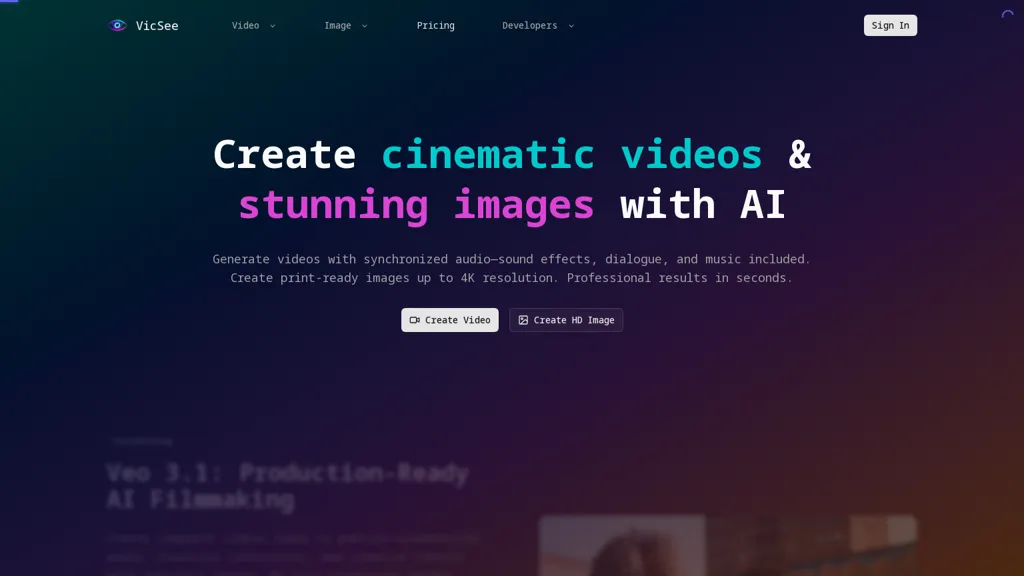
What is VicSee?
VicSee is an AI video generator that produces physics-accurate short videos with synchronized audio using Sora2. It generates short clips (with extended options up to 25 seconds) from text or image prompts and can animate uploaded images to create dialogue, sound effects, ambient audio, and lip-synced speech. Output supports multiple aspect ratios and style modes including realistic, cinematic, and anime for platform-optimized social media, marketing, and editorial formats. Physics-based motion simulates natural object interactions, accurate shadows, reflections, and motion blur for product demos and realistic scene behavior. Workflow uses descriptive prompts and scene instructions with options for camera angles and lighting to iterate storyboards quickly. It includes production-oriented controls and API access with developer documentation for integration into content pipelines, ad creatives, e-learning materials, and agency workflows.
VicSee details
- Jurisdiction
- United States
- Built for
- Individuals
- Data residency
- United States
VicSee tech specs
- Works with
- OpenAI / Sora Google / Veo Google / Nano Banana Kling ByteDance / Seedance MiniMax / Hailuo
VicSee pricing
Freemium- Refund window
- 7 days
Verify on the official pricing page.
View plansVicSee's key features
-
Text- or image-prompt-driven short video generation (10–25s) and animation of uploaded images
-
Synchronized audio generation including dialogue, sound effects, ambient audio, and lip-synced speech
-
Physics-based motion simulation with natural object interactions, accurate shadows, reflections, and motion blur
-
Multi-aspect-ratio and multi-style output support (16:9, 9:16, 1:1; realistic, cinematic, anime)
-
Production-oriented controls and API access with developer documentation; descriptive prompts/scene instructions with camera angle and lighting options for storyboard iteration
VicSee use cases
-
Create physics-accurate short product demo videos using Sora 2 from simple text or product images—no filming required—complete with camera and lighting controls, lip-synced narration and multi-aspect outputs ready for social ads and e-commerce pages
-
Produce concise science explainer or micro-lesson videos using Sora 2 that visualize accurate physical behavior, add ambient sound and voiceover, and export in different aspect ratios for TikTok, Instagram Reels and YouTube Shorts
-
Animate brand photos or user avatars into lip-synced, talking videos with Sora 2 to generate personalized onboarding messages, support replies or promotional content at scale via its production-ready API
VicSee user reviews
Based on 4 reviews, 50% of users recommend VicSee, rated highly for quality results.
Liked for
Disliked for
Would you recommend VicSee?
Who is VicSee for?
-
Content creators
-
E-commerce sellers
-
Digital marketers
-
Product designers
-
Motion designers and animators
VicSee FAQ
Is VicSee free?
Partly. VicSee has a free plan with usage limits, and paid plans unlock the full feature set. Plans include Starter at $15/mo or $10/mo (billed annually) and Pro at $29/mo or $15/mo (billed annually).
What are the best alternatives to VicSee?
The closest alternatives to VicSee are Clipfly AI Video Generator, Video Generator - A2E.ai , Ovi AI, VideoAI and Clipdance AI. You can compare them side by side in the alternatives section further down this page.
What does VicSee do with my data?
VicSee states that customer content is not used to train its models. Its privacy policy states that personal data is not sold or shared for marketing purposes. Data may be shared with third-party service providers that help run the product. Customer data is held in United States.
Does VicSee auto-renew or offer refunds?
VicSee states a 7-day refund window.
Does VicSee have an API?
Yes. VicSee offers an API, so you can call it from your own applications instead of using the interface directly.
Which AI models does VicSee use?
VicSee is built on OpenAI / Sora, Google / Veo, Google / Nano Banana, Kling, ByteDance / Seedance and MiniMax / Hailuo. Which models you can reach may depend on your plan.
Compliance, privacy and billing terms are as stated in each product's own published documentation and have not been independently verified by TopAI.tools.


