
What is Uplup?
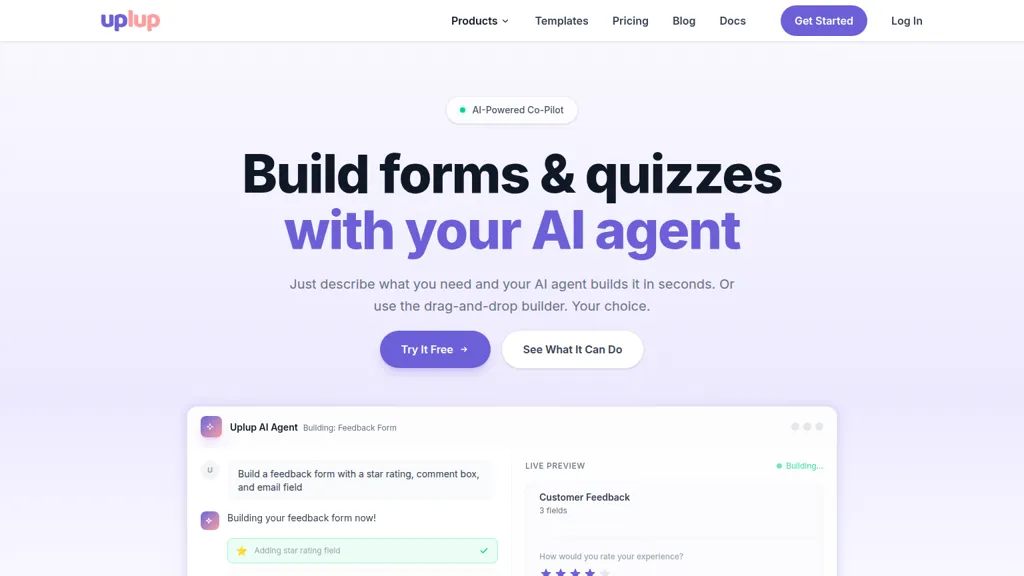
Uplup, an AI agent that builds forms, quizzes, and surveys from natural-language prompts or a drag-and-drop editor.
Create contact forms, lead capture, job applications, event registration, order forms, and assessments using 38+ field types, file uploads, payment collection, and e-signatures.
Set conditional logic, page routing, skip logic, branching, and quiz scoring (pass/fail, timers, leaderboards) for personalized respondent flows.
Edit fields, styling, and structure in-chat with instant previews and real-time updates.
Access completion rates, submission trends, quiz scores, and geographic analytics directly from the AI panel.
Uplup details
- Built for
- Businesses and teams
Uplup tech specs
- Works with
- OpenAI / GPT Anthropic / Claude
- Payment Processors
- Stripe
- Integrations
- Zapier n8n Salesforce HubSpot
Uplup pricing
Free- Refund window
- 7 days
- Auto-renewal
- Yes
Verify on the official pricing page.
Get started freeUplup's key features
-
Conversational AI agent that builds and edits forms and quizzes from plain-English commands
-
Drag-and-drop visual builder with live preview and instant application of changes
-
Support for diverse field types and inputs (email, star ratings, textareas, dropdowns, file uploads, signatures, payments)
-
Conditional logic, page routing, skip logic and smart branching
-
Integrated analytics and insights accessible via chat (completion rates, submission trends, quiz scores, geographic data)
Uplup use cases
-
Create automated client intake and registration forms from simple natural-language prompts using Uplup’s AI form generator and templates, adding conditional logic, payment collection and e-signatures to streamline onboarding without any coding
-
Develop scored quizzes and certification assessments by auto-generating questions with Uplup, using quiz scoring automation, conditional paths and real-time previews to grade learners, issue certificates and sync results to your LMS or analytics
-
Create data-driven customer surveys and lead capture workflows with Uplup’s conditional survey logic, drag-and-drop editor and 60+ integrations to push responses into CRMs, enable payments or e-signatures when needed, and monitor results with built-in analytics
Uplup user reviews
Would you recommend Uplup?
Who is Uplup for?
-
Business owners
-
Product managers
-
Digital marketers
-
Event planners
-
Human resources
Uplup FAQ
Is Uplup free?
Yes. Uplup is free to use and does not require a credit card.
What are the best alternatives to Uplup?
The closest alternatives to Uplup are Form Assist, Forms.app, Jotform AI Quiz Generator, Yay! Forms and Magic Form. You can compare them side by side in the alternatives section further down this page.
What does Uplup do with my data?
Uplup states that customer content is not used to train its models. Its privacy policy states that personal data is not sold or shared for marketing purposes. Data may be shared with third-party service providers that help run the product.
Does Uplup auto-renew or offer refunds?
Uplup subscriptions renew automatically until you cancel. It states a 7-day refund window.
Does Uplup have an API?
Yes. Uplup offers an API, so you can call it from your own applications instead of using the interface directly.
Which AI models does Uplup use?
Uplup is built on OpenAI / GPT and Anthropic / Claude. Which models you can reach may depend on your plan.
What does Uplup integrate with?
Uplup connects with Zapier, n8n, Salesforce and HubSpot.
Compliance, privacy and billing terms are as stated in each product's own published documentation and have not been independently verified by TopAI.tools.


