
What is Toolmark?
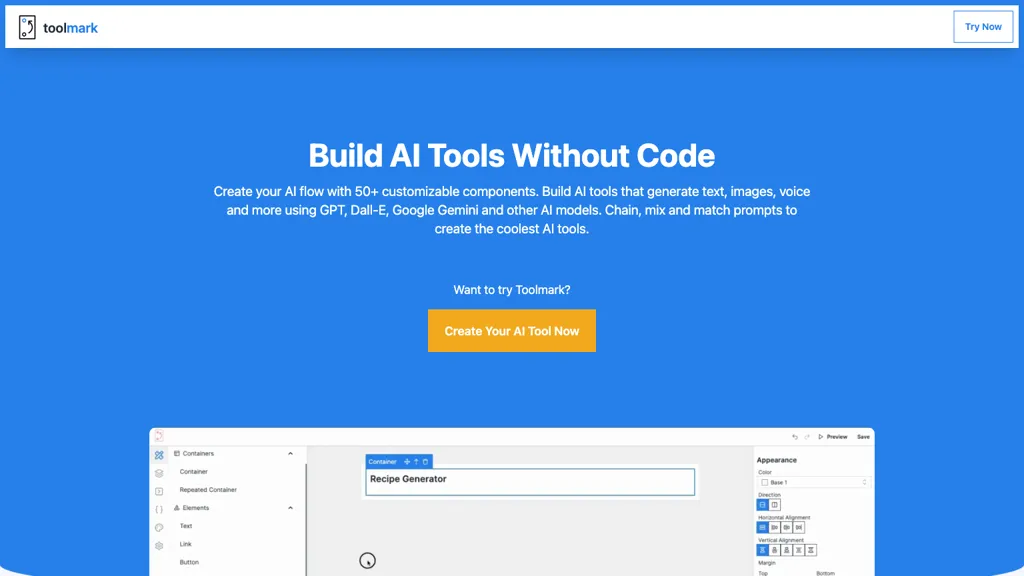
toolmark.ai is a no‑code AI tool builder that lets users create, customize, and embed AI applications using a drag‑and‑drop interface.It supports a wide array of models—including GPT‑4o, DALL‑E, Gemini, Llama, and Midjourney—so creators can switch between text, image, and voice generation with a single click.
Users can define custom prompts, chain multiple prompts for complex workflows, and integrate AI tools with Zapier, Airtable, and other services to automate tasks.The platform offers an embed feature that allows AI tools to be added to websites, enhancing visitor interaction with minimal effort.
Designers can match the look and feel of each tool to their brand by adjusting themes, colors, and layout options.Non‑technical professionals such as marketers, recruiters, and content creators can build Chrome extensions, website widgets, and internal workflows without writing code, while developers can extend functionality through advanced prompt scripting.
Toolmark details
- Built for
- Individuals
Toolmark tech specs
- Works with
- OpenAI / GPT OpenAI / DALL-E Google / Gemini Meta Mistral Stability AI Midjourney
- Integrations
- Zapier Airtable
Toolmark pricing
FreemiumToolmark offers a free plan with paid upgrades available.
- Free trial
- 7 days
Verify on the official pricing page.
View plansToolmark's key features
-
No-code drag-and-drop builder
-
Multi-model AI support
-
Zapier and Airtable integration
-
Custom prompt chaining
-
Website embedding capability
-
Theme and style customization
-
Marketplace for tool sales
Toolmark use cases
-
Create a fully automated customer support chatbot widget using Toolmark.ai, connecting GPT‑4o and Zapier to log tickets into Airtable—all with drag‑and‑drop prompts and no coding.
-
Build a multi‑model image generation workflow that chains Midjourney and DALL‑E prompts to produce marketing assets, then automatically uploads them to your CMS via Zapier, all configured in the Toolmark.ai no‑code builder.
-
Develop a data‑driven content recommendation widget for your website, using Gemini and Llama prompts chained in Toolmark.ai, with real‑time updates fed into Airtable and embedded as a Chrome extension.
Toolmark user reviews
Would you recommend Toolmark?
Who is Toolmark for?
-
Website owners
-
Workflow automation engineers
-
Technical engineers
-
Non-technical operators
-
Content creators
Toolmark FAQ
Is Toolmark free?
Partly. Toolmark has a free plan with usage limits, and paid plans unlock the full feature set.
What are the best alternatives to Toolmark?
The closest alternatives to Toolmark are ChatGPT, AI-Flow, Use.ai, AI App Generator by UI Bakery and Riku. You can compare them side by side in the alternatives section further down this page.
What does Toolmark do with my data?
Its privacy policy states that personal data is not sold or shared for marketing purposes. Data may be shared with third-party service providers that help run the product.
Which AI models does Toolmark use?
Toolmark is built on OpenAI / GPT, OpenAI / DALL-E, Google / Gemini, Meta, Mistral, Stability AI and Midjourney. Which models you can reach may depend on your plan.
What does Toolmark integrate with?
Toolmark connects with Zapier and Airtable.
Compliance, privacy and billing terms are as stated in each product's own published documentation and have not been independently verified by TopAI.tools.


