
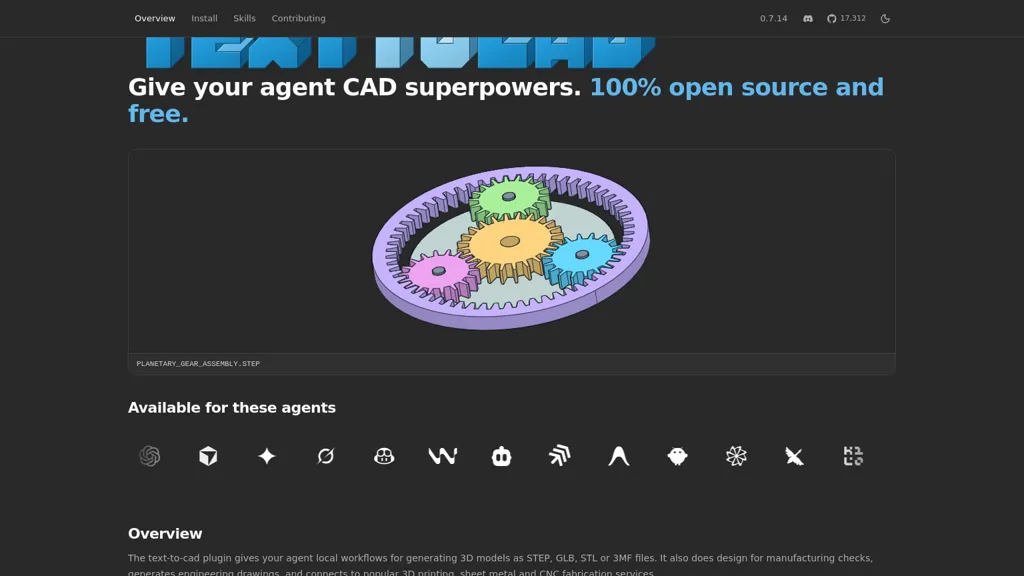
What is TextToCAD?
text-to-cad ia An open-source plugin and skills library that enables agents to generate and edit 3D CAD models from plain-language or image inputs. It exports standard CAD and mesh formats with STEP as the primary output and supports downstream mesh and model exports.
The tool performs design-for-manufacturing checks, produces dimensioned engineering drawings, and creates 2D DXF profiles and templates. It generates robot description and simulation files (URDF/SRDF/SDF) and provides component lookup for off-the-shelf STEP parts.
Fabrication workflows include slicing to G-code and integrations with 3D printing, sheet metal, and CNC services. text-to-cad installs as a plugin or skill across multiple agent platforms (Claude Code, Codex, Cursor, Gemini, Grok) and offers a local review web app for inspecting CAD files.
Modular skills cover engineering drawing, DFAM/DFM evaluation with cited rules, and automated preparation for fabrication.
TextToCAD pricing
FreeThis tool is free to use, with no credit card required.
Verify on the official pricing page.
Get started freeTextToCAD's key features
-
Generate and edit 3D CAD models from plain-language or image inputs
-
Export standard CAD and mesh formats with STEP as primary output and support downstream model/mesh exports
-
Perform design-for-manufacturing (DFM/DFAM) checks and produce dimensioned engineering drawings
-
Create 2D DXF profiles/templates and slice models to G-code with integrations for 3D printing, sheet metal, and CNC services
-
Install as a plugin/skill across multiple agent platforms and provide a local review web app for inspecting CAD files
TextToCAD use cases
-
Turn a plain-language product concept or specification into a fully editable 3D CAD model with text-to-cad, export STEP/mesh files, and automatically generate engineering drawings and DXF profiles for supplier quotes
-
Convert photos or hand sketches into accurate editable CAD geometry using text-to-cad, run DFM/DFAM checks to catch manufacturability issues early, and export G-code or robot simulation files for rapid prototyping
-
Speed up sheet-metal and part production by using text-to-cad to create fabrication-ready DXF profiles and STEP exports, generate assembly drawings and BOMs, and produce robot paths or slicing outputs for automated manufacturing
TextToCAD user reviews
Based on 2 reviews, 100% of users recommend TextToCAD, rated highly for quality results.
Liked for
Would you recommend TextToCAD?
Who is TextToCAD for?
-
Mechanical engineers
-
Product designers
-
Industrial designers
-
Manufacturing engineers and dfx specialists
-
Robotics engineers
-
Cnc machinists and programmers
-
Sheet metal fabricators
-
3d printing operators and makers
-
Cad technicians and modelers
-
Hardware startups and prototype teams
-
Engineering students and educators
-
Fabrication service providers and job shops
TextToCAD FAQ
Is TextToCAD free?
Yes. TextToCAD is free to use and does not require a credit card.
What are the best alternatives to TextToCAD?
The closest alternatives to TextToCAD are Alpha3D, Text to 3D Model, Text to Design, Formverse.design and WordCraft3D. You can compare them side by side in the alternatives section further down this page.


