
What is TeachQuill?
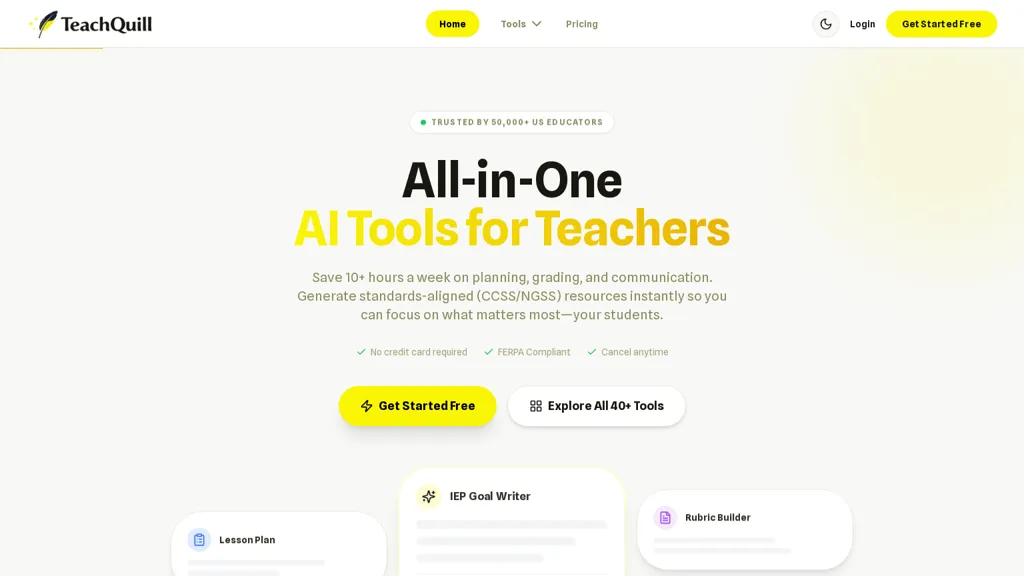
TeachQuill AI toolkit for K–12 educators that streamlines lesson planning, unit and syllabus design, and daily/weekly academic organization.Includes lesson plan generator, learning objectives and timeline creators, curriculum mapper, scope-and-sequence tools, and standards-aligned (CCSS/NGSS) planning.
Content creation features include worksheet and quiz makers (multiple choice, true/false, matching), fluency and decodable text generators, slide and visual builders, flashcards, and practice tests.Assessment and feedback tools cover rubric and checklist generators, auto-grading, exit tickets, report card comment writer, and assessment tracking.
Special education and differentiation tools include IEP goal generator, BIP creator, social stories, sentence starters, reading-level adjustment, and differentiated instruction supports.Classroom management and admin tools provide seating charts, contact lists, substitute plans, progress trackers, grade calculators, form and survey builders, and email/newsletter responders.
Designed for classroom teachers, special educators, instructional coaches, and school leaders to produce standards-aligned, grade-level materials and streamline planning, grading, and parent communication.
Security and privacy features include FERPA/COPPA compliance, optional SSO (Google/Microsoft), and district-grade encryption for data at rest and in transit.
TeachQuill details
- Jurisdiction
- Delaware
- Built for
- Individuals
TeachQuill tech specs
- AI infrastructure
- Together AI
- Integrations
- Google Workspace
TeachQuill pricing
Freemium- Auto-renewal
- Yes
Verify on the official pricing page.
View plansTeachQuill's key features
-
Lesson planning and curriculum design (lesson plan generator, unit/syllabus design, curriculum mapper, scope-and-sequence, standards-aligned CCSS/NGSS support)
-
Content creation tools (worksheet and quiz makers — multiple choice/true-false/matching, fluency and decodable text generators, slide/visual builders, flashcards, practice tests)
-
Assessment and feedback tools (rubric and checklist generators, auto-grading, exit tickets, report card comment writer, assessment tracking)
-
Special education and differentiation tools (IEP goal generator, BIP creator, social stories, sentence starters, reading-level adjustment, differentiated instruction supports)
-
Classroom management and admin tools (seating charts, contact lists, substitute plans, progress trackers, grade calculators, form/survey builders, email/newsletter responders)
TeachQuill use cases
-
Create standards-aligned lesson plans and semester-long curriculum maps with teachquill's pre-built templates, automatically aligning objectives to state standards and generating day-by-day activities without extra formatting or coding
-
Generate engaging worksheets, quizzes, and formative assessments using teachquill's quiz-maker, deploy them with auto-grading and instant feedback, and produce class-level analytics for targeted interventions
-
Build individualized IEP goals and differentiated instruction plans for students with special needs using teachquill's IEP generator and differentiation tools, while managing FERPA/COPPA-compliant parent communications and district-grade SSO privacy
TeachQuill user reviews
Would you recommend TeachQuill?
Who is TeachQuill for?
-
K-12 educators
-
Classroom teachers
-
Special educators
-
Instructional coaches
-
School leaders
TeachQuill FAQ
Is TeachQuill free?
Partly. TeachQuill has a free plan with usage limits, and paid plans unlock the full feature set. Plans include Pro at $15.00/mo billed yearly.
What are the best alternatives to TeachQuill?
The closest alternatives to TeachQuill are Teachally, SchoolAI, To Teach, LessonPlans.ai and AI Lesson Plan. You can compare them side by side in the alternatives section further down this page.
What does TeachQuill do with my data?
TeachQuill states that customer content is not used to train its models. Its privacy policy states that personal data is not sold or shared for marketing purposes. Data may be shared with third-party service providers that help run the product.
Does TeachQuill auto-renew or offer refunds?
TeachQuill subscriptions renew automatically until you cancel.
What does TeachQuill integrate with?
TeachQuill connects with Google Workspace.
Compliance, privacy and billing terms are as stated in each product's own published documentation and have not been independently verified by TopAI.tools.


