
What is TapVid AI?
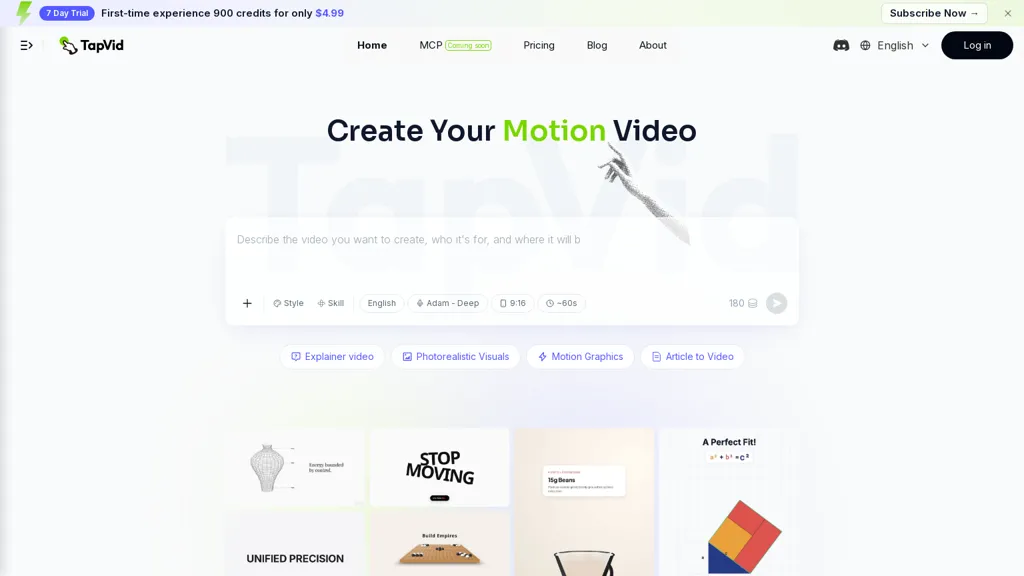
TapVid is an AI explainer video generator that converts prompts, PDFs, links, and uploaded assets into motion-graphics and photorealistic explainer videos.It generates automated scripts, storyboards, voiceovers, and timelines to produce publish-ready videos through a text-to-video workflow.
The platform’s natural-language editing and intelligent edit tools let users create, refine, and remix videos by issuing plain-language instructions.Core features include template-based motion graphics, visual style presets (including vertical formats), clip trimming, and batch/versioning for rapid content repurposing.
TapVid suits marketers, course creators, educators, and agencies that need to scale video production and turn written content or slides into short-form and longer explainer content.Export and rendering controls support HD outputs and integration into existing publishing workflows.
TapVid AI details
- Built for
- Individuals
TapVid AI tech specs
- Works with
- OpenAI / GPT Anthropic / Claude Perplexity
- Integrations
- Slack
TapVid AI pricing
FreemiumVerify on the official pricing page.
View plansTapVid AI's key features
-
Converts prompts, PDFs, links, and uploaded assets into motion-graphics and photorealistic explainer videos
-
Automated generation of scripts, storyboards, voiceovers, and timelines via a text-to-video workflow
-
Natural-language editing and intelligent edit tools for creating, refining, and remixing videos with plain-language instructions
-
Template-based motion graphics, visual style presets (including vertical formats), and clip trimming
-
Batch/versioning and export/rendering controls supporting HD outputs and integration with publishing workflows
TapVid AI use cases
-
Turn product manuals, PDFs, or spec sheets into polished photorealistic explainer videos using TapVid’s automated script, storyboard, voiceover and timeline generation, allowing marketing and sales teams to quickly produce product demos and landing-page videos without hiring a video editor
-
Repurpose long-form content like webinars, blog posts, and recorded demos into batches of short motion-graphics social clips using TapVid’s template library, natural-language editing and batch/versioning, exporting HD-optimized versions for LinkedIn, Instagram and YouTube
-
Create scalable onboarding and training programs by converting links, uploaded docs, or prompts into step-by-step explainer videos with storyboards, multilingual voiceovers and timeline control via TapVid’s text-to-video editor, streamlining employee and customer education across global teams
TapVid AI user reviews
Would you recommend TapVid AI?
Who is TapVid AI for?
-
Video content creators
-
Marketing managers
-
Course creators
-
Educators
-
Agency teams
TapVid AI FAQ
Is TapVid AI free?
Partly. TapVid AI has a free plan with usage limits, and paid plans unlock the full feature set. Plans include Pro at $39/mo (or $31.2/mo billed annually), Max at $99/mo (or $79.2/mo billed annually), Ultra at $199/mo (or $159.2/mo billed annually) and Basic at $4.99 for 7 days then $15.2/mo.
What are the best alternatives to TapVid AI?
The closest alternatives to TapVid AI are PDF to Video, VideoAI, Video Generator - A2E.ai , AIReel and AutoAE. You can compare them side by side in the alternatives section further down this page.
What does TapVid AI do with my data?
Its privacy policy states that personal data is not sold or shared for marketing purposes. Data may be shared with third-party service providers that help run the product.
Does TapVid AI have an API?
Yes. TapVid AI offers an API, so you can call it from your own applications instead of using the interface directly.
Which AI models does TapVid AI use?
TapVid AI is built on OpenAI / GPT, Anthropic / Claude and Perplexity. Which models you can reach may depend on your plan.
What does TapVid AI integrate with?
TapVid AI connects with Slack.
Compliance, privacy and billing terms are as stated in each product's own published documentation and have not been independently verified by TopAI.tools.


