
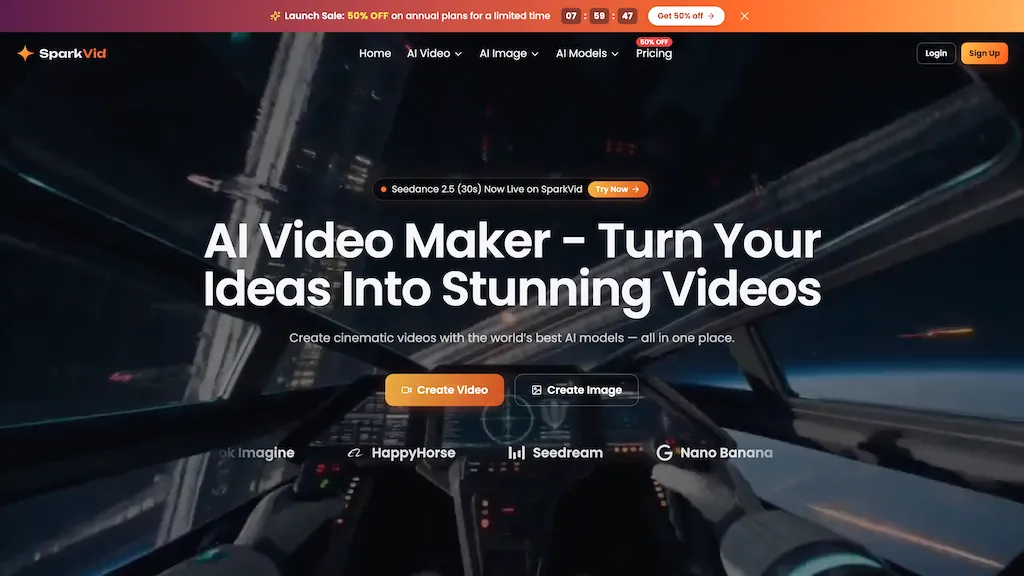
What is SparkVid AI?
SparkVid AI is an AI video maker that converts text and images into video using multiple generative models (Seedance, Kling, Veo).It supports image-to-video and text-to-video workflows with reference image, short reference video and audio uploads plus adjustable aspect ratios and resolutions.
Motion transfer and direct motion controls map camera moves and performances onto subjects, including pans, zooms, orbits and dolly shots.A natural-language editing interface enables object removal, background swaps and style modifications without manual masking or keyframing.
Creators, marketers and e-commerce teams can iterate prompts and model variants to produce social shorts, product lifestyle clips, ads and previsualization scenes more quickly.Preview, side-by-side model comparisons and frame export help refine outputs and maintain consistent visual styles across clips.
SparkVid AI details
- Jurisdiction
- China
SparkVid AI tech specs
- Works with
- OpenAI / Sora Google / Veo Google / Nano Banana xAI / Grok Kling ByteDance / Seedance ByteDance / Seedream MiniMax
SparkVid AI pricing
Freemium- Refund window
- 7 days
Verify on the official pricing page.
View plansSparkVid AI's key features
-
Text-to-video and image-to-video generation using multiple generative models (Seedance, Kling, Veo)
-
Support for reference image, short reference video and audio uploads with adjustable aspect ratios and resolutions
-
Motion transfer and direct motion controls to map camera moves and performances onto subjects (pans, zooms, orbits, dolly)
-
Natural-language editing interface for object removal, background swaps, and style modifications without manual masking or keyframing
-
Preview, side-by-side model comparisons and frame export
SparkVid AI use cases
-
Create high-converting product videos for your online store using Sparkvid by turning static images and product descriptions into dynamic, camera-controlled clips with background swaps, object removal, and export-ready formats—no studio shoot required, perfect for boosting conversions
-
Produce short-form social videos from simple text prompts and reference images using Sparkvid’s text-to-video and motion-transfer features, apply style tweaks and preview multiple variants to quickly generate TikTok/Instagram-ready creatives
-
Rapidly iterate and edit marketing or demo footage using Sparkvid’s natural-language video edits to remove unwanted objects, swap backgrounds, transfer motion between clips, and tweak visual styles for fast A/B testing of ad creatives
SparkVid AI user reviews
Based on 1 review, 100% of users recommend SparkVid AI, rated highly for quality results.
Liked for
Would you recommend SparkVid AI?
Who is SparkVid AI for?
-
Video producers
-
Social media managers
-
E-commerce sellers
-
Instructional designers
-
Storytellers
SparkVid AI FAQ
Is SparkVid AI free?
Partly. SparkVid AI has a free plan with usage limits, and paid plans unlock the full feature set. Plans include Lite at $9.9/mo, Pro at $24.9/mo and Max at $59.9/mo.
What are the best alternatives to SparkVid AI?
The closest alternatives to SparkVid AI are VideoAI, Clipfly AI Video Generator, Video Generator - A2E.ai , Veo3 and VisImagine. You can compare them side by side in the alternatives section further down this page.
What does SparkVid AI do with my data?
SparkVid AI states that customer content may be used to train its models. Its privacy policy states that personal data is not sold or shared for marketing purposes. Data may be shared with third-party service providers that help run the product.
Does SparkVid AI auto-renew or offer refunds?
SparkVid AI states a 7-day refund window.
Which AI models does SparkVid AI use?
SparkVid AI is built on OpenAI / Sora, Google / Veo, Google / Nano Banana, xAI / Grok, Kling, ByteDance / Seedance, ByteDance / Seedream and MiniMax. Which models you can reach may depend on your plan.
Compliance, privacy and billing terms are as stated in each product's own published documentation and have not been independently verified by TopAI.tools.


