
What is Slacksift?
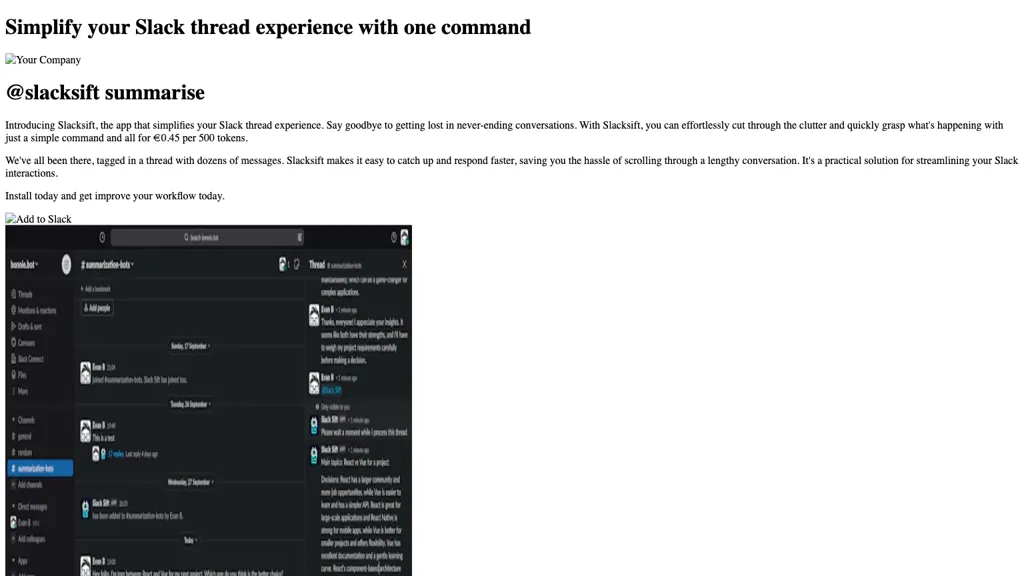
Slacksift simplifies Slack thread management by summarizing long conversations with a single command. The app integrates directly into your workspace and activates via @slacksift setup, generating a payment link for usage. Users can retrieve concise summaries in any channel or thread by typing @slacksift summarise, reducing the time spent scrolling through messages.
Slacksift on the web:
Slacksift on X (Twitter)
Slacksift pricing
Freemium
Slacksift usage only
$0.45/500 tokens
Verify on the official pricing page.
View plansSlacksift's key features
-
Summarize Slack threads with command
-
Easy app installation into workspace
-
Usage-based pricing per 500 tokens
-
Generate invoices for reimbursement
-
48-hour support response
Slacksift use cases
-
Summarize lengthy project update threads in any Slack channel with a single /summarize command, enabling team members to instantly grasp key decisions without scrolling through dozens of messages
-
Retrieve concise recaps of customer support threads across multiple channels, giving agents a quick overview of issue history before engaging with the client
-
Generate meeting recap summaries in Slack channels, automatically highlighting action items and deadlines for the team to stay aligned
Slacksift user reviews
Would you recommend Slacksift?
Recommend this tool?
Who is Slacksift for?
-
Product managers
-
Data analysts
-
Slack administrators
-
Workflow optimizers
-
Communication coordinators
Slacksift FAQ
Is Slacksift free?
Partly. Slacksift has a free plan with usage limits, and paid plans unlock the full feature set. Plans include Slacksift usage only at $0.45/500 tokens.
What are the best alternatives to Slacksift?
The closest alternatives to Slacksift are Summary.sh and Spoke. You can compare them side by side in the alternatives section further down this page.

