
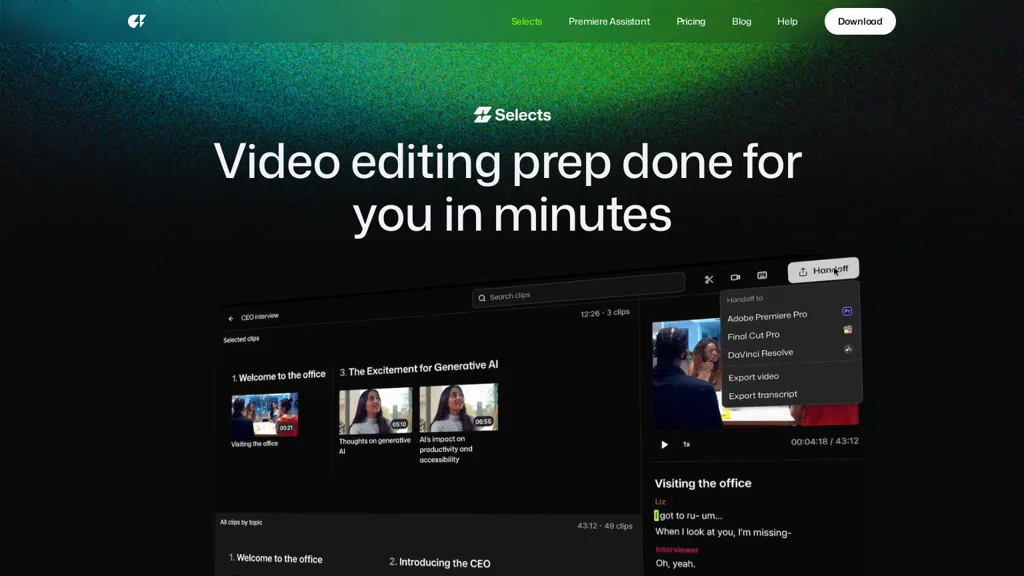
What is Selects - cutback.video?
Selects is an AI-powered assembly edit tool that helps creators and teams speed up video prep.It auto syncs video and audio, organizes footage into scenes automatically, and builds a ready-to-edit assembly cut timeline in NLEs, including Premiere Pro, DaVinci Resolve, and Final Cut Pro.
Perfect for podcasts, interviews, social content, and more, Selects turns long footage into ready-to-edit timelines.Whether you're batch filming or trying to hit weekly uploads, Selects helps you get into the creative part of editing fast.
Selects - cutback.video details
- Company
- Cutback Corporation
- Jurisdiction
- Republic of Korea
- Built for
- Individuals
- Data residency
- United States
- Stated compliance
- SOC 2
Compliance as stated in Selects - cutback.video's own published documentation.
Selects - cutback.video pricing
Free trial- Auto-renewal
- Yes
Verify on the official pricing page.
Start free trialSelects - cutback.video's key features
-
AI-powered rough cut tool
-
Multi-cam synchronization
-
Automatic organization into topic-based chapters
-
Natural language search for retrieving specific moments
-
Seamless handoff to editing software like Adobe Premiere Pro and Final Cut Pro
Selects - cutback.video use cases
-
Streamline your video editing workflow by using Selects Cutback to quickly process raw footage, allowing for faster project turnaround times and minimizing initial editing stress.
-
Easily locate specific moments in your footage with natural language search, making it simple to find and assemble key scenes for your video projects without sifting through hours of content.
-
Utilize the storyline feature to create engaging story-driven rough cuts that enhance narrative flow, ensuring a polished presentation before final editing in software like Adobe Premiere Pro or Final Cut Pro.
Selects - cutback.video user reviews
Based on 5 reviews, 80% of users recommend Selects - cutback.video, rated highly for quality results.
Liked for
Disliked for
Would you recommend Selects - cutback.video?
Who is Selects - cutback.video for?
-
Video editors
-
Content creators
-
Filmmakers
-
Product designers
-
Video producers
Selects - cutback.video FAQ
Is Selects - cutback.video free?
Not permanently. Selects - cutback.video gives you a free trial, after which a paid plan is required. Plans include Lite at $8-$9/mo, Basic at $13-$15/mo and Pro at $30-$35/mo.
Is Selects - cutback.video safe to use?
Selects - cutback.video states SOC 2 compliance in its own published documentation. Selects - cutback.video is operated by Cutback Corporation, registered in Republic of Korea.
What are the best alternatives to Selects - cutback.video?
The closest alternatives to Selects - cutback.video are Vidrush AI, CapCut, Video Editor AI, VCut and Opus Clip. You can compare them side by side in the alternatives section further down this page.
What does Selects - cutback.video do with my data?
Its privacy policy states that personal data is not sold or shared for marketing purposes. Data may be shared with third-party service providers that help run the product. Customer data is held in United States.
Does Selects - cutback.video auto-renew or offer refunds?
Selects - cutback.video subscriptions renew automatically until you cancel.
Who made Selects - cutback.video?
Selects - cutback.video is built and operated by Cutback Corporation, a company registered in Republic of Korea.
Compliance, privacy and billing terms are as stated in each product's own published documentation and have not been independently verified by TopAI.tools.


