
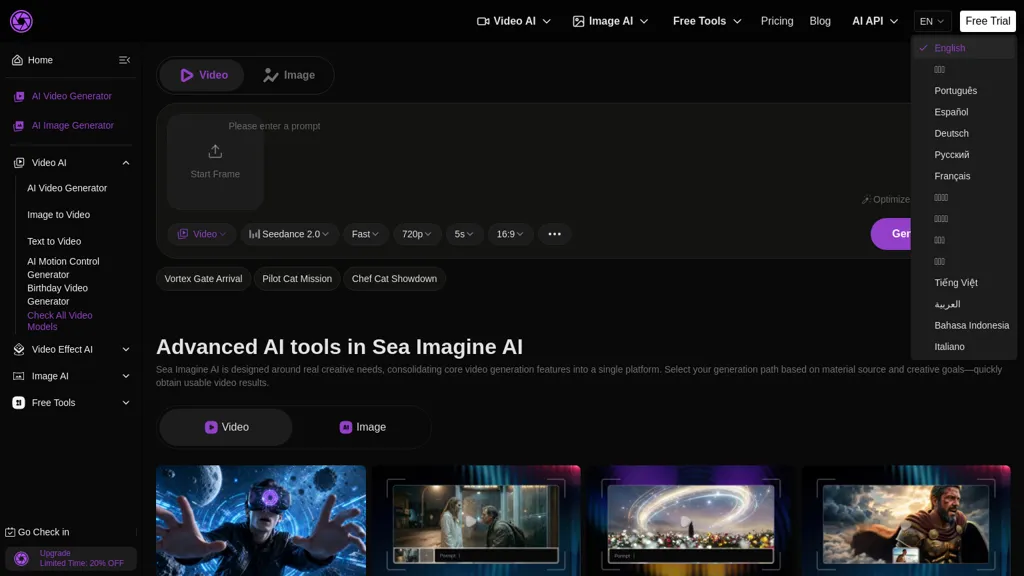
What is Sea Imagine AI?
Sea Imagine AI is an all-in-one AI video and image generator supporting text-to-video, image-to-video, and video-to-video workflows.The platform uses multiple multimodal AI models and style presets to generate scenes, control motion and camera transitions, and synchronize audio-video output.
Features include motion control, reusable editable outputs, multi-version rendering, and template-based generation for faster iteration.Export options cover common resolutions and aspect ratios (including 720p and 1080p) and produce files ready for editing, voiceover, or distribution.
The unified interface consolidates prompt input, model selection, rendering, and export into a single workflow.Suitable for content creators, marketers, educators, filmmakers, and hobbyists creating presentation clips, social media videos, visual assets, and storyboards.
Designed to support rapid prototyping of visual ideas and integration into existing video editing pipelines.
Sea Imagine AI details
- Company
- FLAQ AI PTE. LTD.
- Jurisdiction
- Singapore
- Built for
- Individuals
Sea Imagine AI tech specs
- Works with
- OpenAI / GPT xAI / Grok Luma AI Kling ByteDance / Seedance ByteDance / Seedream
Sea Imagine AI pricing
Free trialSea Imagine AI offers a free trial before requiring payment.
- Refund window
- 3 days
Verify on the official pricing page.
Start free trialSea Imagine AI's key features
-
Text-to-video, image-to-video, and video-to-video workflows
-
Multiple multimodal AI models and style presets for scene generation and style control
-
Motion control and camera transition control with audio–video synchronization
-
Reusable editable outputs and multi-version rendering
-
Template-based generation and unified interface for prompt input, model selection, rendering, and export
Sea Imagine AI use cases
-
Create production-ready marketing videos from simple text prompts using Sea Imagine AI's text-to-video templates, apply motion and camera controls for cinematic shots, render multiple versions for A/B testing and export in formats ready for ad platforms
-
Turn product photos into dynamic demo clips by converting images-to-video with adjustable camera moves and audio-video sync, iterate quickly with multi-version rendering and deliver export-ready files optimized for e-commerce listings and social media
-
Rapidly prototype and refine footage by importing video-to-video, use template-based editing and motion control to adjust pacing and camera angles, collaborate on editable clips and export high-quality sequences for post-production or client review
Sea Imagine AI user reviews
Would you recommend Sea Imagine AI?
Who is Sea Imagine AI for?
-
Content creators
-
Filmmakers
-
Video editors
-
Storyboard artists
-
Creative agencies
Sea Imagine AI FAQ
Is Sea Imagine AI free?
Not permanently. Sea Imagine AI gives you a free trial, after which a paid plan is required.
Is Sea Imagine AI safe to use?
Sea Imagine AI is operated by FLAQ AI PTE. LTD., registered in Singapore. It has a substantial audience that is independently measured month to month.
What are the best alternatives to Sea Imagine AI?
The closest alternatives to Sea Imagine AI are Clipfly AI Video Generator, AIImageToVideo Pro, Video Generator - A2E.ai , Image-to-Video Maker and Make a Video. You can compare them side by side in the alternatives section further down this page.
What does Sea Imagine AI do with my data?
Sea Imagine AI states that customer content may be used to train its models. Its privacy policy states that personal data is not sold or shared for marketing purposes. Data may be shared with third-party service providers that help run the product.
Does Sea Imagine AI auto-renew or offer refunds?
Sea Imagine AI states a 3-day refund window.
Does Sea Imagine AI have an API?
Yes. Sea Imagine AI offers an API, so you can call it from your own applications instead of using the interface directly.
Who made Sea Imagine AI?
Sea Imagine AI is built and operated by FLAQ AI PTE. LTD., a company registered in Singapore.
Which AI models does Sea Imagine AI use?
Sea Imagine AI is built on OpenAI / GPT, xAI / Grok, Luma AI, Kling, ByteDance / Seedance and ByteDance / Seedream. Which models you can reach may depend on your plan.
Compliance, privacy and billing terms are as stated in each product's own published documentation and have not been independently verified by TopAI.tools.


