
What is Runbook AI?
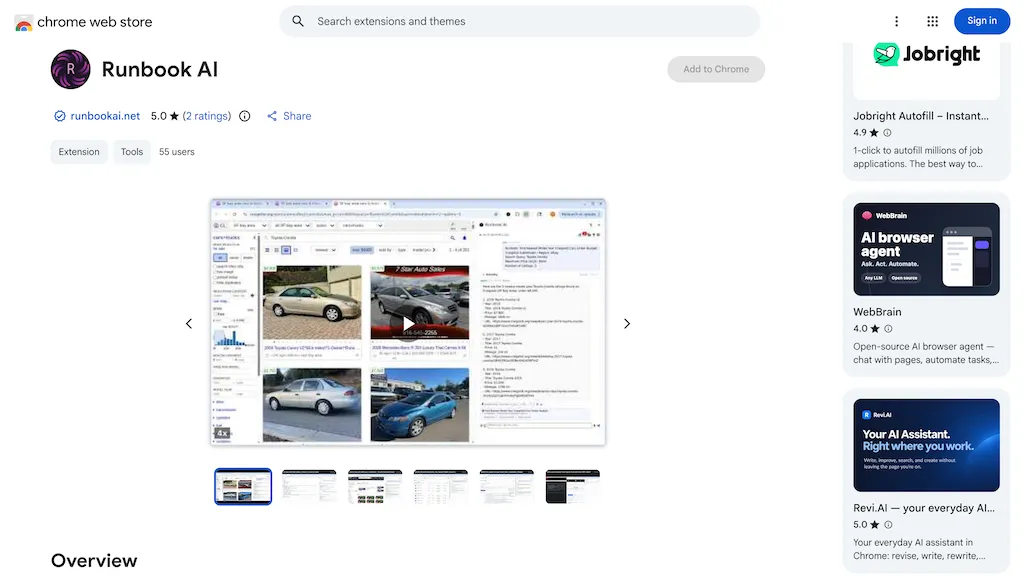
Runbook AI is an AI agent in the Chrome side panel that automates multi-step web workflows via plain-language commands.
It records and displays each step in real time and allows pausing, manual intervention (logins, 2FA, captchas), and in-run corrections.
Runs can be saved as parameterized runbooks, edited after execution, scheduled, or triggered by page-change monitoring.
The agent performs navigation, clicks, form fills, data extraction, and API calls using the browser’s signed-in session.
Credentials and card data are stored locally in a vault, and coding sub-tasks can be delegated to local agents or external LLMs.
Runs and runbooks can be exported or shared through the project site, while the extension executes primarily in-browser and connects only to the chosen LLM provider.
Runbook AI pricing
FreeThis tool is free to use, with no credit card required.
Verify on the official pricing page.
Get started freeRunbook AI's key features
-
Plain-language AI agent in Chrome side panel that automates multi-step web workflows
-
Real-time recording and step display with pause, manual intervention (logins, 2FA, captchas), and in-run corrections
-
Save runs as parameterized runbooks that can be edited, scheduled, or triggered by page-change monitoring
-
Perform navigation, clicks, form fills, data extraction, and API calls using the browser’s signed-in session
-
Local vault for credentials and card data and ability to delegate coding sub-tasks to local agents or external LLMs
Runbook AI use cases
-
Automate recurring sales and KPI reporting by instructing Runbook AI in plain language to log into multiple dashboards using the local credential vault, extract metrics, compile them into a spreadsheet or Slack report, and schedule daily runs or pause for manual sign-off before distribution
-
Create parameterized vendor/customer onboarding runbooks that auto-fill web forms across portals using stored credentials and field mappings, record every step for auditability, allow human-in-the-loop verification at approval checkpoints, and trigger runs automatically when a new CRM entry appears
-
Monitor competitor pricing and product page changes by setting page-change triggers in Runbook AI to scrape product details, compare against baseline data, and automatically notify your team or launch an automated repricing workflow from the Chrome side-panel with the ability to pause and adjust mid-run
Runbook AI user reviews
Would you recommend Runbook AI?
Who is Runbook AI for?
-
Developers
-
Qa engineers / testers
-
Devops / sres / operations engineers
-
Automation / rpa specialists
-
Product managers
-
Growth marketers
-
Marketing operations specialists
-
Sales operations / sdrs
-
Customer support agents
-
Business analysts / data analysts
-
E‑commerce managers / operations
-
No‑code / citizen developers
-
It administrators / security‑conscious teams
-
Legal & compliance teams
Runbook AI FAQ
Is Runbook AI free?
Yes. Runbook AI is free to use and does not require a credit card.
What are the best alternatives to Runbook AI?
The closest alternatives to Runbook AI are Ego Lite, Browser Use, Actionbook, Axiom and Sider. You can compare them side by side in the alternatives section further down this page.
Does Runbook AI have an API?
Yes. Runbook AI offers an API, so you can call it from your own applications instead of using the interface directly.


