
What is RoomAI?
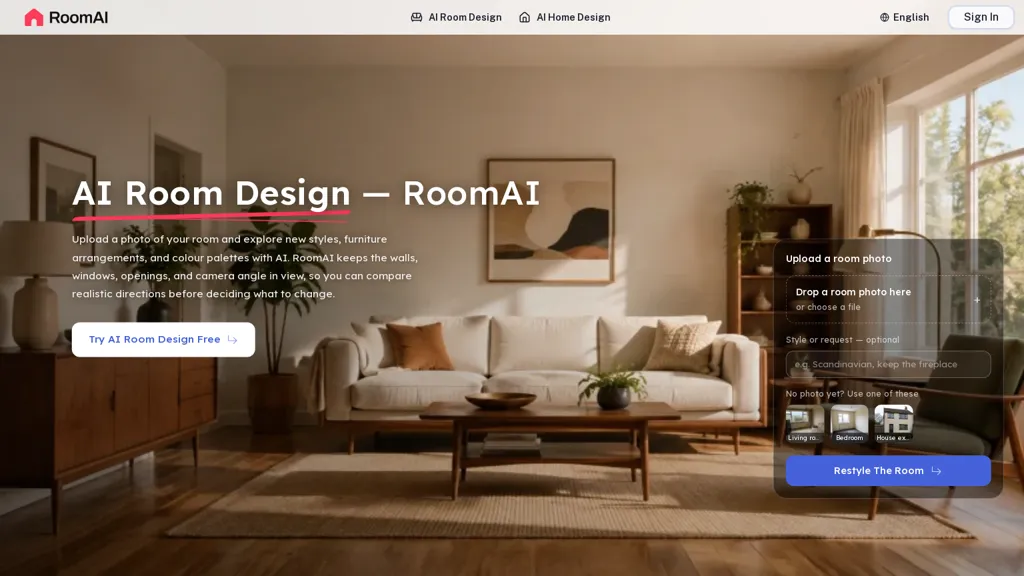
RoomAI creates restyled interior and exterior images from a single real photo while preserving wall positions, window and door openings, ceiling height and camera angle. It applies room-specific presets and an extensive style library to change finishes, furniture and color schemes without altering room geometry.
Users can generate multiple design directions from the same source photo and compare options side-by-side for consistent before-and-after alignment. Virtual staging and decluttering tools replace or remove furnishings and scale items to match the photographed space.
Exterior redesign options update cladding, paint and doors while retaining roofline and window placements. The service returns edited images in seconds to a minute and provides downloadable restyles for listings, contractor references or presentations.
Outputs keep fixed items such as radiators, sockets and beams in place so images reflect the photographed environment.
RoomAI details
- Jurisdiction
- United States
- Built for
- Individuals
RoomAI pricing
Free trialRoomAI offers a free trial before requiring payment.
- Refund window
- 7 days
Verify on the official pricing page.
Start free trialRoomAI's key features
-
Restyles interior and exterior images from a single photo while preserving room geometry, camera angle, and fixed items (walls, windows, doors, ceiling height, radiators, sockets, beams)
-
Applies room-specific presets and a style library to change finishes, furniture, and color schemes without altering geometry
-
Generates multiple design variants from the same source photo and enables side-by-side comparisons with consistent before-and-after alignment
-
Virtual staging and decluttering tools to replace or remove furnishings and scale items to match the photographed space
-
Exterior redesign options to update cladding, paint, and doors while retaining roofline and window placements
RoomAI use cases
-
Create high-converting real estate listing photos from a single shot using RoomAI's style presets and virtual staging to produce multiple design variations while preserving room geometry and camera angle, then download aligned before-and-after images for A/B testing and faster market-ready listings
-
Virtually stage or declutter interiors for online property presentations without physical furniture—apply realistic furniture, remove clutter, and generate multiple staged looks quickly to reduce staging costs and speed up listings, with perfectly aligned before-and-after downloads for agent and client approval
-
Refresh exterior property images to boost curb appeal by applying restyling presets while preserving openings and perspective, produce rapid downloadable before-and-after comparisons for marketing, renovation visualization, or MLS updates
RoomAI user reviews
Would you recommend RoomAI?
Who is RoomAI for?
-
Real estate agents
-
Home stagers
-
Interior designers
-
Architects
-
Contractors and builders
-
Property managers
-
Home sellers
-
Vacation rental hosts
-
Real estate photographers
-
Marketing and listing agencies
-
Furniture retailers and home decor brands
-
Property developers and flippers
RoomAI FAQ
Is RoomAI free?
Not permanently. RoomAI gives you a free trial, after which a paid plan is required.
What are the best alternatives to RoomAI?
The closest alternatives to RoomAI are Remodeled AI, REimagine Home, Renovate AI, AI4spaces and RoomStaging. You can compare them side by side in the alternatives section further down this page.
What does RoomAI do with my data?
RoomAI states that customer content is not used to train its models. Its privacy policy states that personal data is not sold or shared for marketing purposes. Data may be shared with third-party service providers that help run the product.
Does RoomAI auto-renew or offer refunds?
RoomAI states a 7-day refund window.
Compliance, privacy and billing terms are as stated in each product's own published documentation and have not been independently verified by TopAI.tools.


