
What is Revise?
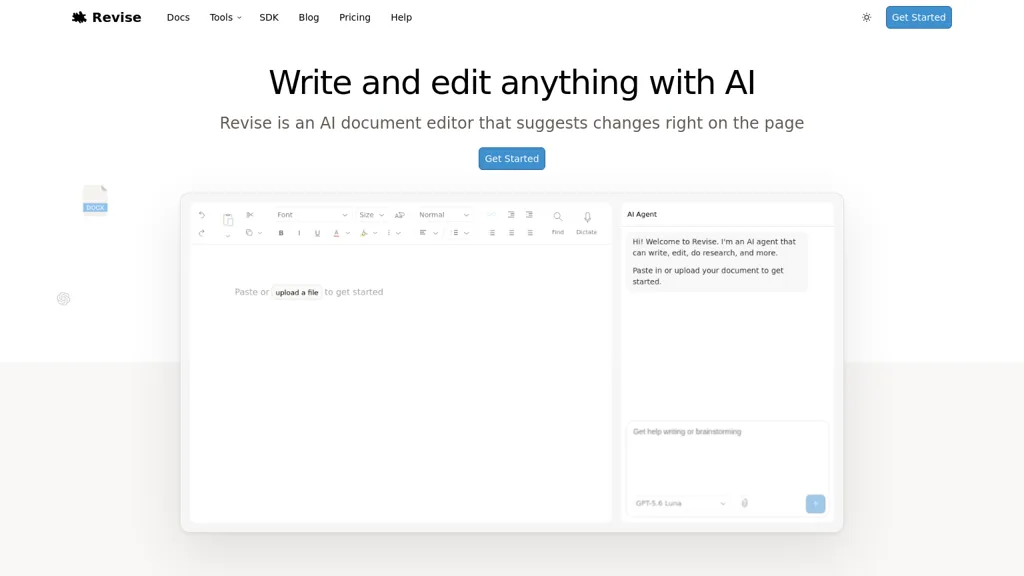
Revise is an AI document editor that combines a full-featured word processor with an integrated AI agent for drafting, editing, proofreading, translating and incorporating feedback.It supports import and export of DOCX, PDF and Markdown while preserving formatting, comments, tracked changes and page layout for long documents.
Every AI suggestion is recorded in a revision history with accept/reject controls and version recovery for auditability.Real-time collaboration enables multiple users and AI to edit together, with document-level encryption and privacy controls.
Users can switch between leading models (OpenAI GPT-5.6, Anthropic Claude, Google Gemini, xAI Grok and others) and use SDKs and connectors for automation and LLM benchmarking.Formatting features include headings, lists, tables, images, math equations, code blocks, mermaid diagrams, margins and print-ready page controls.
Common use cases include academic writing, proposals, technical documentation, resumes, SOPs and creative drafting, with autosave and compatibility with Microsoft Word and Google Docs workflows.
Revise details
- Built for
- Individuals
Revise tech specs
- Works with
- OpenAI / GPT Anthropic / Claude Google / Gemini xAI / Grok
Revise pricing
Freemium- Auto-renewal
- Yes
Verify on the official pricing page.
View plansRevise's key features
-
Integrated AI agent for drafting, editing, proofreading, translating and incorporating feedback
-
Import/export of DOCX, PDF and Markdown while preserving formatting, comments, tracked changes and page layout
-
AI suggestion revision history with accept/reject controls and version recovery
-
Real-time collaborative editing (multiple users and AI) with document-level encryption and privacy controls
-
Switchable LLM support (OpenAI, Anthropic, Google, xAI and others) with SDKs and connectors for automation and benchmarking
Revise use cases
-
Create and collaboratively draft and finalize client-ready contracts and policy documents while preserving DOCX formatting and tracked changes, using the integrated AI agent for clause drafting, proofreading, multilingual translation, auditable AI revision history, and model switching to validate legal language before export.
-
Develop long-form technical manuals, product documentation, or SOPs with real-time multiuser editing and preserved Markdown/PDF/DOCX structure; leverage the AI assistant for outlining, content generation, consistency checks, automated proofreading, translation, and export-ready DOCX with full tracked-change history.
-
Produce polished academic papers, grant proposals, or reports by combining AI drafting, citation-aware proofreading, and reviewer feedback in a collaborative editor that records AI suggestions in version history, supports model switching for style/tone, preserves all formatting and tracked changes, and outputs publisher-ready DOCX/PDF files.
Revise user reviews
Based on 5 reviews, 100% of users recommend Revise, rated highly for quality results.
Liked for
Would you recommend Revise?
Who is Revise for?
-
Academic researchers
-
Technical writers
-
Product managers
-
Software developers
-
Hr personnel
Revise FAQ
Is Revise free?
Partly. Revise has a free plan with usage limits, and paid plans unlock the full feature set. Plans include Free plus at $8/mo, Pro at $20/mo and Max at $100/mo.
What are the best alternatives to Revise?
The closest alternatives to Revise are Document CoPilot, ParagraphAI, PDFT.AI: AI Document Translator, AI Resume Editor and online word editor. You can compare them side by side in the alternatives section further down this page.
What does Revise do with my data?
Revise states that customer content is not used to train its models.
Does Revise auto-renew or offer refunds?
Revise subscriptions renew automatically until you cancel.
Which AI models does Revise use?
Revise is built on OpenAI / GPT, Anthropic / Claude, Google / Gemini and xAI / Grok. Which models you can reach may depend on your plan.
Compliance, privacy and billing terms are as stated in each product's own published documentation and have not been independently verified by TopAI.tools.



I think this is a very nice clean app that is actually usable. Thank you