
What is Rendershop?
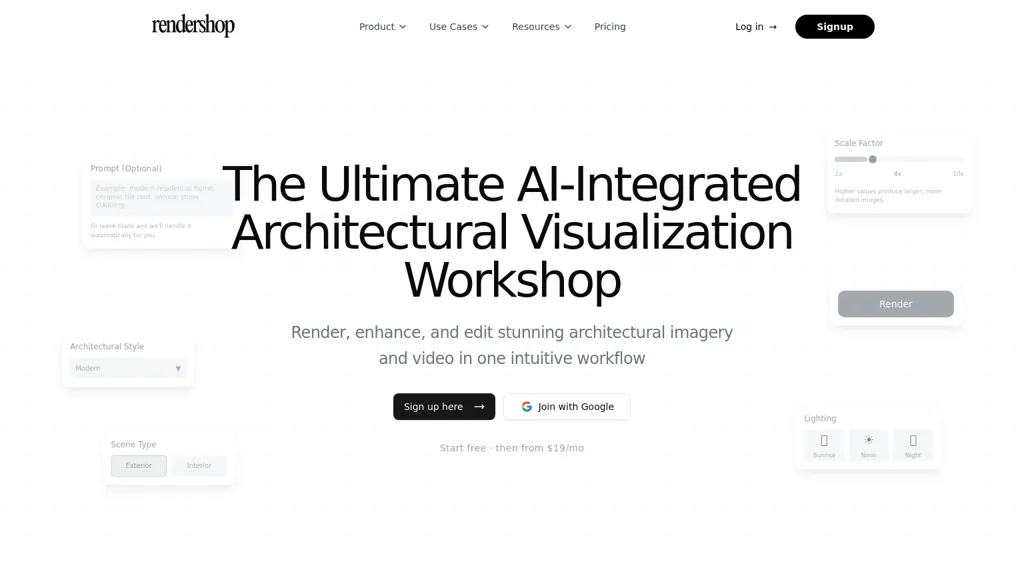
RenderShop transforms CAD files, sketches, and elevations into AI architectural renders with selectable scene types, lighting options, and architectural styles.It produces photorealistic renders with scale and resolution controls, material swapping via markup points or region painting, and reference-image matching for accurate textures.
Editing tools include object removal, precise retexturing, color recoloring, and targeted lighting adjustments for both renders and photos.Virtual staging furnishes empty or under-construction spaces for real estate listings and client presentations, while export options deliver high-resolution images and cinematic walkthrough videos.
An enhance/upscale tool improves detail and reduces noise in low-resolution renders for presentation-ready output.The workflow supports common CAD and image formats and automates format and resolution handling for faster project turnaround.
Target users include architects, designers, developers, builders, real estate agents, and architecture students seeking streamlined visualization and client-ready assets.
Rendershop details
- Company
- Two Cases, LLC
- Jurisdiction
- State of Michigan, USA
- Built for
- Businesses and teams
Rendershop pricing
Free trialRendershop offers a free trial before requiring payment.
Verify on the official pricing page.
Start free trialRendershop's key features
-
AI rendering from CAD files, sketches, and elevations with selectable scene types, lighting options, and architectural styles
-
Photorealistic renders with adjustable scale and resolution controls
-
Material swapping via markup points or region painting and reference-image texture matching
-
Editing tools including object removal, precise retexturing, color recoloring, and targeted lighting adjustments for renders and photos
-
Virtual staging, export of high-resolution images and cinematic walkthrough videos, enhance/upscale tool, and automated support for common CAD and image formats
Rendershop use cases
-
Convert CAD models, sketches or site photos into photorealistic architectural renders for client presentations and marketing materials using selectable scenes, lighting and styles, with material swapping and reference-image texture matching to reproduce exact finishes
-
Virtually stage real estate listings by removing unwanted objects, retexturing surfaces and inserting furniture, then upscale and export high-resolution images or animated walkthrough videos optimized for listings, social ads and virtual tours
-
Speed up design iterations by testing multiple material and lighting scenarios directly from CAD, denoising and upscaling final outputs into production-quality renders and architectural walkthrough videos for approvals and construction handoffs
Rendershop user reviews
Based on 2 reviews, 100% of users recommend Rendershop, rated highly for quality results.
Liked for
Would you recommend Rendershop?
Who is Rendershop for?
-
Architectural creatives
-
Creative designers
-
Technical developers
-
Construction builders
-
Real estate agents
Rendershop FAQ
Is Rendershop free?
Not permanently. Rendershop gives you a free trial, after which a paid plan is required.
Is Rendershop safe to use?
Rendershop is operated by Two Cases, LLC, registered in State of Michigan, USA.
What are the best alternatives to Rendershop?
The closest alternatives to Rendershop are MyArchitectAI, RenderAI, VisualizeAI, InteriorAI and HomeVisualizer.AI. You can compare them side by side in the alternatives section further down this page.
What does Rendershop do with my data?
Rendershop states that customer content may be used to train its models. Its privacy policy states that personal data is not sold or shared for marketing purposes. Data may be shared with third-party service providers that help run the product.
Who made Rendershop?
Rendershop is built and operated by Two Cases, LLC, a company registered in State of Michigan, USA.
Compliance, privacy and billing terms are as stated in each product's own published documentation and have not been independently verified by TopAI.tools.


