
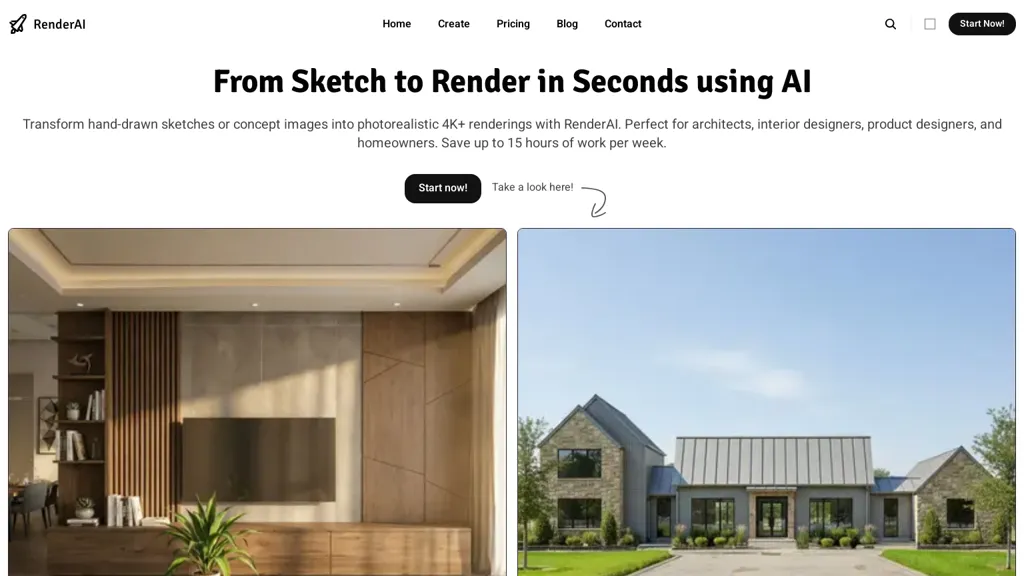
What is RenderAI?
RenderAI transforms hand-drawn sketches and concept images into photorealistic 4K+ renders and animated sequences in seconds.It provides a sketch-to-render workflow for architectural visualization, interior design visualization, product rendering and marketing imagery.
Users can upload sketches or 3D models, apply materials, lighting and camera presets via a web interface without advanced 3D expertise.Outputs include high-resolution images and videos suitable for presentations, portfolios, client approvals and promotional use, with commercial rights and watermark options.
Batch rendering and rapid iteration reduce manual rendering time and streamline design review and documentation workflows.The tool supports material and color experiments, room staging, product prototyping visuals and engineering renders for technical clarity.
Designed for integration into existing design pipelines, renderai produces production-ready visualizations for professional use.
RenderAI details
- Jurisdiction
- Uruguay
- Built for
- Individuals
RenderAI pricing
Freemium- Auto-renewal
- Yes
Verify on the official pricing page.
View plansRenderAI's key features
-
Convert hand-drawn sketches and concept images into photorealistic 4K+ renders and animated sequences
-
Web-based upload support for sketches and 3D models
-
Apply materials, lighting, and camera presets; support material/color experiments and room staging
-
Batch rendering and rapid iteration for automated rendering workflows
-
Integration into existing design pipelines to produce production-ready visualizations
RenderAI use cases
-
Produce photorealistic 4K+ exterior and interior renders from sketches and concept images using renderai's web-based material, lighting and camera presets for rapid client approvals, marketing assets and architectural visualization without complex 3D software
-
Generate animated walkthroughs and cinematic sequences for architecture and interior design projects by batch rendering iterations with renderai's presets, enabling fast iteration on lighting, materials and camera moves for presentations and virtual staging
-
Create high-fidelity product and engineering prototype visuals from concept sketches with renderai's photorealistic rendering and batch workflow to accelerate design reviews, e-commerce imagery and manufacturing-ready visuals
RenderAI user reviews
Based on 9 reviews, 78% of users recommend RenderAI, rated highly for ease of use.
Liked for
Disliked for
Would you recommend RenderAI?
RenderAI playbooks
4Step-by-step guides to get the most out of RenderAI
Who is RenderAI for?
-
Building architects
-
Interior designers
-
Product designers
-
Industrial designers
-
3d artists
RenderAI FAQ
Is RenderAI free?
Partly. RenderAI has a free plan with usage limits, and paid plans unlock the full feature set. Plans include Starter pack at $13/mo, Creator pro at $39/mo and Premium pro at $179/mo.
What are the best alternatives to RenderAI?
The closest alternatives to RenderAI are mnml.ai, ArchiVinci, MyArchitectAI, VisualizeAI and Kickrender. You can compare them side by side in the alternatives section further down this page.
What does RenderAI do with my data?
RenderAI states that customer content may be used to train its models. Its privacy policy states that personal data is not sold or shared for marketing purposes. Data may be shared with third-party service providers that help run the product.
Does RenderAI auto-renew or offer refunds?
RenderAI subscriptions renew automatically until you cancel.
Compliance, privacy and billing terms are as stated in each product's own published documentation and have not been independently verified by TopAI.tools.


 FunkoPop
 Fran
Fran
 Zanobia
I just tried, very easy to start. Feels like using Gemini, but with style presets and a upscaler
Ricardo, try the 4K upscaler!