
What is Remove object from photo by HitPaw?
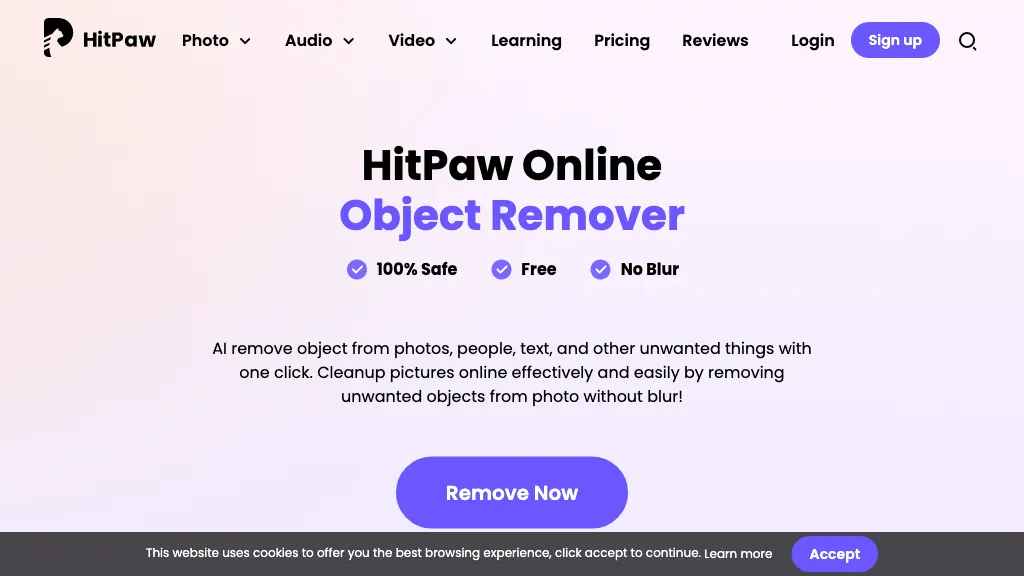
HitPaw Online Object Remover lets users delete unwanted objects, text, stickers, or dates from photos and videos with a single click. The tool uses AI-powered image inpainting to fill removed areas naturally, preserving surrounding details without generating visible blur.
Users can upload an image, brush‑select the target area, and download the cleaned result in the original format. It supports common photo formats such as JPG, PNG, BMP, and GIF, making it compatible with most editing workflows. Photographers, graphic designers, and social media managers can quickly remove distractions or background clutter from product shots or portrait images.
Content creators benefit from the ability to delete watermarks or logos from video clips for reuse. The interface requires no installation, enabling instant use from any browser. This solution streamlines image and video editing tasks for professionals and hobbyists alike.
Remove object from photo by HitPaw details
- Company
- HitPaw CO., LIMITED
- Jurisdiction
- Hong Kong Special Administrative Region of the People's Republic of China
- Data residency
- United States, European Economic Area (EEA), Japan
Remove object from photo by HitPaw tech specs
- Works with
- OpenAI / Sora Google / Nano Banana Black Forest Labs / Flux Kling ByteDance / Seedance MiniMax / Hailuo
Remove object from photo by HitPaw pricing
Freemium- Auto-renewal
- Yes
Verify on the official pricing page.
View plansRemove object from photo by HitPaw's key features
-
AI Video Enhancer
-
Video Watermark Removal
-
AI Video Generator
-
AI Photo Enhancer
-
AI Text to Image
-
AI Vocal Remover
Remove object from photo by HitPaw use cases
-
Remove product logos or personal photos from stock images for commercial reuse without watermarking
-
Clean up travel photos by erasing unwanted tourist signs, dates, and clutter for a polished gallery
-
Eliminate unwanted background elements and video watermarks from short clips for professional social media posts
Remove object from photo by HitPaw user reviews
Based on 2 reviews, 50% of users recommend Remove object from photo by HitPaw, rated highly for quality results.
Liked for
Disliked for
Would you recommend Remove object from photo by HitPaw?
Who is Remove object from photo by HitPaw for?
-
Digital creators
-
Visual editors
-
Multimedia producers
-
Marketing managers
-
Graphic designers
Remove object from photo by HitPaw FAQ
Is Remove object from photo by HitPaw free?
Partly. Remove object from photo by HitPaw has a free plan with usage limits, and paid plans unlock the full feature set. Plans include Weekly at $9.99, Monthly at $24.99 and Yearly at $79.99.
Is Remove object from photo by HitPaw safe to use?
Remove object from photo by HitPaw is operated by HitPaw CO., LIMITED, registered in Hong Kong Special Administrative Region of the People's Republic of China.
What are the best alternatives to Remove object from photo by HitPaw?
The closest alternatives to Remove object from photo by HitPaw are ObjectRemover, Watermark Remover, Remover AI, Removal.ai and Dewatermark AI. You can compare them side by side in the alternatives section further down this page.
What does Remove object from photo by HitPaw do with my data?
Remove object from photo by HitPaw states that customer content is not used to train its models. Its privacy policy states that personal data is not sold or shared for marketing purposes. Data may be shared with third-party service providers that help run the product. Customer data is held in United States, European Economic Area (EEA), Japan.
Does Remove object from photo by HitPaw auto-renew or offer refunds?
Remove object from photo by HitPaw subscriptions renew automatically until you cancel.
Does Remove object from photo by HitPaw have an API?
Yes. Remove object from photo by HitPaw offers an API, so you can call it from your own applications instead of using the interface directly.
Who made Remove object from photo by HitPaw?
Remove object from photo by HitPaw is built and operated by HitPaw CO., LIMITED, a company registered in Hong Kong Special Administrative Region of the People's Republic of China.
Which AI models does Remove object from photo by HitPaw use?
Remove object from photo by HitPaw is built on OpenAI / Sora, Google / Nano Banana, Black Forest Labs / Flux, Kling, ByteDance / Seedance and MiniMax / Hailuo. Which models you can reach may depend on your plan.
Compliance, privacy and billing terms are as stated in each product's own published documentation and have not been independently verified by TopAI.tools.


