
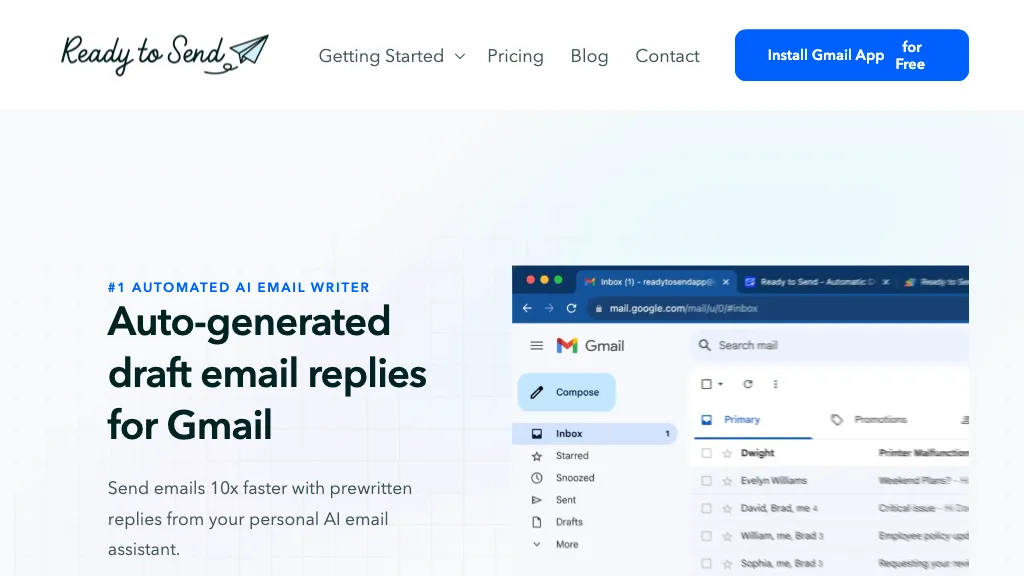
What is Ready to Send?
Ready to Send is a Gmail add‑on that generates automated, context‑aware email replies using advanced language models such as OpenAI, Google Gemini, and Anthropic. It offers personalized responses that adapt to the user’s tone and can be edited before sending, ensuring that messages remain authentic.
The tool automatically inserts relevant knowledge‑base snippets for common customer support questions, sales material, and onboarding information, streamlining communication for teams. It supports over 100 languages, detects the language of incoming emails, and works on Android, iOS, and desktop Gmail clients.
All data is processed within Google’s secure infrastructure, with no user messages stored or used to train models. Ready to Send integrates natively into the Gmail sidebar, allowing users to generate full drafts for new emails or reply to existing messages with minimal effort.
The app filters out newsletters and promotional mail, focusing only on new and unread messages that require a response. It is suitable for individual professionals, customer support agents, sales representatives, and internal communications teams seeking faster, consistent email handling.
Ready to Send details
- Jurisdiction
- Australia
- Built for
- Individuals
- Data residency
- Ireland, Canada, United States
- Stated compliance
- GDPR
Compliance as stated in Ready to Send's own published documentation.
Ready to Send tech specs
- Works with
- OpenAI / GPT Anthropic / Claude Google / Gemini
- Integrations
- Google Workspace
Ready to Send pricing
FreemiumReady to Send offers a free plan with paid upgrades available.
Verify on the official pricing page.
View plansReady to Send's key features
-
Auto‑generate Gmail replies
-
Seamless Gmail integration
-
Personalize AI‑generated responses
-
Supports 100+ languages
-
Intelligent snippet insertion
-
Mobile‑compatible via Gmail app
-
Custom API key support
Ready to Send use cases
-
Automate instant multilingual customer support replies in Gmail, inserting context-aware knowledge-base snippets to reduce response time
-
Enable sales teams to craft personalized email sequences automatically in 100+ languages, editing drafts in the Gmail sidebar before sending
-
Create seamless email outreach for global teams, automatically translating and adapting replies while keeping all data within Google’s secure infrastructure
Ready to Send user reviews
Would you recommend Ready to Send?
Who is Ready to Send for?
-
Email assistants
-
Digital marketers
-
Small business owners
-
Content creators
-
Product designers
Ready to Send FAQ
Is Ready to Send free?
Partly. Ready to Send has a free plan with usage limits, and paid plans unlock the full feature set.
Is Ready to Send safe to use?
Ready to Send states GDPR compliance in its own published documentation.
What are the best alternatives to Ready to Send?
The closest alternatives to Ready to Send are InboxGPT, Klart AI, AI Mail Assistant, Buzz Mail and Forthwrite AI. You can compare them side by side in the alternatives section further down this page.
What does Ready to Send do with my data?
Ready to Send states that customer content is not used to train its models. Its privacy policy states that personal data is not sold or shared for marketing purposes. Data may be shared with third-party service providers that help run the product. Customer data is held in Ireland, Canada, United States.
Does Ready to Send have an API?
Yes. Ready to Send offers an API, so you can call it from your own applications instead of using the interface directly.
Which AI models does Ready to Send use?
Ready to Send is built on OpenAI / GPT, Anthropic / Claude and Google / Gemini. Which models you can reach may depend on your plan.
What does Ready to Send integrate with?
Ready to Send connects with Google Workspace.
Compliance, privacy and billing terms are as stated in each product's own published documentation and have not been independently verified by TopAI.tools.


