
What is Pixplain?
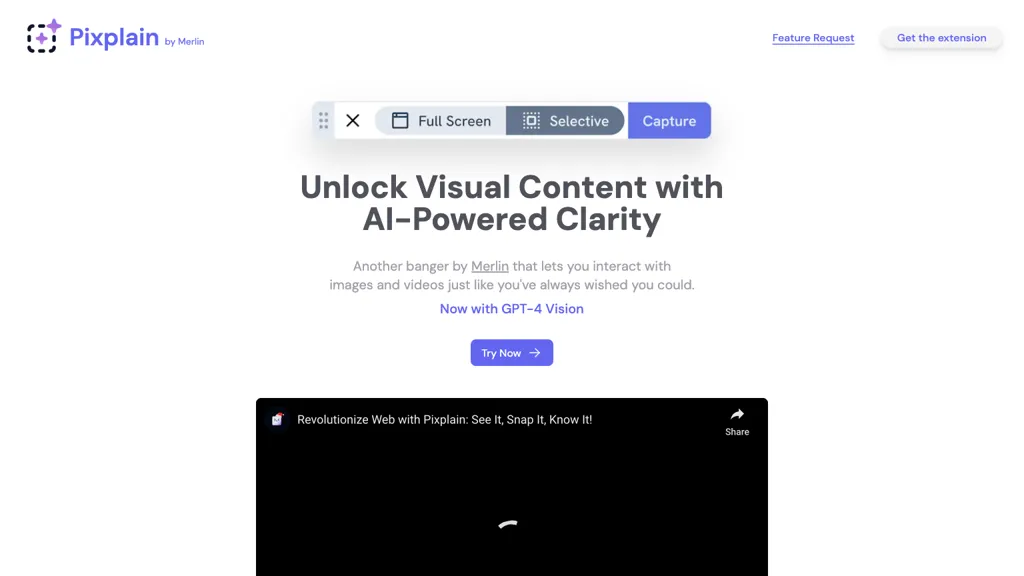
Merlin AI Pixplain offers a feedback feature request with its AI-powered clarity, unlocking visual content like never before. This tool allows users to interact with images and videos seamlessly, providing a user-friendly experience. By following simple steps, users can add the extension to their browser, select specific areas of the screen, capture images, and put forth queries to receive responses from top AI models like GPT-4, GPT Vision, Claude, and Llama.
Pixplain details
- Company
- Foyer Tech Incorporated
- Jurisdiction
- Delaware, United States
- Built for
- Individuals
- Stated compliance
- SOC 2, GDPR, ISO 27001
Compliance as stated in Pixplain's own published documentation.
Pixplain tech specs
- Works with
- OpenAI / GPT Anthropic / Claude Google / Gemini Meta Mistral DeepSeek xAI / Grok
- Integrations
- Google Workspace
Pixplain pricing
FreemiumPixplain offers a free plan with paid upgrades available.
Verify on the official pricing page.
View plansPixplain's key features
-
User-friendly interface
-
Image and video interaction
-
Integration with browser extension
-
Selection of specific screen areas
-
Access to top AI models
Pixplain use cases
-
Enhance online learning by allowing students to interact with images and videos for deeper understanding of complex concepts through Merlin AI Pixplain's feedback feature request and AI-powered clarity.
-
Improve virtual collaboration in design projects by easily capturing and sharing visual feedback using Merlin AI Pixplain's user-friendly interface and seamless image selection capabilities.
-
Streamline customer support by enabling agents to quickly capture and annotate screenshots, then receive responses from advanced AI models like GPT-4 for efficient problem-solving with Merlin AI Pixplain.
Pixplain user reviews
Based on 30 reviews, 80% of users recommend Pixplain, rated highly for quality results.
Liked for
Disliked for
Would you recommend Pixplain?
Who is Pixplain for?
-
Visual content creators
-
Product designers
-
E-commerce sellers
-
Marketing professionals
-
Web developers
Pixplain FAQ
Is Pixplain free?
Partly. Pixplain has a free plan with usage limits, and paid plans unlock the full feature set.
Is Pixplain safe to use?
Pixplain states SOC 2, GDPR and ISO 27001 compliance in its own published documentation. Pixplain is operated by Foyer Tech Incorporated, registered in Delaware, United States. Pixplain carries the TopAI.tools verified mark, which we award after a manual review of pricing transparency, published terms, public following and working functionality.
Is Pixplain good?
Pixplain has an 80% recommendation rate from 30 reviewers on TopAI.tools. Reviewers rate it highest on quality of results and value for money.
What are the best alternatives to Pixplain?
The closest alternatives to Pixplain are DeepAI, ChatGPT Images, AI Magicx, Innerai.com and Jasper Art. You can compare them side by side in the alternatives section further down this page.
What does Pixplain do with my data?
Its privacy policy states that personal data is not sold or shared for marketing purposes. Data may be shared with third-party service providers that help run the product.
Who made Pixplain?
Pixplain is built and operated by Foyer Tech Incorporated, a company registered in Delaware, United States.
Which AI models does Pixplain use?
Pixplain is built on OpenAI / GPT, Anthropic / Claude, Google / Gemini, Meta, Mistral, DeepSeek and xAI / Grok. Which models you can reach may depend on your plan.
What does Pixplain integrate with?
Pixplain connects with Google Workspace.
Compliance, privacy and billing terms are as stated in each product's own published documentation and have not been independently verified by TopAI.tools.


