
What is Pictura?
Pictura
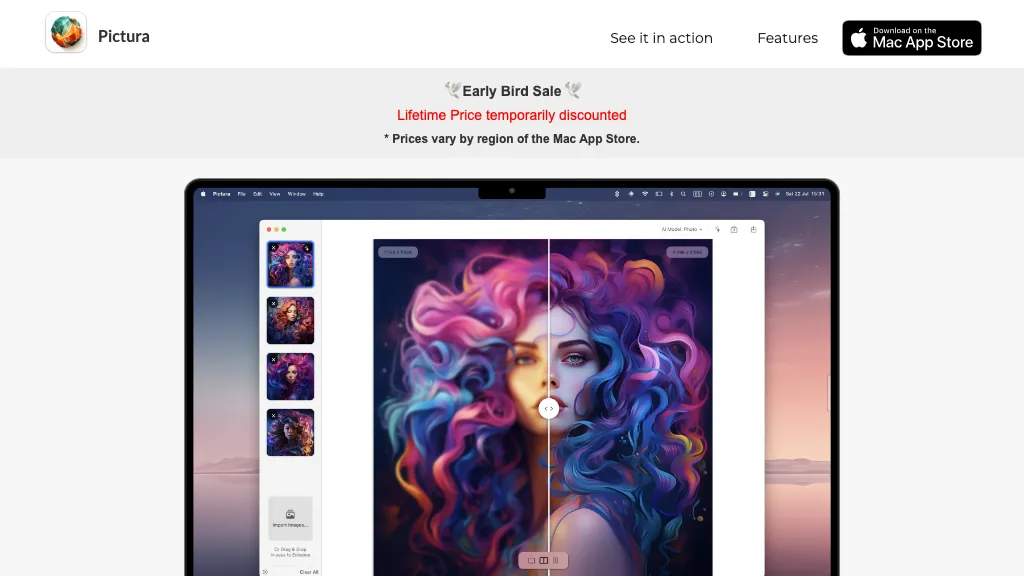
Pictura is a macOS‑native application that uses two AI models—one optimized for general photographs and another for anime—to upscale images up to 4× resolution directly on the device. The app runs on Apple Silicon and leverages the Mac Neural Engine, eliminating network dependency and preserving local data privacy.
Users can quickly import images via drag‑and‑drop, perform instant high‑resolution enhancement, and save the results with a single click. The interface supports batch processing, making it suitable for photographers, illustrators, and content creators who need efficient, local image upscaling without loading times or external servers.
Pictura details
- Built for
- Individuals
- Data residency
- in countries where Pictura or its service providers operate.
Pictura pricing
FreemiumPictura offers a free plan with paid upgrades available.
Verify on the official pricing page.
View plansPictura's key features
-
4x low-res upscale
-
Dual AI for photo & anime
-
Instant processing, no loading
-
Drag & drop upload
-
One-click save
-
MacOS native, privacy encryption
-
Apple Silicon optimized
Pictura use cases
-
Enhance low‑resolution wedding photos to high‑resolution prints without uploading images to the cloud, preserving privacy for personal memories
-
Quickly upscale multiple frames of a 2D anime series to 4K for professional animation production, using batch processing to save time
-
Photographers can improve product images for e‑commerce listings in seconds, with one‑click save and drag‑and‑drop workflow, ensuring higher quality listings
Pictura user reviews
Based on 1 review, 0% of users recommend Pictura.
Disliked for
Would you recommend Pictura?
Who is Pictura for?
-
Digital artists
-
Product designers
-
E-commerce sellers
-
Content creators
-
Mac enthusiasts
Pictura FAQ
Is Pictura free?
Partly. Pictura has a free plan with usage limits, and paid plans unlock the full feature set.
What are the best alternatives to Pictura?
The closest alternatives to Pictura are Upscale.media, HitPaw Photo AI, Img Upscaler, Image Upscaler AI and Upscayl.app. You can compare them side by side in the alternatives section further down this page.
What does Pictura do with my data?
Pictura states that customer content is not used to train its models. Its privacy policy states that personal data is not sold or shared for marketing purposes. Data may be shared with third-party service providers that help run the product. Customer data is held in in countries where Pictura or its service providers operate..
Is there a mobile app for Pictura?
Yes. Pictura has a mobile app alongside its web version.
Compliance, privacy and billing terms are as stated in each product's own published documentation and have not been independently verified by TopAI.tools.


