
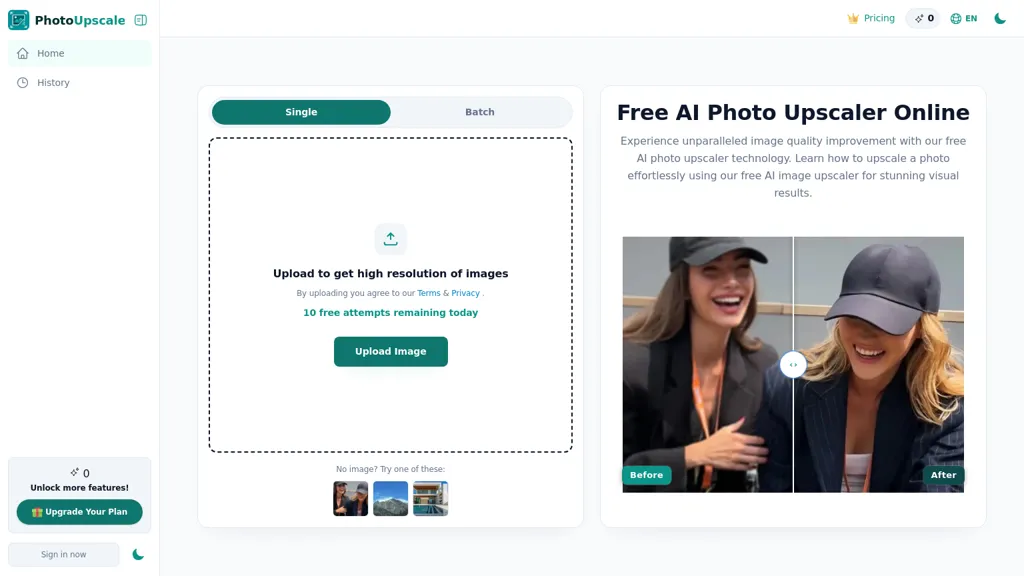
What is Photoupscaler AI?
Photo Upscaler AI upscales images to 4K and 8K resolutions using AI-based image upscaling.Supports JPG, PNG, WebP and HEIC files with single or batch drag-and-drop uploads.Automatically sharpens details, reduces blur, and preserves texture and natural color when enlarging resolution.
Includes presets for portraits, landscapes, product photos and anime/artwork to adapt enhancement per image type.Provides quick previews and high-resolution downloads suitable for printing, e-commerce listings, and creative projects.
Processes across devices with consistent results and protects images during the enhancement workflow.
Photoupscaler AI pricing
FreemiumVerify on the official pricing page.
View plansPhotoupscaler AI's key features
-
AI-based image upscaling to 4K and 8K
-
Supports JPG, PNG, WebP, HEIC with single or batch drag-and-drop uploads
-
Automatic sharpening, deblurring, and texture and color preservation during enlargement
-
Presets for portraits, landscapes, product photos, and anime/artwork to adapt enhancements
-
Quick previews and high-resolution downloads; cross-device processing with image protection during workflow
Photoupscaler AI use cases
-
Improve conversion by creating high-resolution e-commerce product images using Photo Upscaler AI — batch drag-and-drop JPG/PNG/WebP/HEIC files to upscale to 4K/8K, sharpen details and preserve texture/color, apply product-specific presets and download ready-to-publish images for zoomable galleries.
-
Deliver gallery-quality portraits and restored photos using Photo Upscaler AI — upscale and denoise low-res or old portraits to 4K/8K, reduce blur while preserving skin texture and color, use portrait presets for consistent results and export high-res files for prints and client delivery.
-
Prepare high-res assets for creators and designers using Photo Upscaler AI — batch upscale images for 4K/8K displays, banners, thumbnails and large-format prints, maintain sharpness and color fidelity across formats, speed up workflows with presets and quick high-resolution downloads.
Photoupscaler AI user reviews
Would you recommend Photoupscaler AI?
Who is Photoupscaler AI for?
-
Professional photographers
-
Amateur and hobbyist photographers
-
E-commerce sellers and product photographers
-
Graphic designers and creatives
-
Digital artists and illustrators (anime/artwork)
-
Social media influencers and content creators
-
Print shops and publishing professionals
-
Marketing teams and advertisers
-
Real estate agents and property photographers
-
Archivists and photo restoration specialists
Photoupscaler AI FAQ
Is Photoupscaler AI free?
Partly. Photoupscaler AI has a free plan with usage limits, and paid plans unlock the full feature set.