
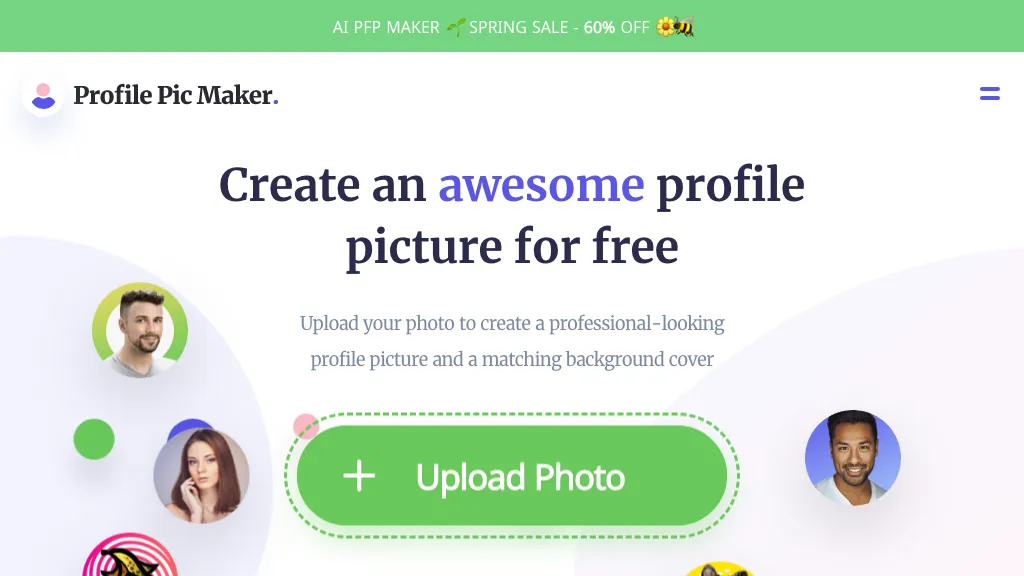
What is Pfpmaker?
PFPMaker is an AI‑powered tool that creates professional profile pictures from a single selfie. It removes or replaces backgrounds automatically and offers a library of templates, borders, gradients, and text overlays for quick customization. Users can apply AI‑generated makeup, adjust lighting, or change facial expressions through a chat‑based editor that accepts descriptive prompts.
The platform produces photorealistic results in about 15 seconds and supports JPG and PNG files up to 5 MB. PFPMaker is suited for professionals needing LinkedIn headshots, recruiters creating email signatures, marketers updating social media avatars, and anyone who wants a polished image without design expertise.
Pfpmaker details
- Company
- Logopony OÜ
- Jurisdiction
- Estonia
- Built for
- Individuals
- Stated compliance
- GDPR
Compliance as stated in Pfpmaker's own published documentation.
Pfpmaker pricing
FreemiumPfpmaker offers a free plan with paid upgrades available.
- Auto-renewal
- Yes
Verify on the official pricing page.
View plansPfpmaker's key features
-
AI Profile Picture Generation
-
AI Makeup Try-On
-
AI Background Removal
-
AI Headshots Enhancement
-
AI Photoshoot Style Transformation
-
Chat-based AI Portrait Editor
-
Creative Backgrounds and Borders
Pfpmaker use cases
-
Create a polished LinkedIn headshot in under 15 seconds, leveraging PFPMaker’s background removal and chat‑based makeup adjustments for a professional appearance.
-
Generate eye‑catching social media avatars for brand accounts by selecting gradient borders and overlay text, then instantly downloading as JPG/PNG.
-
Transform casual selfies into tailored marketing profile pictures, using templates and real‑time chat edits to adjust lighting, expression, and add company logos.
Pfpmaker user reviews
Based on 19 reviews, 68% of users recommend Pfpmaker, rated highly for ease of use.
Liked for
Disliked for
Would you recommend Pfpmaker?
Who is Pfpmaker for?
-
Content creators
-
Profile picture designers
-
Dating app seekers
-
Brand builders
-
Visual content creators
Pfpmaker FAQ
Is Pfpmaker free?
Partly. Pfpmaker has a free plan with usage limits, and paid plans unlock the full feature set.
Is Pfpmaker safe to use?
Pfpmaker states GDPR compliance in its own published documentation. Pfpmaker is operated by Logopony OÜ, registered in Estonia. Pfpmaker carries the TopAI.tools verified mark, which we award after a manual review of pricing transparency, published terms, public following and working functionality.
Is Pfpmaker good?
Pfpmaker has a 68% recommendation rate from 19 reviewers on TopAI.tools. Reviewers rate it highest on ease of use and value for money.
What are the best alternatives to Pfpmaker?
The closest alternatives to Pfpmaker are Headshotpro, Instaheadshots, PhotoAI, ProfilePicture.AI and PhotoGuruAI. You can compare them side by side in the alternatives section further down this page.
What does Pfpmaker do with my data?
Pfpmaker states that customer content is not used to train its models. Its privacy policy states that personal data is not sold or shared for marketing purposes. Data may be shared with third-party service providers that help run the product.
Does Pfpmaker auto-renew or offer refunds?
Pfpmaker subscriptions renew automatically until you cancel.
Does Pfpmaker have an API?
Yes. Pfpmaker offers an API, so you can call it from your own applications instead of using the interface directly.
Who made Pfpmaker?
Pfpmaker is built and operated by Logopony OÜ, a company registered in Estonia.
Compliance, privacy and billing terms are as stated in each product's own published documentation and have not been independently verified by TopAI.tools.


