
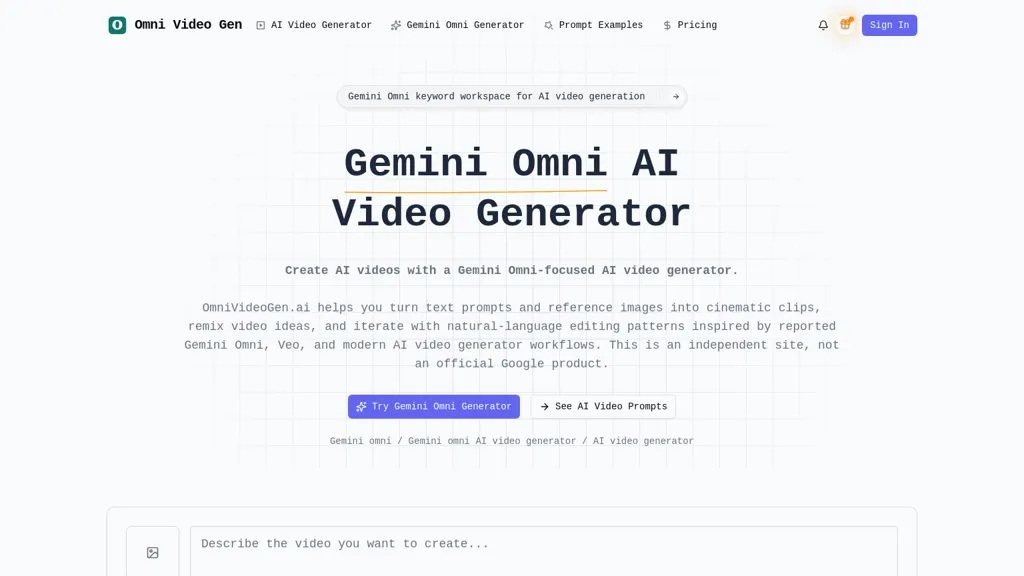
What is omnivideogen.ai?
Gemini Omni AI Video Generator enables creators to generate videos from text prompts and reference images using text-to-video and image-to-video workflows.It offers chat-based editing, template-driven workflows, and video remixing for iterative clip refinement and natural-language edits.
The prompt library, hover previews, and prompt examples speed iteration and provide reproducible source prompts for cinematic clips and social videos.Generation settings and model choices let editors control aspect ratio, framing, and visual style for explainer scenes, short-form content, and marketing assets.
Use cases include concept prototyping, content repurposing, and rapid iteration for filmmakers, social creators, and production teams.Workflow features like prompt history, template adaptation, and remix tools support consistent output and streamlined collaborative production.
omnivideogen.ai pricing
FreemiumVerify on the official pricing page.
View plansomnivideogen.ai's key features
-
Text-to-video and image-to-video generation from text prompts and reference images
-
Chat-based editing enabling natural-language edits
-
Template-driven workflows with template adaptation
-
Video remixing for iterative clip refinement
-
Generation settings and model choices to control aspect ratio, framing, and visual style
omnivideogen.ai use cases
-
Create short, platform-optimized marketing videos and social media ads from simple text prompts or product images using Gemini Omni’s text-to-video and image-to-video workflows, control aspect ratio and framing for Reels, Stories, or YouTube, and iterate rapidly with templates, remixing, and chat-based editing for fast A/B testing
-
Produce polished product demos and explainer videos by importing screenshots or reference images and using natural-language video editing to add voiceover, annotations, and on-brand visual styles, then remix clips to generate localized variants and export multiple aspect ratios for web and mobile
-
Prototype creative concepts and storyboards—generate mood-driven scenes from text, refine composition and timing through chat-based edits, reuse template-driven workflows to explore different visual styles, and quickly produce multiple iterations for stakeholder review and content iteration
omnivideogen.ai user reviews
Would you recommend omnivideogen.ai?
Who is omnivideogen.ai for?
-
Content creators
-
Marketing managers
-
Video editors
-
Video enthusiasts
-
Film buffs
omnivideogen.ai FAQ
Is omnivideogen.ai free?
Partly. omnivideogen.ai has a free plan with usage limits, and paid plans unlock the full feature set. Plans include Starter at $30/$8/mo/$96/year, Pro at $50/$24/mo/$288/year and Max at $100/$49/mo/$588/year.
What are the best alternatives to omnivideogen.ai?
The closest alternatives to omnivideogen.ai are VideoAI, AIReel, Video Generator - A2E.ai , AIAI and TopView.ai. You can compare them side by side in the alternatives section further down this page.


